Post by: MrsFlynn on March 05, 2021, 10:52:02 AM
https://modthesims.info/d/502976
Disclaimer: This is an older mod. While it works, there isn't any official support by the creator.
1. Download and Unzip the file (Direct download link)
https://chii.modthesims.info/getfile.php?file=1363016
To unzip the folder - right-click on folder and select Extract All.
2. Inside the folder that it gives you, copy the velocitygrass_blueprinthelper.package file into your Sims 3 mods folder.
-- \Documents\Electronic Arts\The Sims 3\Mods
It may need to go into Packages folder, depending on how you have your mods folder setup. Read more here (http://simswiki.info/wiki.php?title=Game_Help:Installing_Sims_3_Package_Files/Setup_and_Files).
3. Load the game and create a room. -- This program only works for making rooms, so don't add on a bathroom or kitchen, unless it's an open concept living, kitchen and dining room area. Like as pictured below -
4. Once finished with your room, take a few screenshots, as one will be needed later to use in the Blueprint maker program.
5. To save the room as a blueprint, you will need to have testingcheatsenabled on, be in live mode with an active Sim and the game on pause, so the option to save the blueprint will appear.
To use cheats press Ctrl-Shift-C together and type testingcheatsenabled on
6. Click the floor of the room you want to turn into a blueprint. Then choose Velocitygrass > Create Blueprint Template with or without the outer wallpaper.

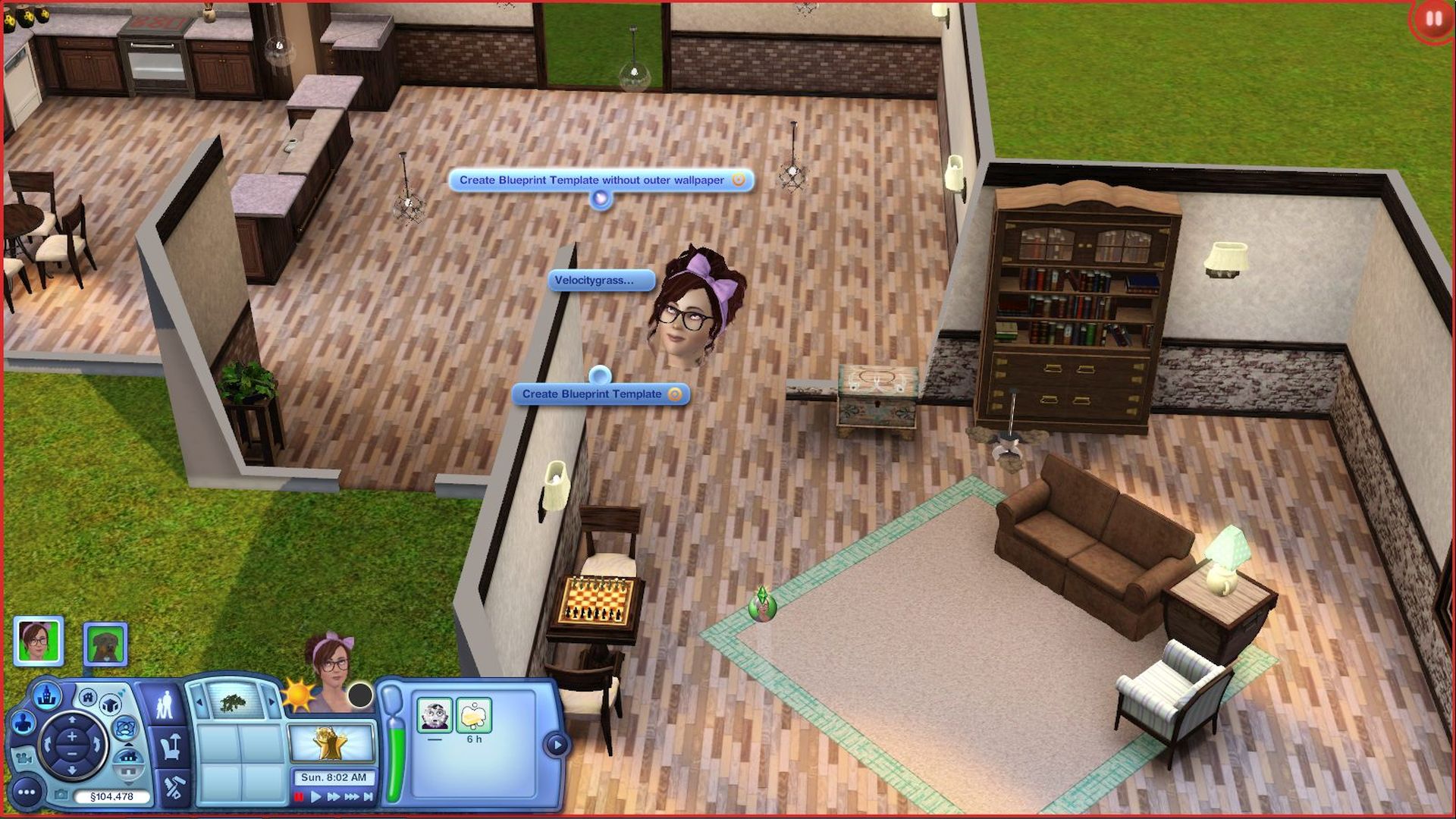
Note: It may flash a bit while it creates a log file. This is normal. It's cataloging all that's added to the room. This may take a couple minutes depending on how detailed the room/area is.
-- After it's finished, exit the game.
7. Open the Blueprint Maker program and browse to the log file which is located in your Sims 3 folder.
-- \Documents\Electronic Arts\The Sims 3
Note: The file will be a script error file and may look something like this -
ScriptError__03-05-2021__10-08-18__ED6409A0.xml
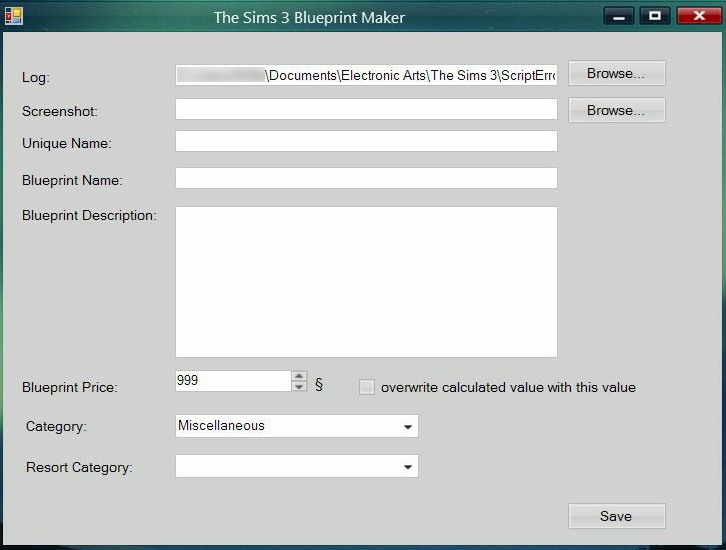
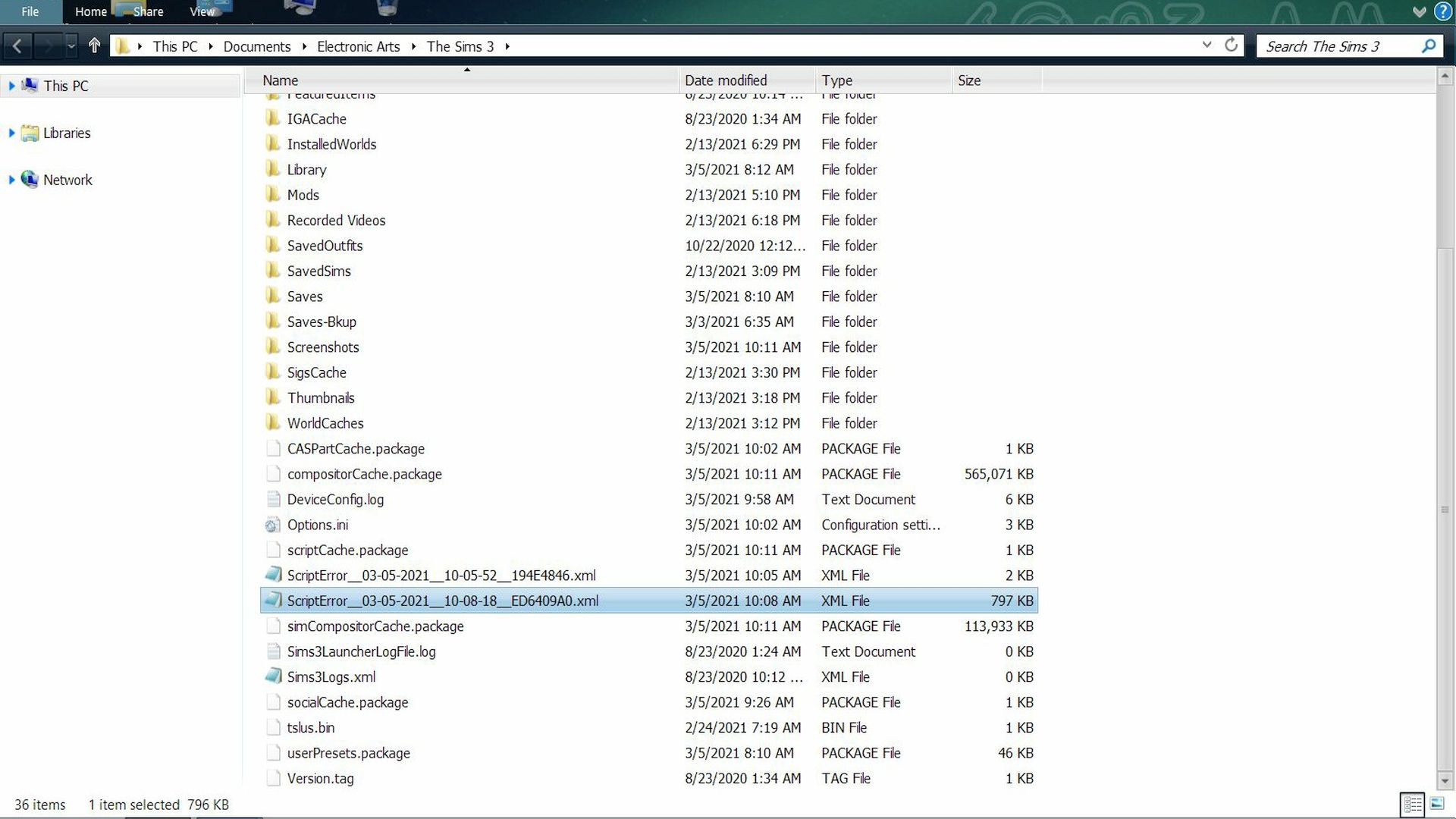
Note: You may notice two script error files if you have something like Nraas's Errortrap installed. If that's the case, look for the bigger script error file. Mine for the blueprint was almost 900 kb.
8. Browse to your screenshots folder and pick out a screenshot of the room.

9. Fill out the rest of the form.
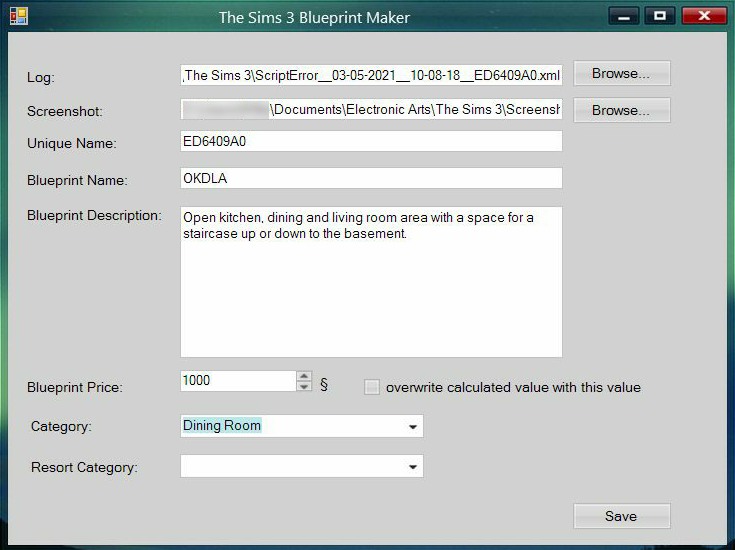
10. Press Save and save the resulting .package file to your mods folder.
-- \Documents\Electronic Arts\The Sims 3\Mods
11. Load the game to check your new room blueprint.
Go into Build/buy on any residential lot and click the Blueprints button.

Filter Content by Custom Content to find your blueprint.
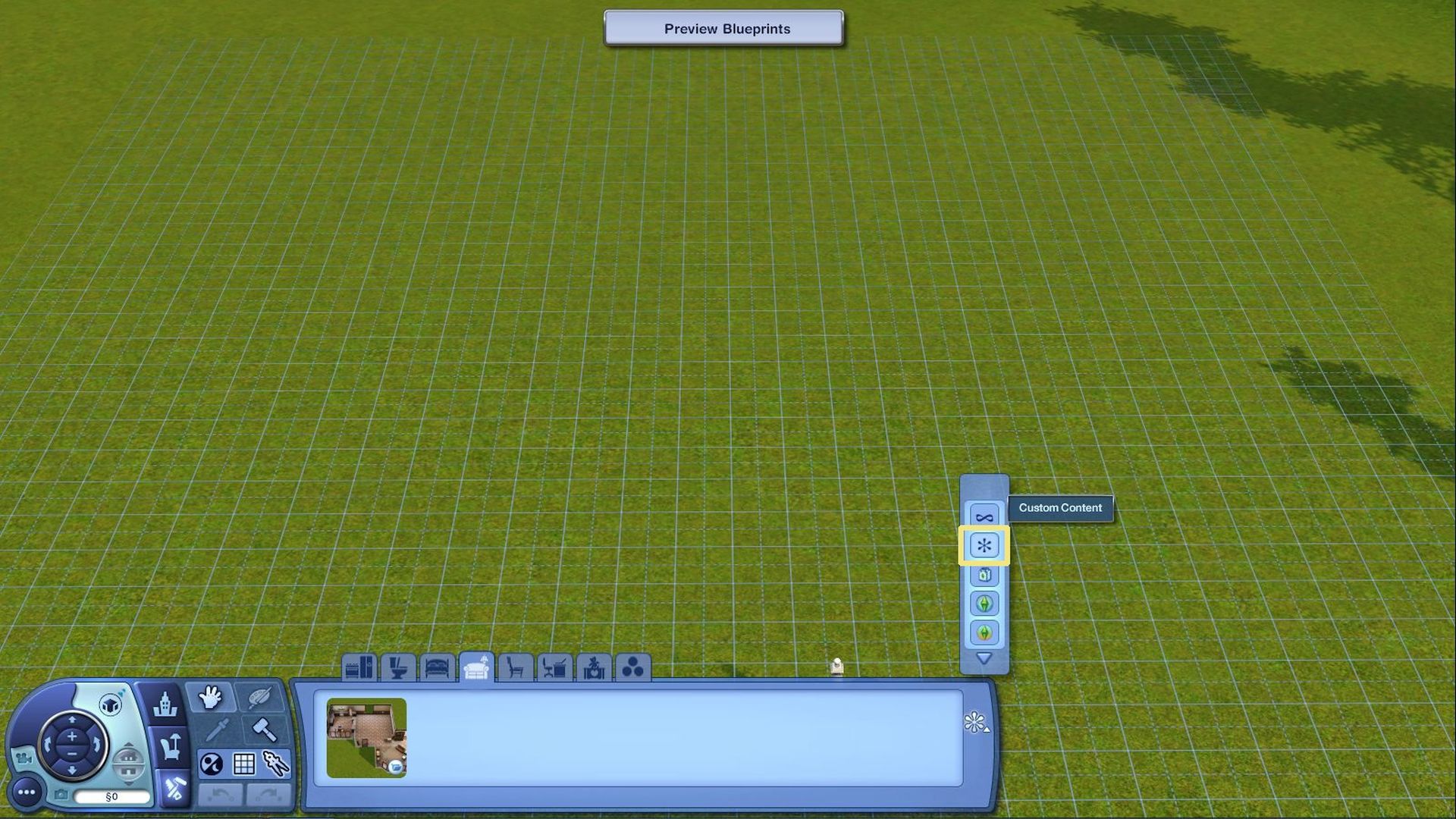
Click on the tab you labeled your room to be - Living room for example, for it to show up.
Click on the blueprint to select and place it.
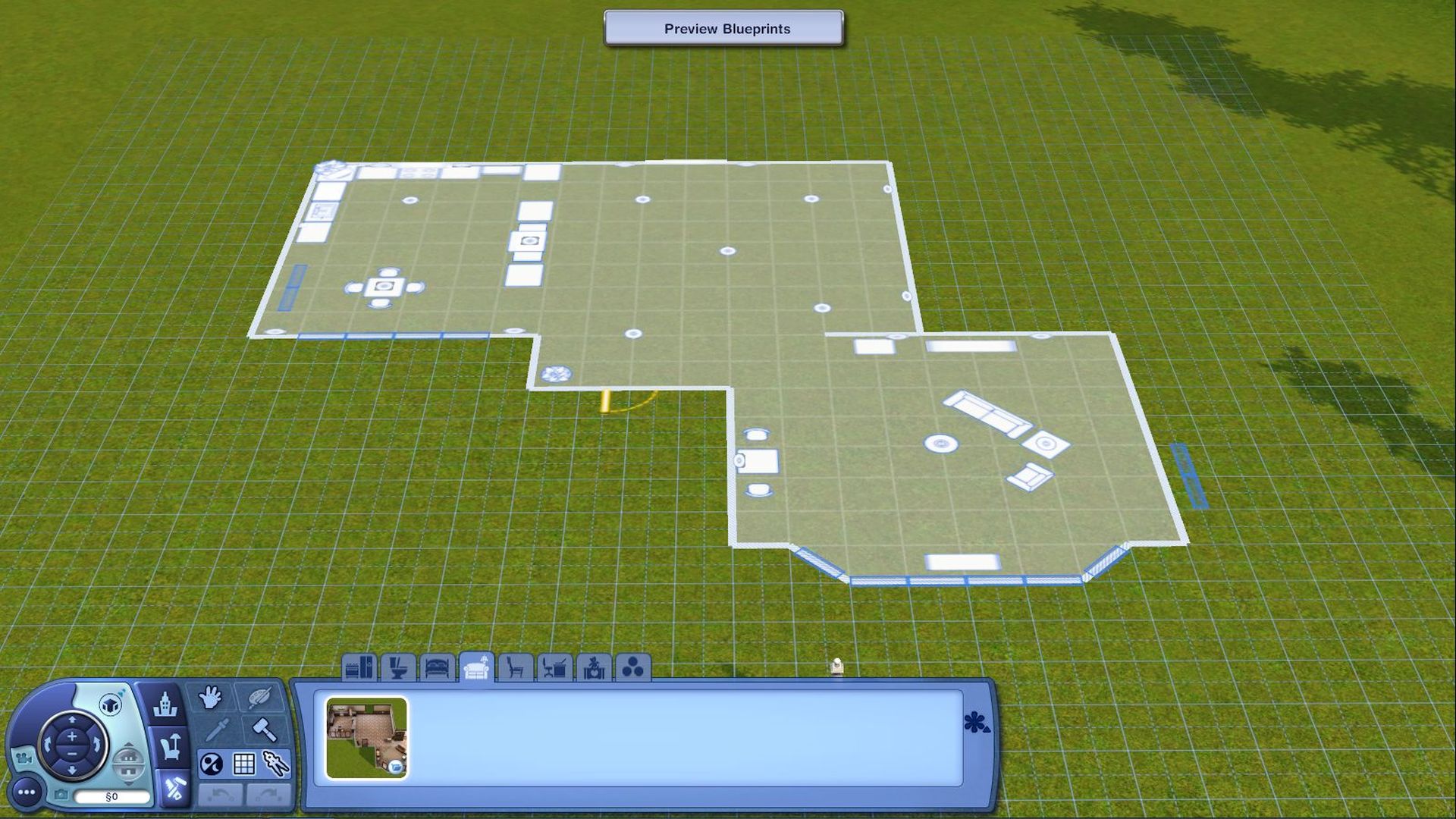
After placed, Click Preview Blueprints up-top middle of screen.

-- It may not save all lights, or exterior doors.
To permanently delete blueprint, delete the file from your mods folder.
The finished blueprint can be downloaded here. (https://www.jadekitten.net/MrsFlynn/F/OKDLA.zip) -- Some store items were used in this blueprint. The items may not show up if you don't own them or have them installed. Items maybe replaced with base game equivalent items.
The reason why the kitchen is so big is I added space for a staircase to go up or down to a basement level.
~ Reference Links:
Here's a link to the mod, a video from 2016 and a how-to from 2013.
How to: Make custom\your own blueprints in The Sims 3! Add single rooms to your houses.
https://www.youtube.com/watch?v=yIM4eK6Jluc
How to make your own Blueprints in The Sims 3
https://www.platinumsimmers.com/articles/how-to-make-your-own-blueprints-in-the-sims-3/