Post by: MrsFlynn on November 25, 2020, 05:45:09 PM
- Create a Link with Text (#post_Link)
- Link Example (#post_Lex)
- Create Story Chapter Links (#post_Chapter)
- Alternative way to Add a Chapter List (#post_Alt)
How To: Create Links on the Forum with text
When you want to create links or links with text in them this is what you do: (Regardless if your sending a PM or creating a New Topic)
1. Make note of what the link is. For example: We'll take the forum's link -
https://jadekitten.net/mfhot/index.php
To copy a link - Click in the browser's address bar to highlight and select copy, to copy the link.
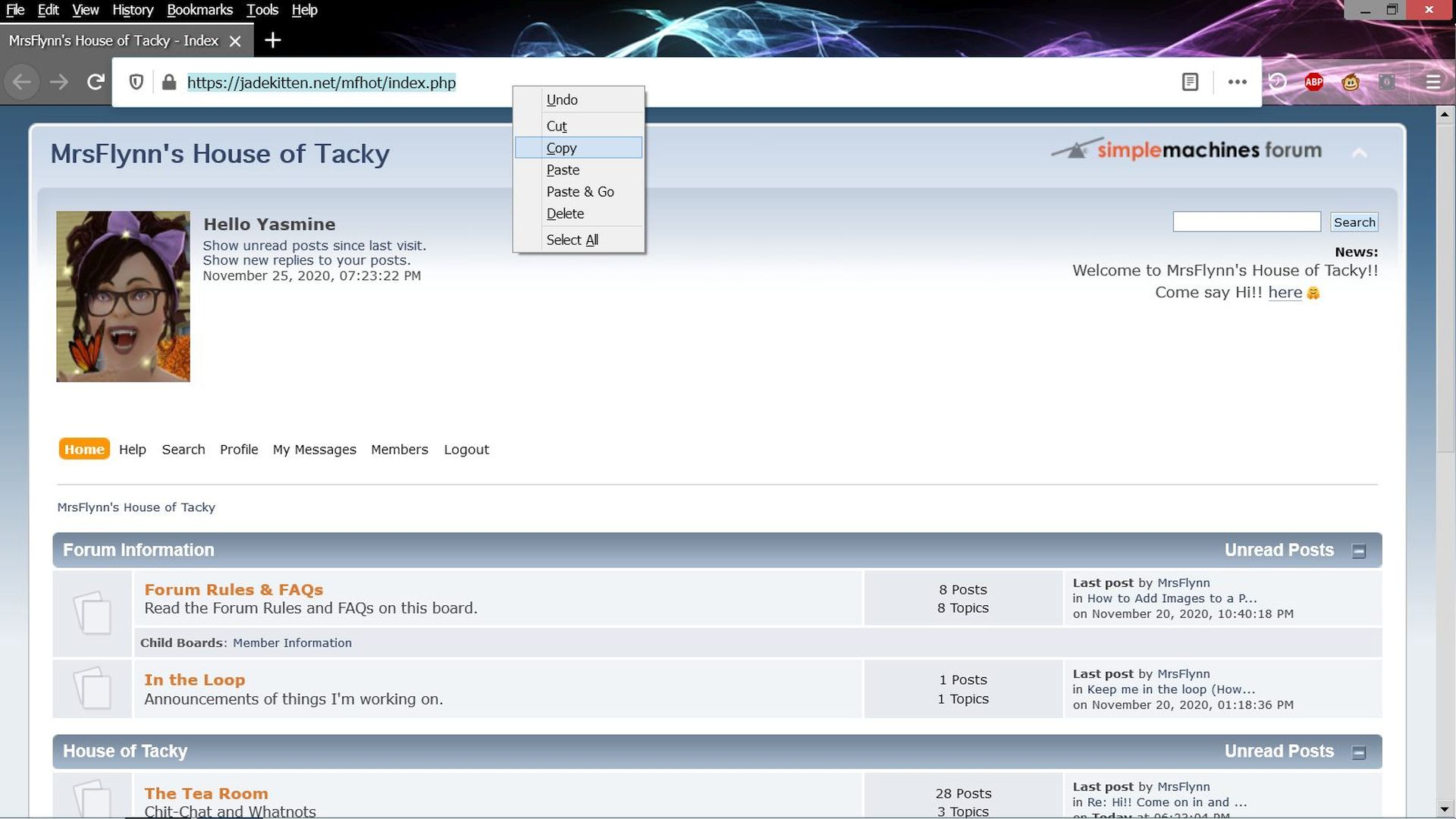
I'm using Firefox, If you're using a different browser trying to copy the link may be different.
To copy your chapter names, Left-click drag the mouse over the subject line of your post to highlight, right-click and select Copy. Paste it into a New Topic.
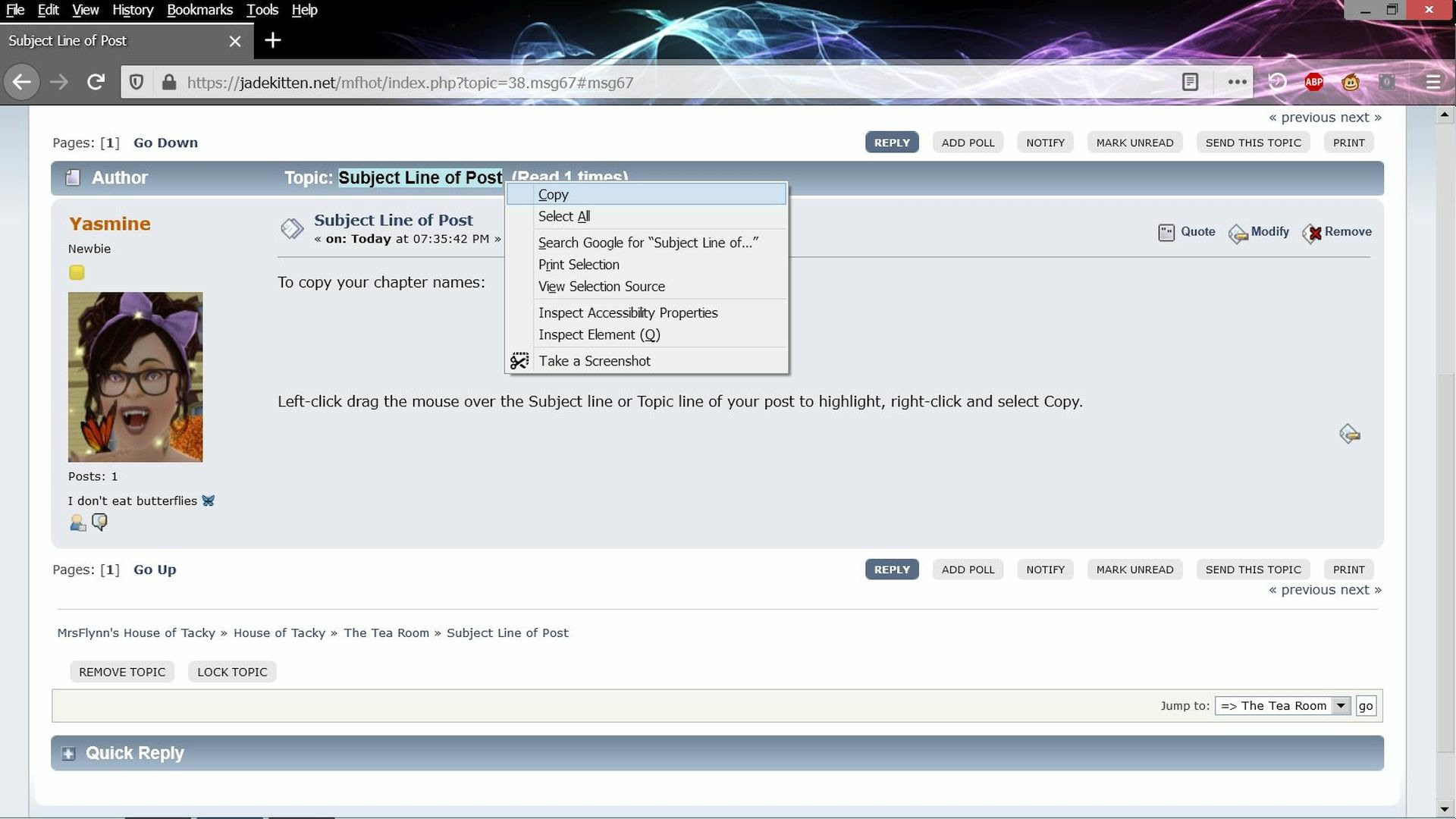
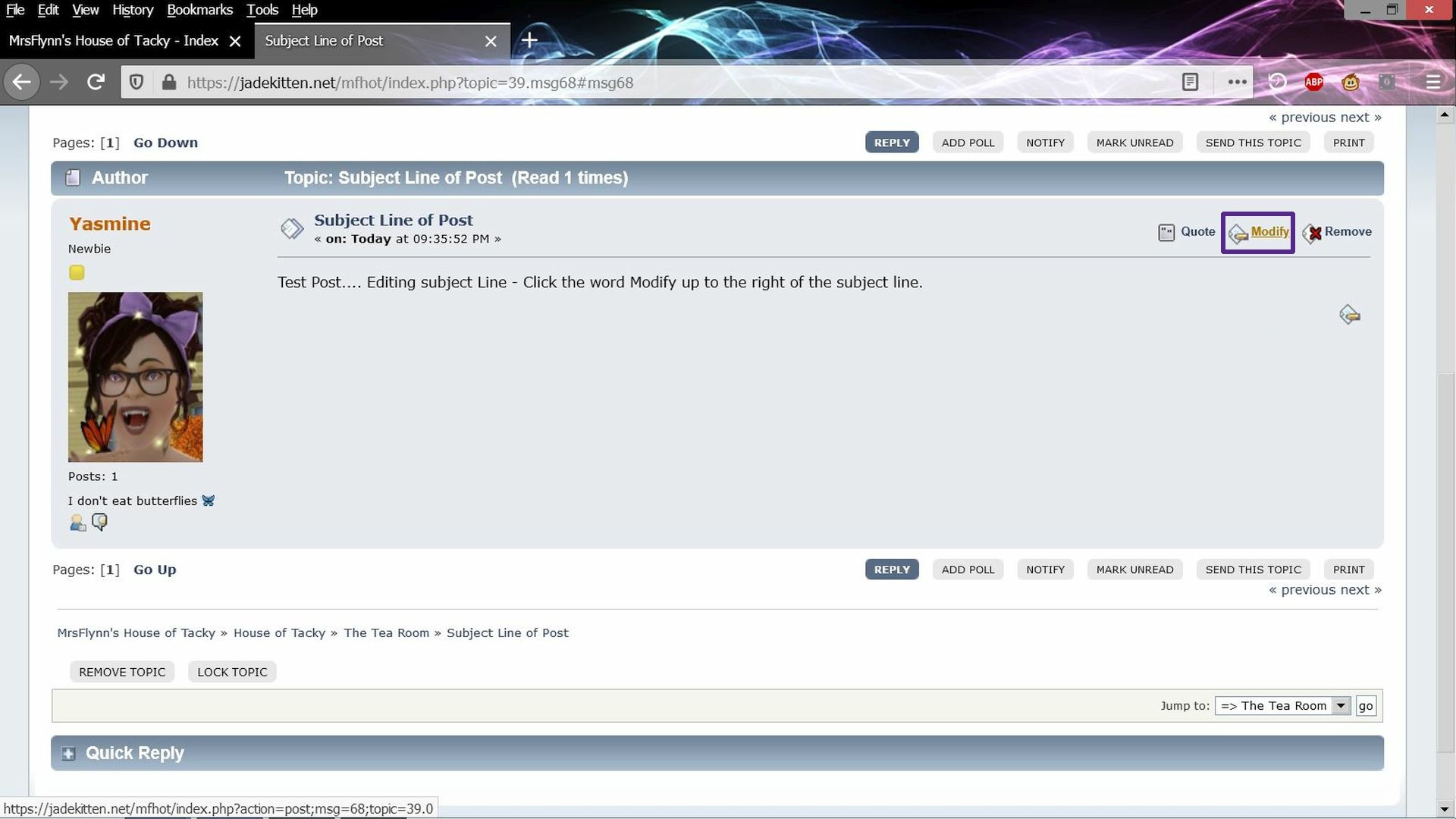
To change the subject line on any of your own posts, click the word Modify to the right of the subject line. Right-click the subject line to edit it. (Click images to enlarge)
Modify the Post -
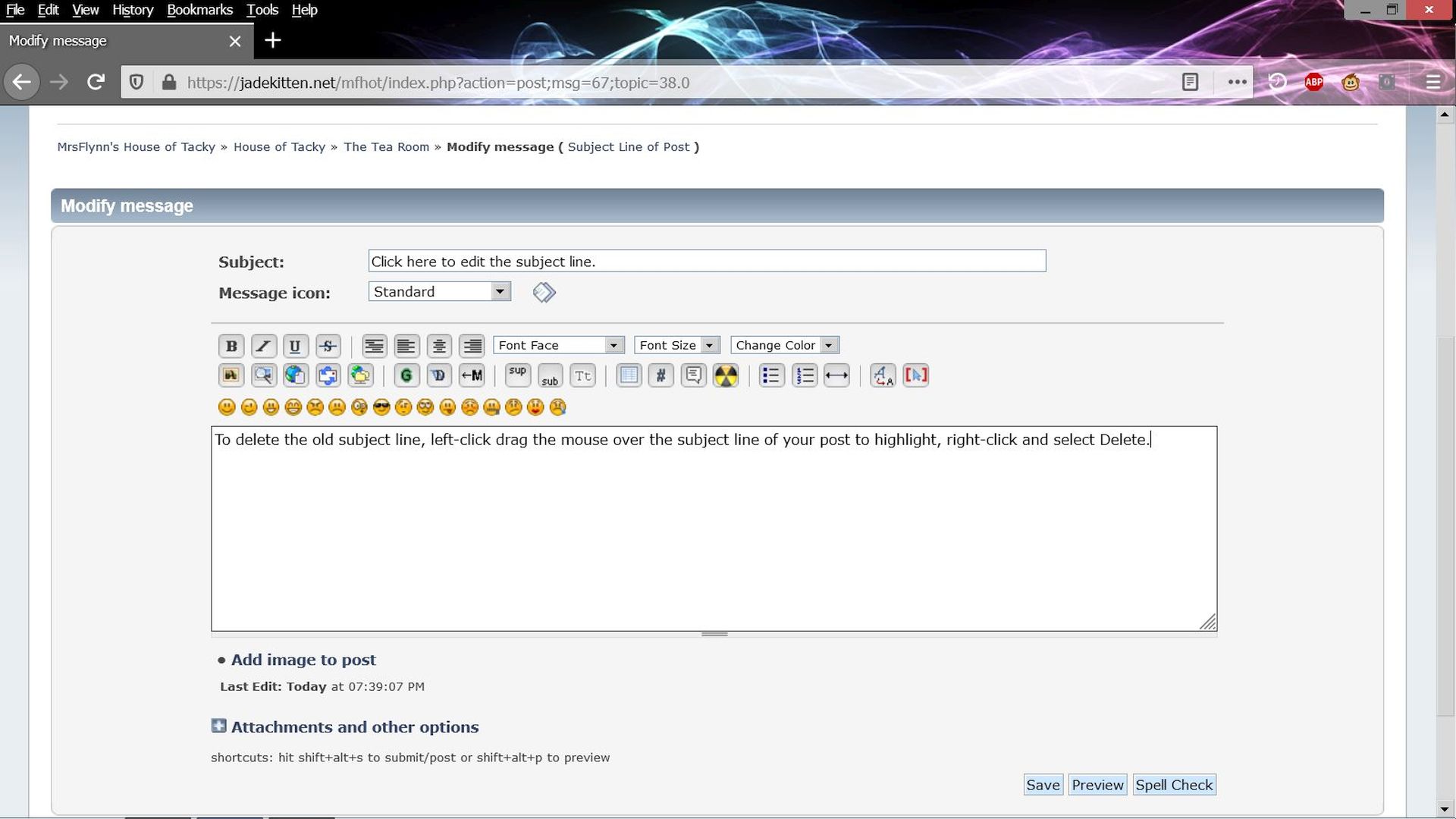
Modify Subject Line -
2. When adding a link to a message, click the Insert Hyperlink button [Globe with note on it] in the Editor menu above the message box. (Click image to enlarge)
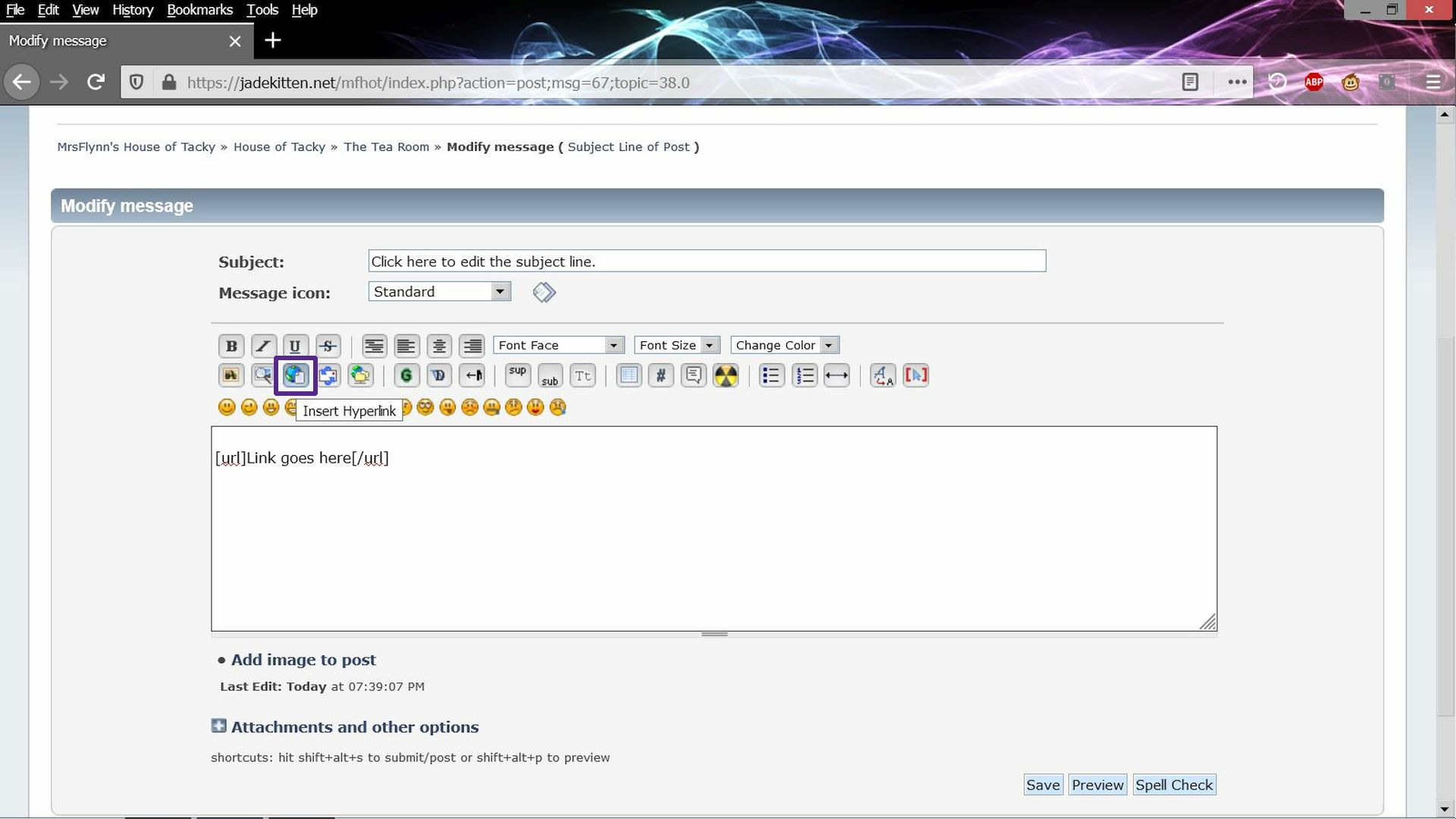
This will create the bbcode for the link.
Example Text: MrsFlynn's House of Tacky
Example Link: https://jadekitten.net/mfhot/index.php
Copy the link above in between the URL brackets, like below:
Code: [Select]
[url=Copy Link Here ] Copy Text Here [/url]

[url=https://jadekitten.net/mfhot/index.php]MrsFlynn's House of Tacky[/url]
-- The asterisks are for tutorial purposes - to easily show you the bbcode for the link. They are not needed to make the link and text work.
3. Copy/Paste the link between the brackets. [*url*=*]https://jadekitten.net/mfhot/index.php[/*url*] -- Here you have the link!!
4. Adding the text to the link. - Insert a bracket after your link, and add the text. For example:
[*url*=https://jadekitten.net/mfhot/index.php] MrsFlynn's House of Tacky[/*url*]
5. Then you have your link with text to post in the forum!!
MrsFlynn's House of Tacky (https://jadekitten.net/mfhot/index.php)
Back to top (#post_Top)
Link Example
In the box below is an example of the bbcode if you'd rather just copy and paste the example and use it.
Code: [Select]
[url=http://example.com]Example[/url]
Left-click and drag the mouse over the link to highlight. Right-click while highlighted and select Copy. Paste it into a New Topic or PM.
Back to top (#post_Top)
How To: Create Story Chapter Links
You can also use this howto to create chapter links for your stories. To help make it easier for readers to jump straight to the most current chapter.
1. When creating a story, reserve a post or two for the chapter links and introduction of the story.
2. Right-click the Subject of the post and select 'copy address' (or something similar, depending on your browser) to get the link for the specific post.
3. Paste it to your chapters list or index post.
5. Preview to make sure it works and looks okay.
6. Post!
To reserve posts for chapter lists and/or an introduction or any other additions you'd like to add go to the top of your thread and click the Reply button for each reserved post you'd
like to have. You are essentially replying to yourself, but that is how you can create separate posts for your chapter list, introduction and story chapters. :)
Back to top (#post_Top)
Alternative way to Add a Chapter List
An alternative way to add a chapter list if you don't want to or can't give it it's own post is to add a spoiler tag and add the chapter links in it. Example below:
Code: [Select]
[spoiler]

Put your chapter list in a Spoiler Tag

[url=http://example.com]Example[/url]

[/spoiler]
----------
When you're editing your post or creating a post. In the editor menu, up above the Smilies there's a Insert Spoiler Button. You can put your chapter list in a spoiler tag to help
save some room.
How to add Spoiler Tags: (Click image to enlarge)
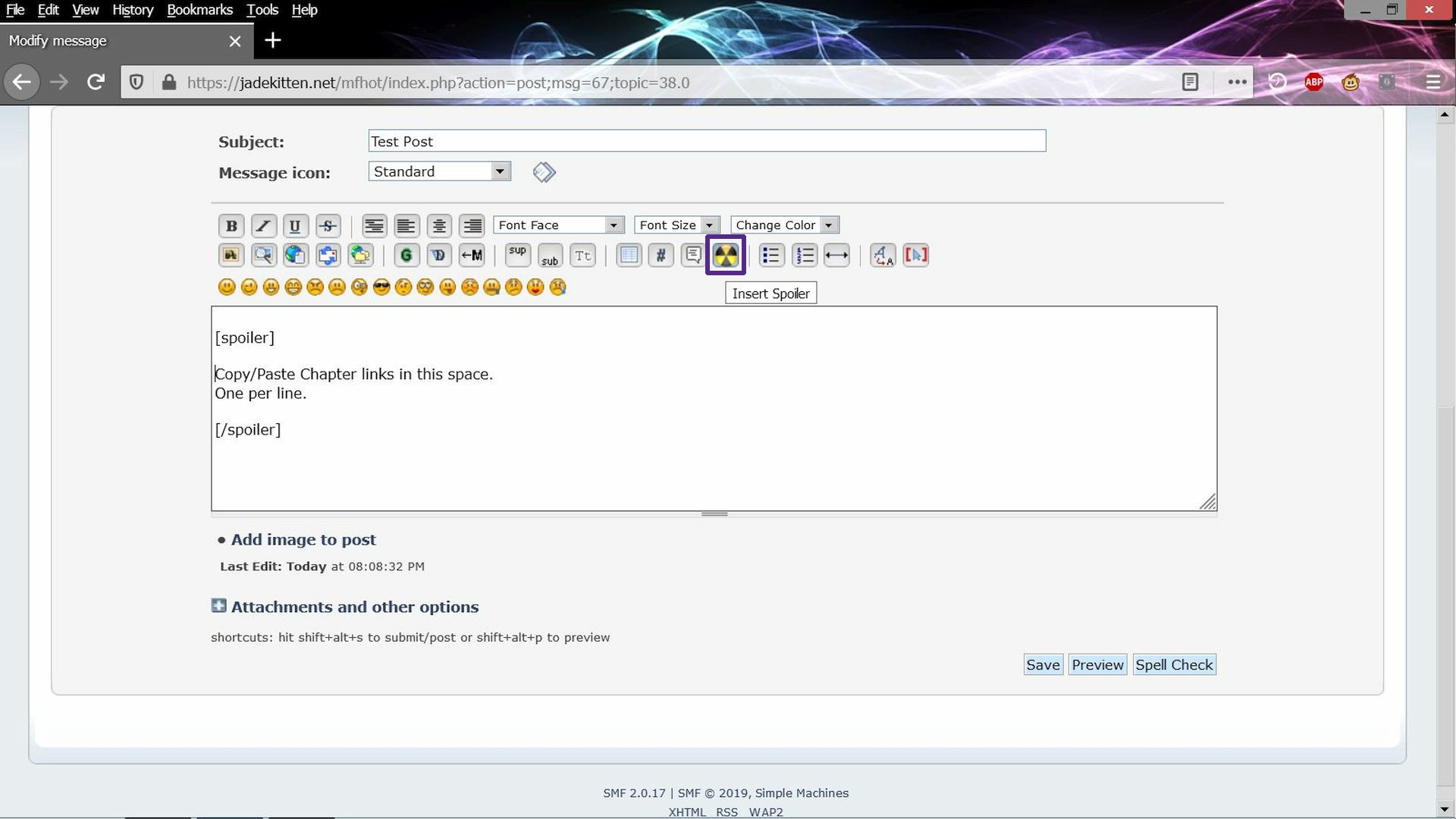
If you want to use the code above highlight the code (Left-click drag mouse over code), copy (Ctrl-C) and paste (Ctrl-V) into your post.
If you want to try this, but are unsure of how to use the spoiler tag, please don't hesitate to ask.