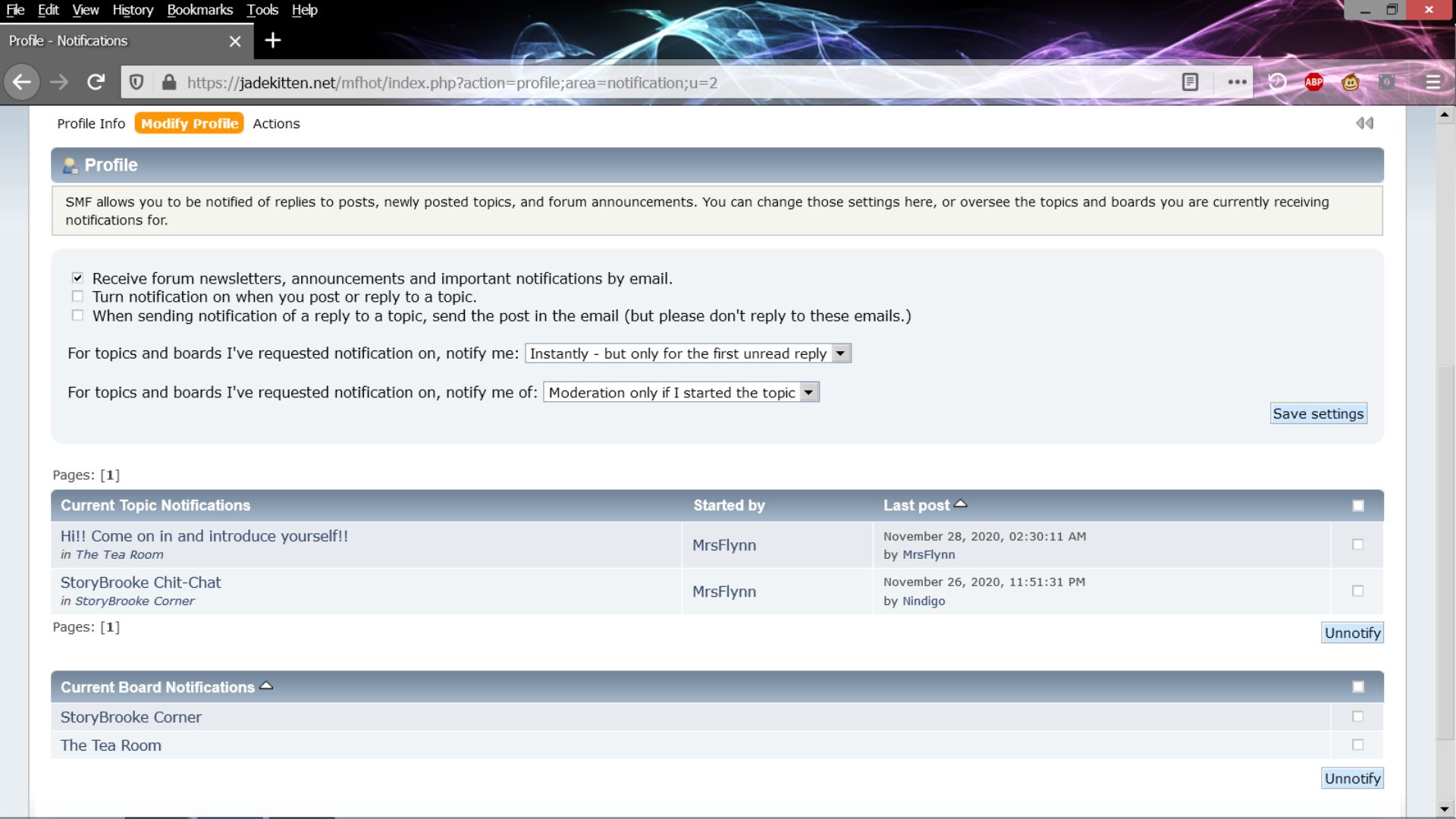
Post by: MrsFlynn on November 30, 2020, 11:39:34 PM
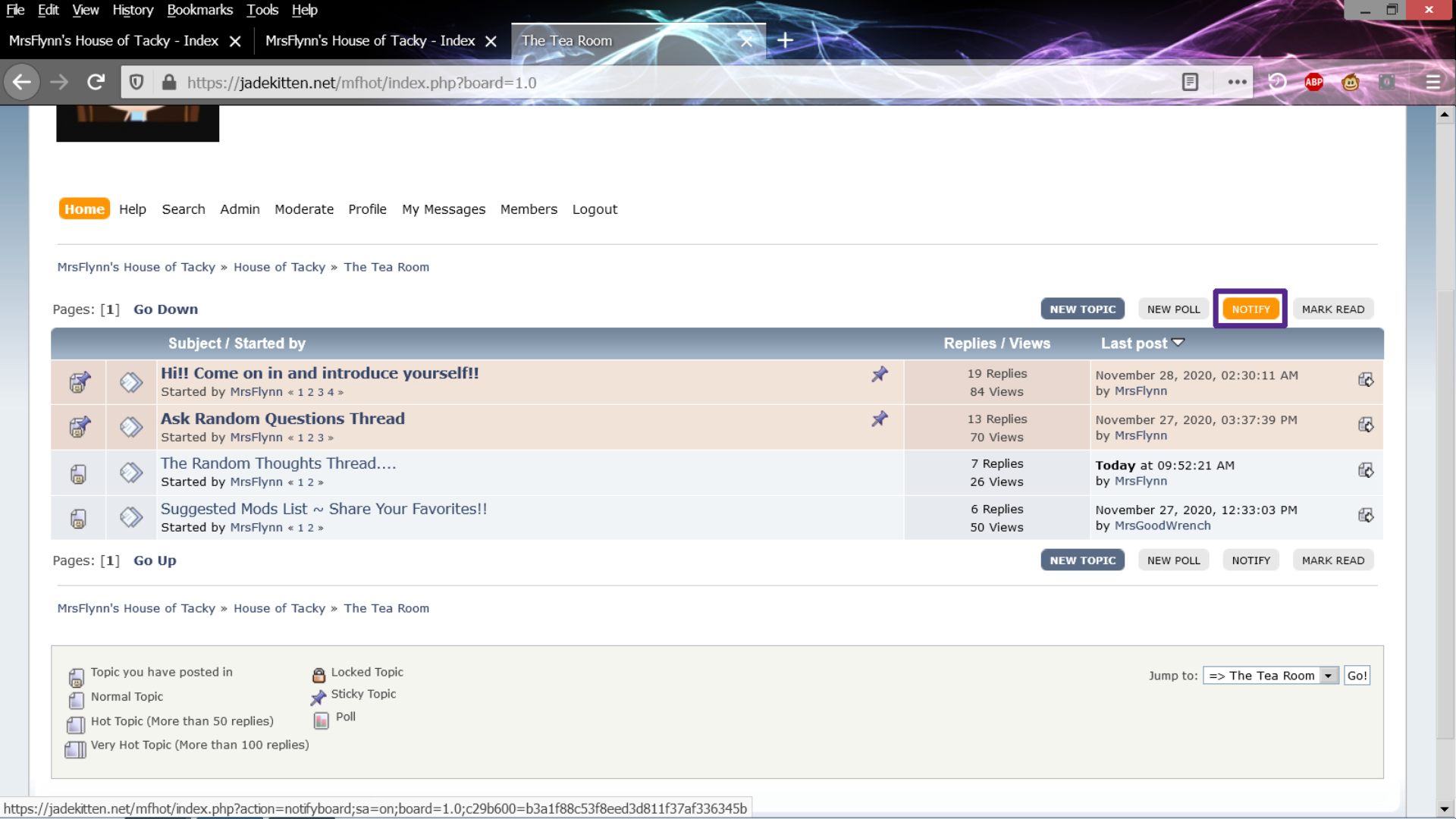
Or click the Notify button on the topics you want to be notified about. (upper mid-right above the topic/subject line.) This notifies you by email of posts that come from the topics you're subscribed to.
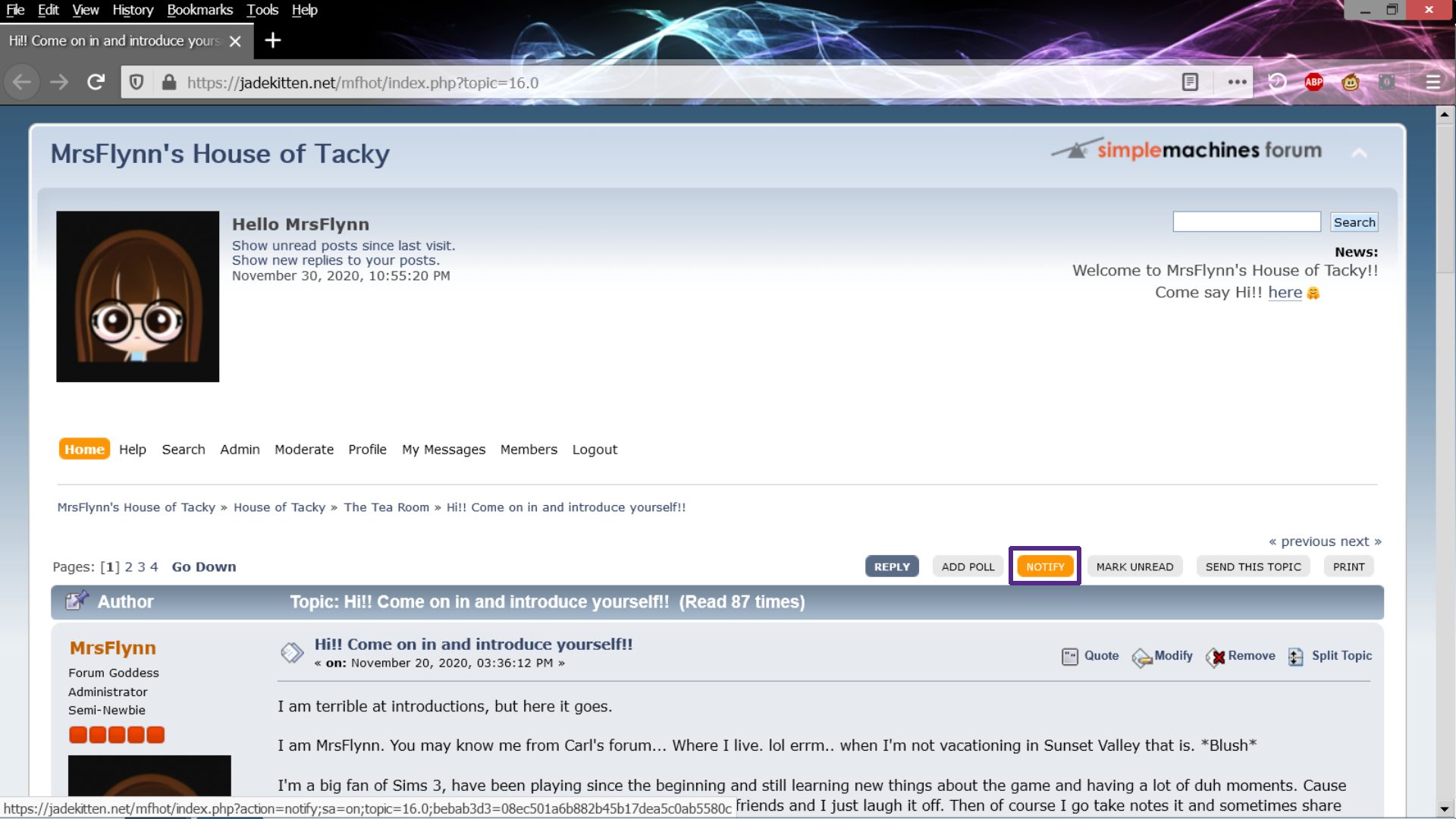
It will turn orange when you mouse over the Notify button
To check your notifications, go up to the Home menu, click the word Profile and mouse over the word Modify Profile and select Notifications.
----
As I was going through my notifications settings (Modify Profile > Notifications) I saw something that might help. You might already know about this and I did too... But the reminder is good. :)
In the upper part of the Notification Settings it has an option Turn notifications on when you post or reply to a topic.
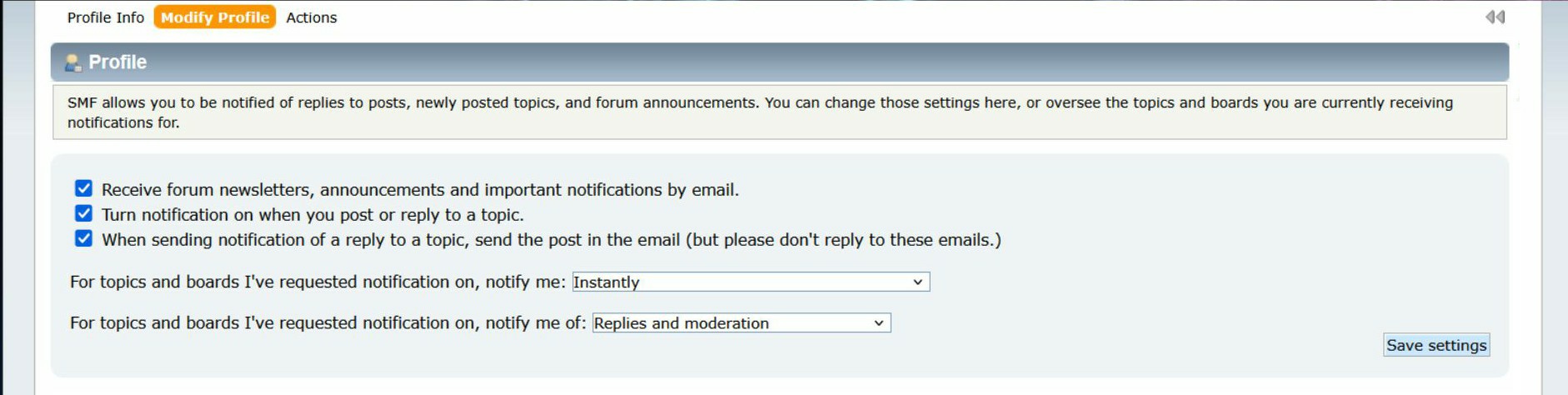
I just ticked that setting on, so that when I do forget to hit notify to someone's new thread I'll still get a notification of new posts.
To Check Notifications - From the Home menu, click the word Profile and mouse over the word Modify Profile and select Notifications.
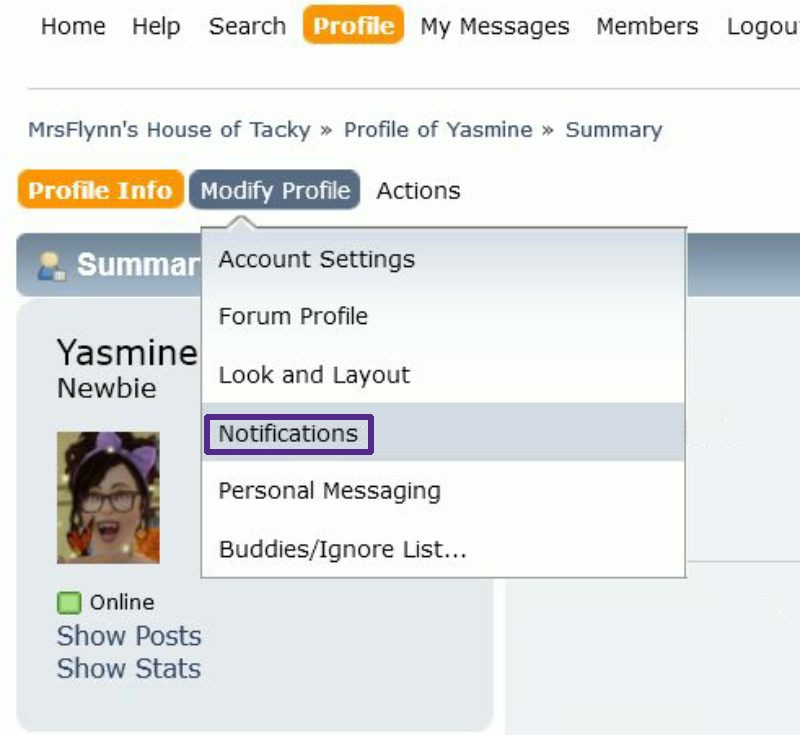
From this page, you can review the notifications you have set up.
The two bottom sections are where you can select Unotify on any topics or boards you might be subscribed to. (Bottom right corner)