Post by: MrsFlynn on January 02, 2021, 01:10:48 PM
Thank you both!! 🤗
Table of Contents:
| ⚬ Use the TAB Key in Live Mode to Hide UI (https://jadekitten.net/mfhot/index.php?topic=88.msg501#msg501) ⚬ Deleting Those Pesky Objects (https://jadekitten.net/mfhot/index.php?topic=88.msg515#msg515) ⚬ Creating and Using Collections (https://jadekitten.net/mfhot/index.php?topic=88.msg525#msg525) ⚬ Using Friezes (https://jadekitten.net/mfhot/index.php?topic=88.msg533#msg533) ⚬ Finding the Fire Truck and FireFighter Coat (https://jadekitten.net/mfhot/index.php?topic=88.msg592#msg592) ⚬ Jumping Down a Custom Rabbithole (https://jadekitten.net/mfhot/index.php?topic=88.msg608#msg608) ⚬ Make Brighter Indoor Lights (https://jadekitten.net/mfhot/index.php?topic=88.msg812#msg812) ⚬ Pam's List of Hex Codes for Favorite Colors (https://www.carls-sims-4-guide.com/forum/index.php?topic=1433.0) ⚬ Extensive Wiki list of hex colors (https://jadekitten.net/mfhot/index.php?topic=88.msg1163#msg1163) ⚬ How To Get Snow Photos (https://jadekitten.net/mfhot/index.php?topic=88.msg1166#msg1166) | ⚬ Owned Business Closed - Tip (https://jadekitten.net/mfhot/index.php?topic=88.msg1191#msg1191) ⚬ Tip for Wall Hangings ~ (https://jadekitten.net/mfhot/index.php?topic=88.msg1258#msg1258) ⚬ Issues w/Store, CC/Mods and/or Any .Sims3Pack Files (https://jadekitten.net/mfhot/index.php?topic=58.msg3124#msg3124) ⚬ Locking Doors (https://jadekitten.net/mfhot/index.php?topic=88.msg2068#msg2068) and Locking Gates (https://jadekitten.net/mfhot/index.php?topic=88.msg2067#msg2067) ⚬ Remove the Bloom Effect from The Sims 3 (https://jadekitten.net/mfhot/index.php?topic=88.msg2308#msg2308) ⚬ Travel Glitch (https://jadekitten.net/mfhot/index.php?topic=88.msg2594#msg2594) ⚬ Making Custom Lot Sizes (https://jadekitten.net/mfhot/index.php?topic=94.msg438#msg438) ⚬ How To Create a Simoleon Symbol (https://jadekitten.net/mfhot/index.php?topic=88.msg3083#msg3083) ⚬ Naming Sims (https://jadekitten.net/mfhot/index.php?topic=88.msg3152#msg3152) ⚬ Curfews for Children and Teens (https://jadekitten.net/mfhot/index.php?topic=88.msg3180#msg3180) | ⚬ Adoption and Clean up Vehicles Hourly (https://jadekitten.net/mfhot/index.php?topic=88.msg3181#msg3181) ⚬ Opening Mod/CC Zip files (https://jadekitten.net/mfhot/index.php?topic=88.msg3690#msg3690) ⚬ Cellphone Test (https://jadekitten.net/mfhot/index.php?topic=55.msg1598#msg1598) ⚬ Hide Clothing (https://jadekitten.net/mfhot/index.php?topic=55.msg2858#msg2858) ⚬ Tuning Attraction Phone Calls - Gifts and Dates (https://jadekitten.net/mfhot/index.php?topic=42.msg1151#msg1151) ⚬ Jobs for Active Sims via Register? (https://jadekitten.net/mfhot/index.php?topic=55.msg3599#msg3599) ⚬ Troubleshooting Sims 3 (Steam) (https://steamcommunity.com/sharedfiles/filedetails/?id=279488894) ⚬ EA Story Progression Tip (https://jadekitten.net/mfhot/index.php?topic=55.msg4010#msg4010) ⚬ Hide EA made Sims/Lots in the in-game library (https://jadekitten.net/mfhot/index.php?topic=55.msg4015#msg4015) ⚬ Fix the Holes in the Floor!! (https://jadekitten.net/mfhot/index.php?topic=88.msg4269#msg4269) |
| ⚬ Sims 3 Starting Money (https://jadekitten.net/mfhot/index.php?topic=88.msg4270#msg4270) ⚬ Silhouetted House in the Save Menu? (https://jadekitten.net/mfhot/index.php?topic=88.msg3330#msg3330) ⚬ Tips for Building Victorians (https://jadekitten.net/mfhot/index.php?topic=88.msg3333#msg3333) ⚬ Generations Free Vacation Fix (https://jadekitten.net/mfhot/index.php?topic=88.msg4596#msg4596) ⚬ Reducing Lag in IP (https://jadekitten.net/mfhot/index.php?topic=88.msg4871#msg4871) ⚬ Searching The Sims Resource (https://jadekitten.net/mfhot/index.php?topic=88.msg4909#msg4909) ⚬ Sloped Ceilings Tutorial (https://jadekitten.net/mfhot/index.php?topic=88.msg4953#msg4953) ⚬ Building a Functional Greenhouse (https://jadekitten.net/mfhot/index.php?topic=88.msg4991#msg4991) ⚬ Map Tags Off/On (https://jadekitten.net/mfhot/index.php?topic=55.msg5609#msg5609) ⚬ MoveObjects On and Alt Key Tip (https://jadekitten.net/mfhot/index.php?topic=88.msg5106#msg5106) | ⚬ Attaching Garage and Doors to House with a Foundation - Using CFE (https://jadekitten.net/mfhot/index.php?topic=88.msg5141#msg5141) ⚬ L and U Shaped Stairs - Using CFE (true/false) (https://jadekitten.net/mfhot/index.php?topic=88.msg5220#msg5220) ⚬ How to make stairs with a halfway landing. (No Cheats!) (https://www.carls-sims-4-guide.com/forum/index.php?topic=8341.msg166932#msg166932) ⚬ Dig a basement without a foundation (https://jadekitten.net/mfhot/index.php?topic=88.msg5072#msg5072) ⚬ Building Stairs and Elevators (https://www.carls-sims-3-guide.com/buildedit/houses/multilevel/stairs.php) ⚬ Diary of a Sim Gardener (https://jadekitten.net/mfhot/index.php?topic=51.msg128#msg128) |
Post by: beardeux on January 02, 2021, 05:11:33 PM
Post by: MrsFlynn on January 10, 2021, 03:11:59 PM
-- This does not work in Edit Town Mode, need to be in Live mode for it to work.
Press TAB to hide the UI. You should still be able to zoom in/out but better and the WASD keys for the usual forward left right back. You can still pause the game but you'll get the red paused border iirr. TAB again to bring back the UI. Or the Esc key.
Using F10 on some computers will turn off the IU, but using the tab key gives you the "magic" camera. lol!!
This is like one of those why didn't I know this sooner type of tips. lol *Blush* I've actually used the Tab key before, but I didn't realize it could give you what I call a map screenshot.
Click image for larger view

Post by: Sonshine on January 10, 2021, 09:32:59 PM
Post by: MrsFlynn on January 12, 2021, 01:15:48 AM
To get rid of those pesky extra spawners:
1. Ctrl-Shift-C together to bring up the cheat console.
2. Type in testingcheatsenabled on and then type in buydebug on.
3. Shift-click on lot and select either buy or build on this lot.
Buy On Lot:

For those hard to delete items, press Ctrl-Shift together, while having mouse over item and select Delete it.
Delete It:

Post by: beardeux on January 14, 2021, 07:14:46 PM
Post by: MrsFlynn on January 15, 2021, 05:32:42 PM
LaPaige and I were talking about this and I searched on it and found this video by James Turner. That helps with creating and using collections.
Sims 3 101 - Creating and Using Collections
https://www.youtube.com/watch?v=uIxtvzrhAV4
We wanted to share this, so that others know about it and can learn how to use the collections too. :)
Adding my text how-to with photos here (https://jadekitten.net/mfhot/index.php?topic=347.msg3750#msg3750) - on creating a collection and saving it.
Post by: Lapaige46 on January 16, 2021, 10:58:16 AM
I have built a bookstore with an apartment above (part of my Three Pines scenario). The owner of the bookstore lives above it. I have found a post on Modthesims explaining how to combine a residential/community property. Due to a neurological issue, some days my brain is slow to absorb the information I'm trying to send it and this is one of those days. I'll need to study this post for a bit before I can fully understand it. Does anyone have a tip for saving a particular thread? I don't want to lose it. Can I just save it to a word doc or a file?
Edited to add, I just saved the URL to my desktop. Hope I don't forget that it's there. But I'll post it here for anyone who might be trying to do the same thing.
https://modthesims.info/showthread.php?t=599598&c=1&ht=&page=1&pp=25#startcomments
Post by: MrsFlynn on January 17, 2021, 01:06:25 AM
placeFriezes on (or off when finished)
Use cheat while in Build/Buy mode, but not while on the foundation tab.
friezes are made with the foundation tool.
ConstrainFloorElevation on - Works for adding stairs within friezes.
----
Reference Links:
https://www.carls-sims-4-guide.com/forum/index.php?topic=3956.msg79608#msg79608
https://www.ign.com/wikis/the-sims-3/Friezes
Post by: MrsFlynn on February 01, 2021, 01:49:47 PM
2. Turn on cheats - Press Ctrl-Shift-C together and type in testingcheatsenabled on; Then type in buydebug.
3. Filter content by the Ambitions pack > Misc objects tab


June Just Rains: Unlocked Ambitions Firefighter Coat (Mod)
https://modthesims.info/d/445080
Post by: MrsFlynn on February 02, 2021, 07:29:13 PM
Sims 3 - How To Make A Custom Rabbit Hole
https://www.youtube.com/watch?v=Jg69hhMRc_E
- Build a basement add a rabbithole in. Add stairs to basement so Sims can go in/out of rabbithole.
I've read about the above tip before. Never tried it, but tried it as a test and thought to share it here (https://jadekitten.net/mfhot/index.php?topic=35.msg602#msg602)
Tutorial: Design your own rabbit holes (on small lots) without downloads
http://simension.de/sims-3-english-tutorials/sims-3-tutorial-design-rabbit-holes-small-lots-without-downloads/
Making Unique Rabbitholes
https://cawtool.fandom.com/wiki/Making_Unique_Rabbitholes
Building Tips
https://www.nraas.net/community/Building
Rabbithole Doors ~
https://modthesims.info/d/435107
Rabbithole Rugs ~
https://modthesims.info/d/411270
More Tid-Bits: Rabbit holes are objects, so no you cannot turn them into buildings unless you build your own version of the rabbithole buildings.
If you put a register on a lot, the vanilla game will assign someone to work there. There are a couple/few mods that allow you to operate your own business and hire workers or have a custom job or career.
Custom Generic Role
https://modthesims.info/d/559243
Zerbu's Ultimate Careers
https://modthesims.info/d/657354/
MissyHissy's Job Centre
https://missyhissysjobcentre.wordpress.com/
If you've created a custom community lot like the grocery store, diner, bistro, salon etc. you will need to place a rabbithole rug in those lots to make them functional.
The game will assign jobs to Sims when you first start playing a new saved game, regardless if you set them up with this or that career or job. Specially if the game has any NPC jobs or careers added to it that need to be filled.
I think it's after the game has filled all it's jobs that you can then pick jobs for your actively played Sim.
Post by: Nindigo on February 14, 2021, 02:27:09 AM
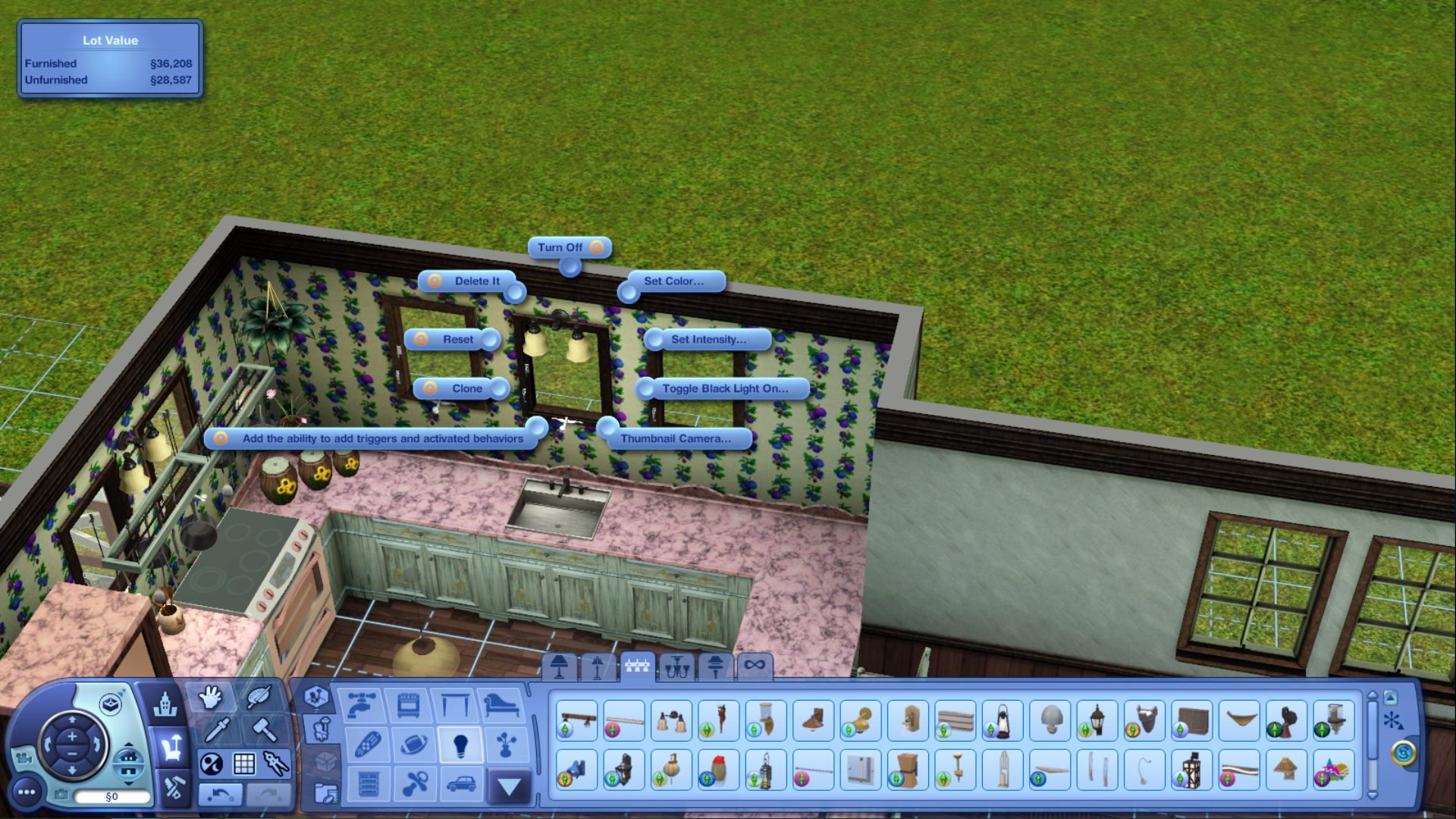
In Build or Buy mode, hold CTRL+Shift while clicking on a light source and a pie menu will appear. Using the customize option and setting the value to 5 adds a whole lot of wonderful light to a room.
Click image to see larger view
Post by: Nindigo on February 26, 2021, 12:22:01 PM
https://www.carls-sims-4-guide.com/forum/index.php?topic=1433.0 (https://www.carls-sims-4-guide.com/forum/index.php?topic=1433.0)
Post by: Nindigo on March 12, 2021, 12:07:46 AM
A-F (https://en.wikipedia.org/wiki/List_of_colors:_A%E2%80%93F)
G-M (https://en.wikipedia.org/wiki/List_of_colors:_G%E2%80%93M)
N-Z (https://en.wikipedia.org/wiki/List_of_colors:_N%E2%80%93Z)
Post by: MrsFlynn on March 12, 2021, 11:59:43 AM
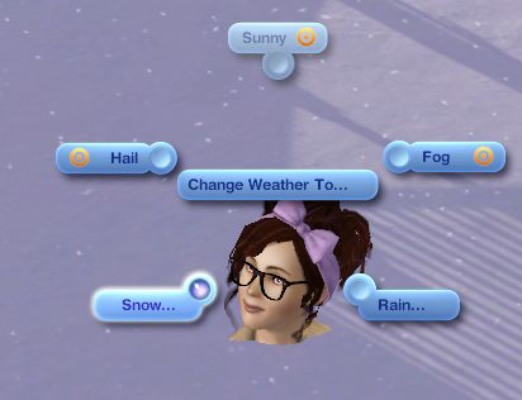
2. Turn on testingcheatsenabled on
-- Press Ctrl-Shift-C together and type in testingcheatsenabled on.
3. Click on ground, select Season (Winter).

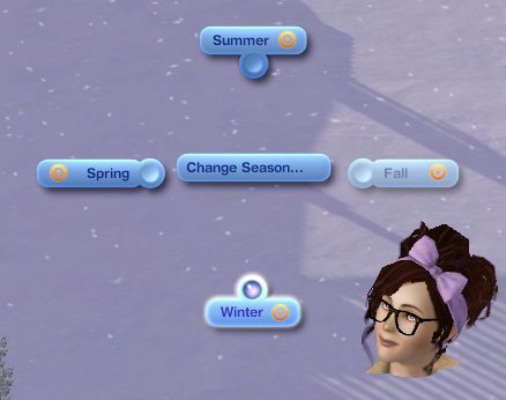
4. Select Snow Level (deep).
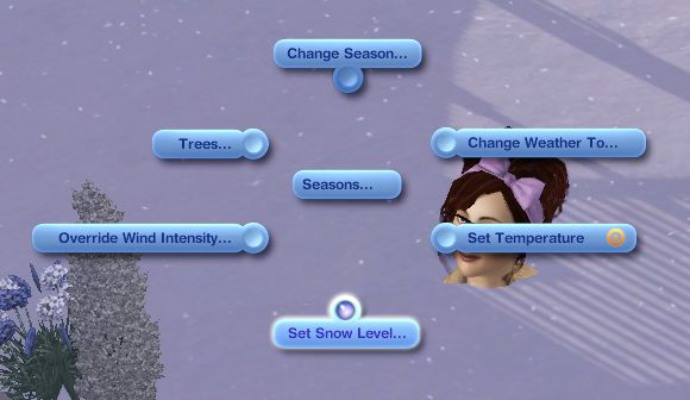
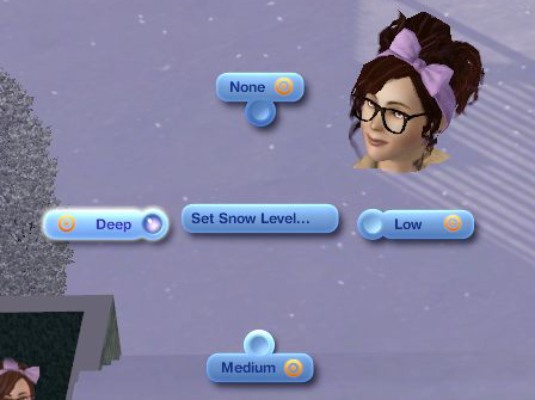
5. Change weather to (snow and varying).


Post by: MrsFlynn on March 15, 2021, 10:57:28 AM
If you find any business that you own closed, it means it needs to have something upgraded to allowed to be opened. For example if your business says it needs bathroom fixtures, that means it may need a toilet, sink or shower. The All-in-One shower/toilet from IP does not count as a bathroom fixture.
I wanted to share this tip in case anyone else was wondering. This is the first time I've come across this issue. Though, this is one of the first times I've tried owning any community properties that allowed for upgrades too. lol
Post by: MrsFlynn on March 20, 2021, 05:47:07 PM
Post by: MrsFlynn on May 09, 2021, 04:10:59 PM
1. Copy Riverview File to Sims 3 Downloads folder:

2. Open Launcher - Check Downloads tab and Click Install.
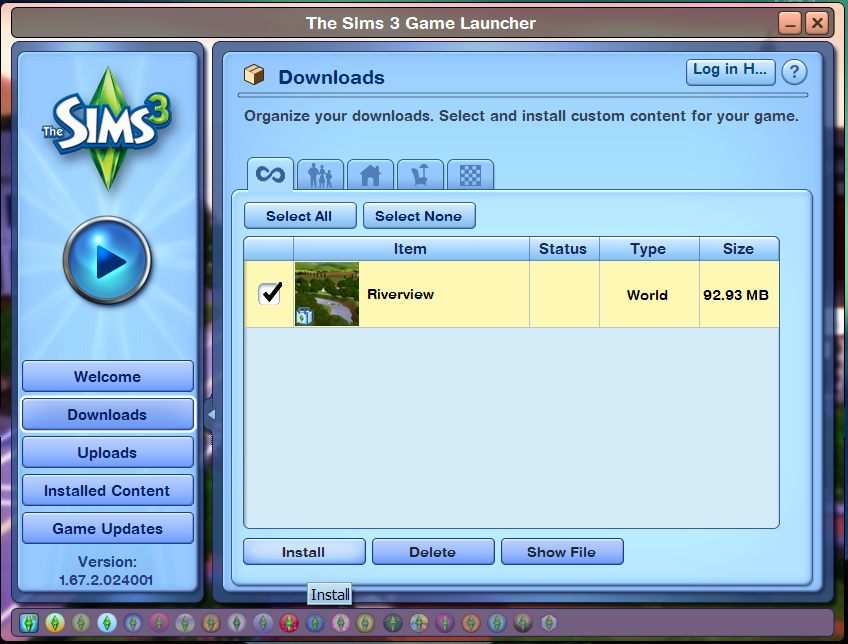
-- Riverview Installed!!

3. Check the Install Content tab to make sure Riverview was installed.
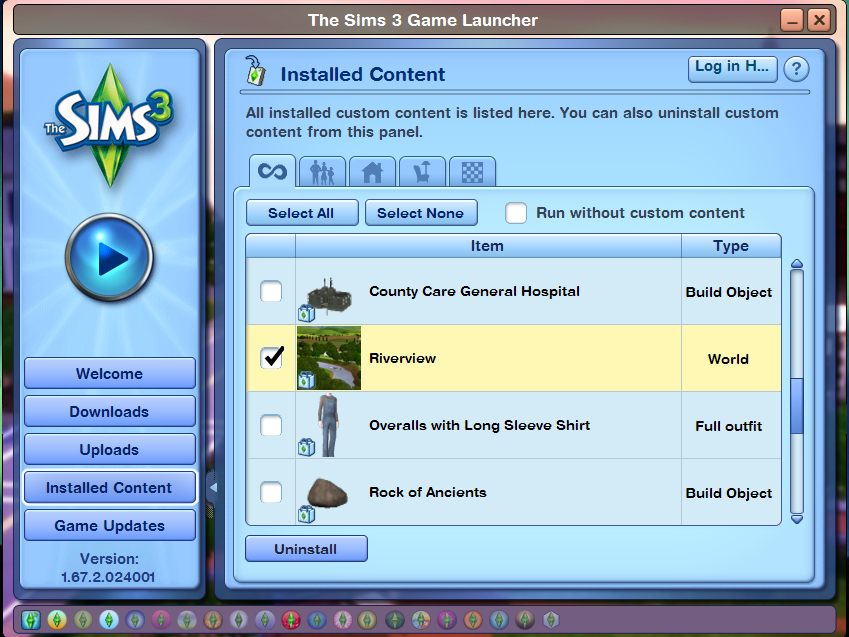
4. Load Sims 3 to see if Riverview is in the town drop down list.
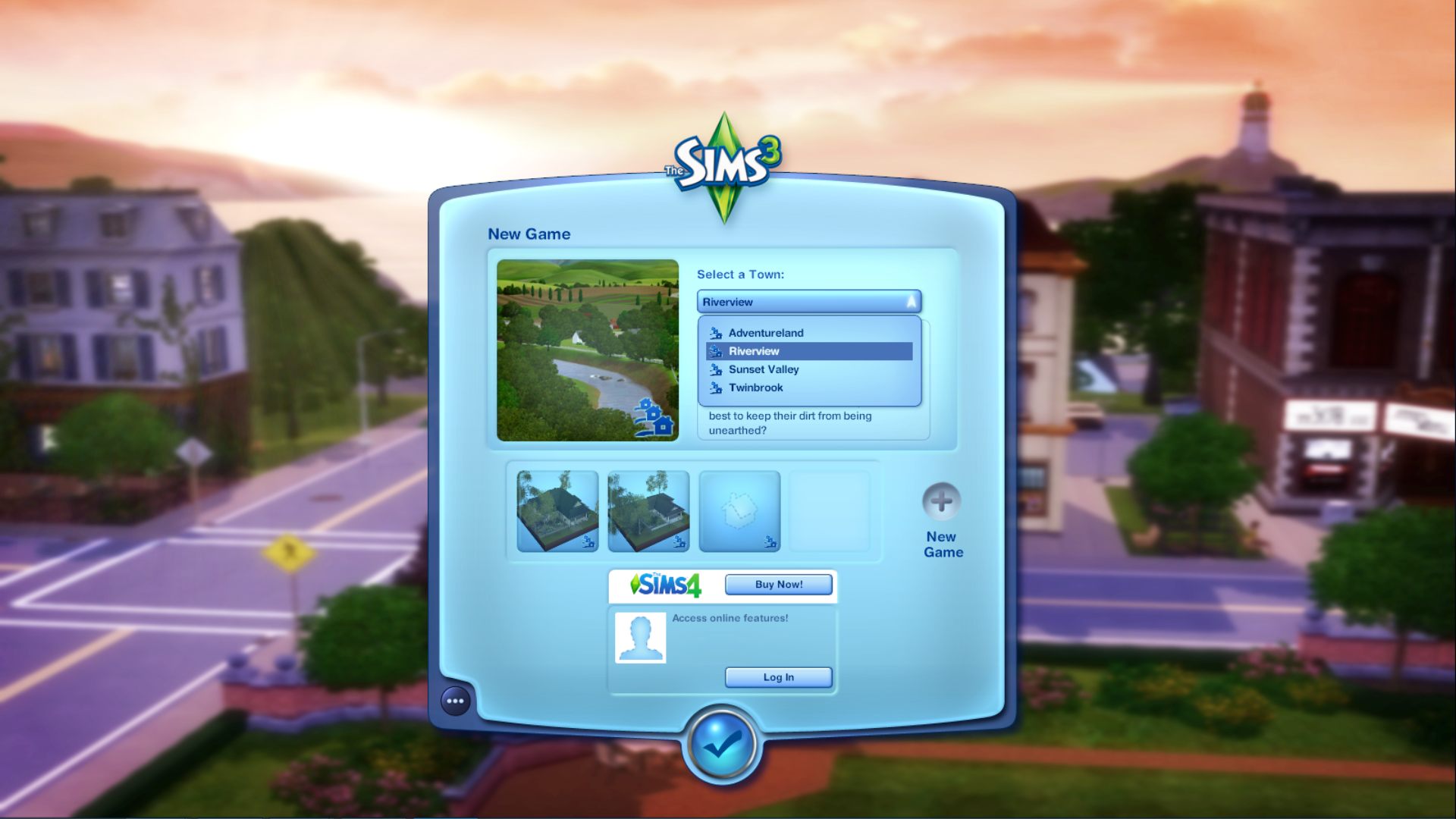
** If you see two Riverview listings Go to the InstalledWorlds folder
\Documents\Electronic Arts\The Sims 3\InstalledWorlds -- and delete any extra Riverview files there are.

Post by: Sonshine on May 13, 2021, 07:25:32 PM
Just go to Retuner/Settings/General/Tuneable XML/
Sims3.Gameplay.Objects.CookingObjects/Food/kNumServingsForGroupMeal. From there, you can adjust the number for what ever you want. This way, you won't have to have food spoiling on you before you can get the super fridge.
Post by: Sonshine on May 14, 2021, 08:57:02 PM
On the Beekeeping box, you forgot to put in editing the bee attack and sting chances.
Beekeeping Box>BeeAttckBonusToBeeStingChance List> make all three 0.
Next line kBeeAttackChances - List and make all three 0.
Next line, kBeeAttackChanes - List and again make all three 0.
On the 11th line down from the top, you can also reduce the number of hours between harvesting the honey and also below that the amount of honey that can be stored.
Post by: MrsFlynn on June 14, 2021, 09:06:16 PM
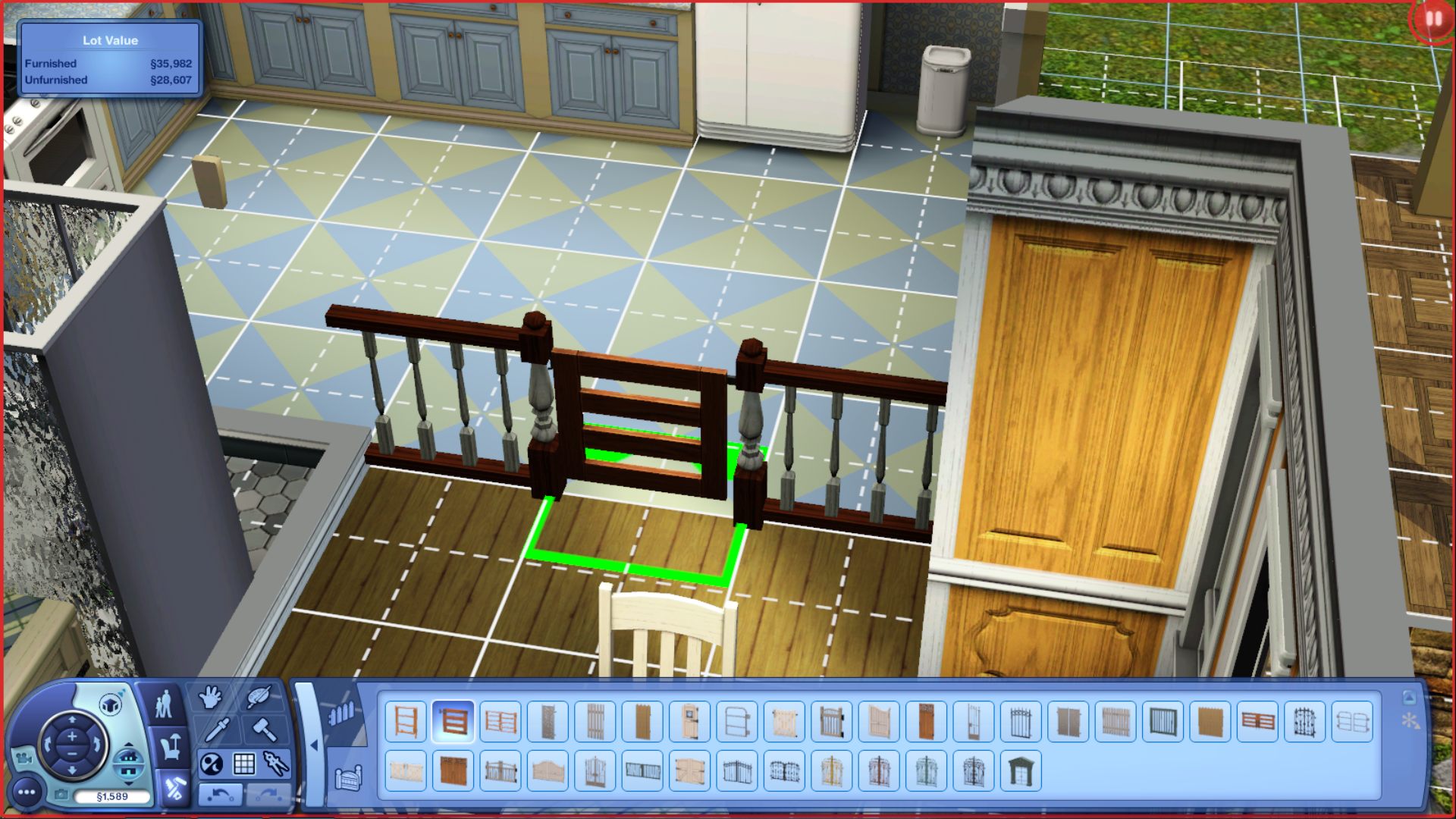
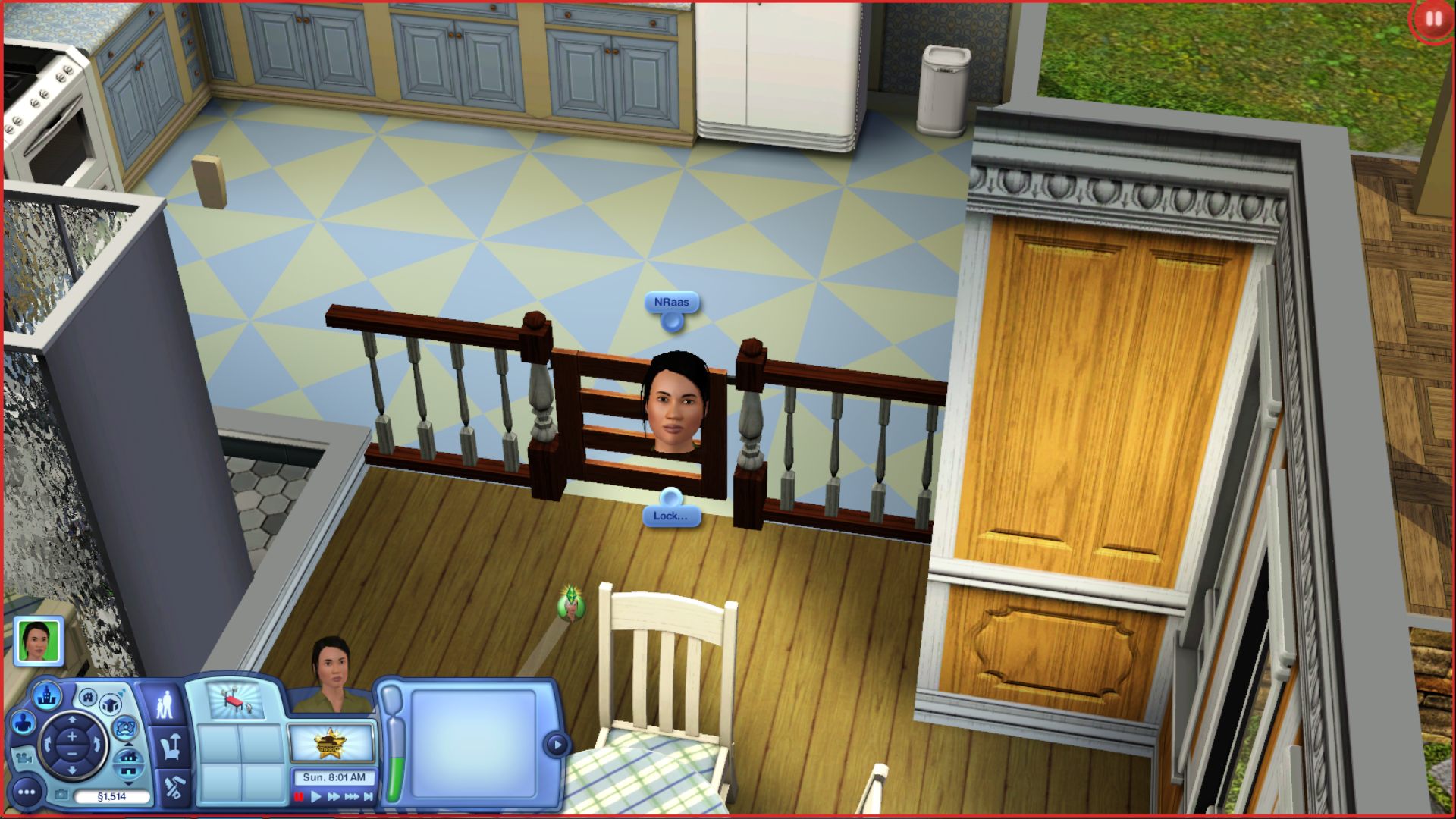
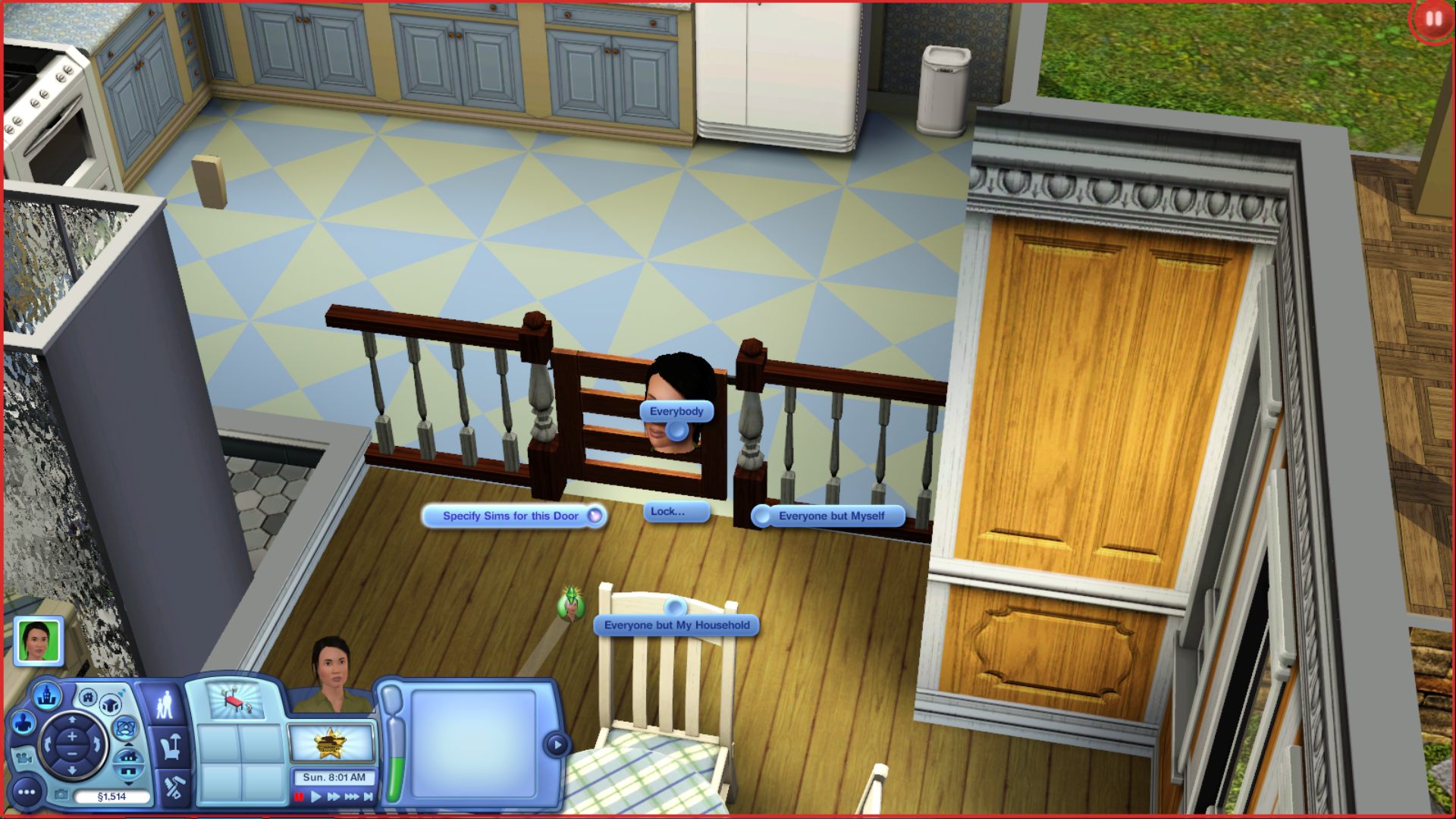
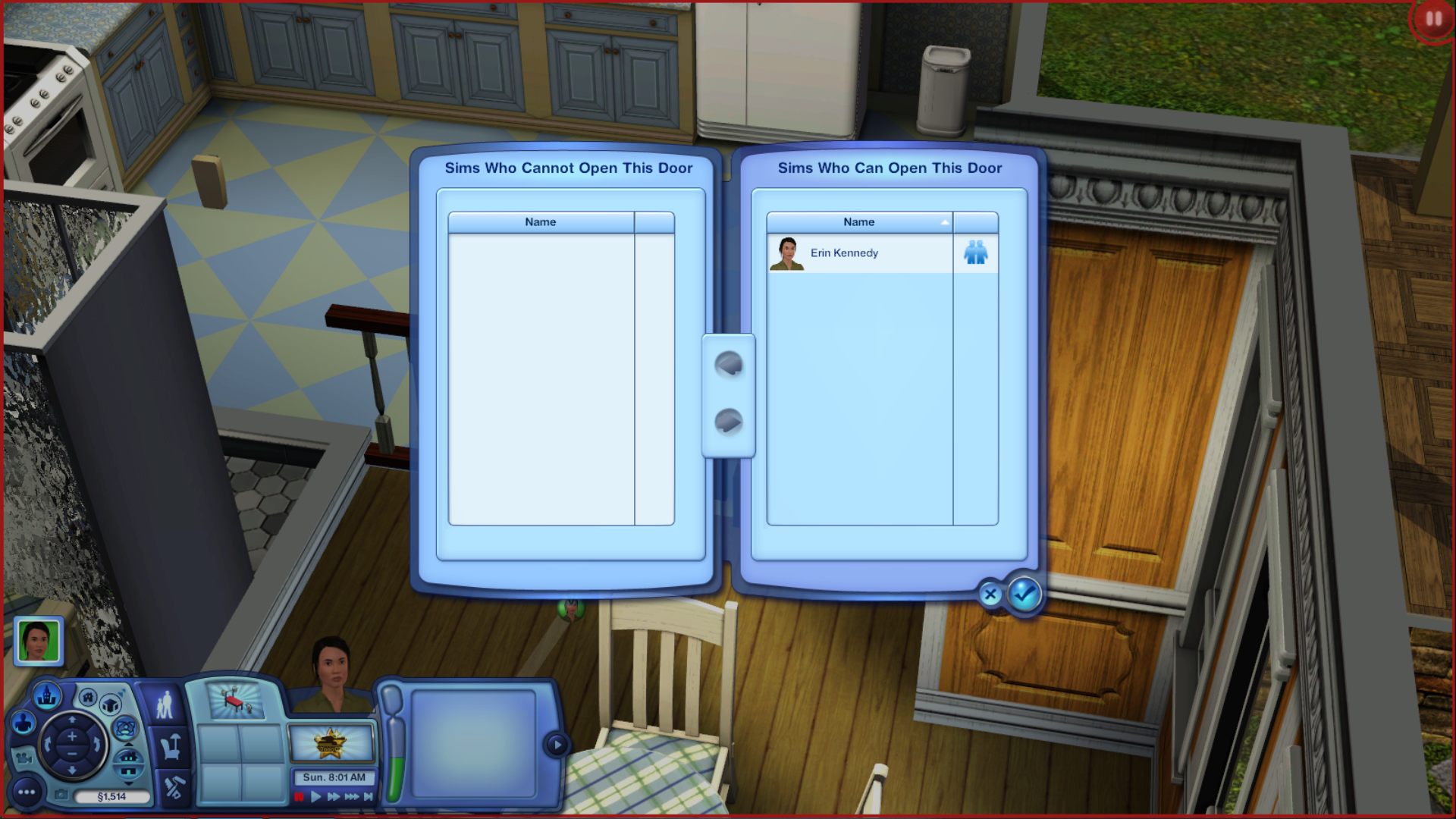
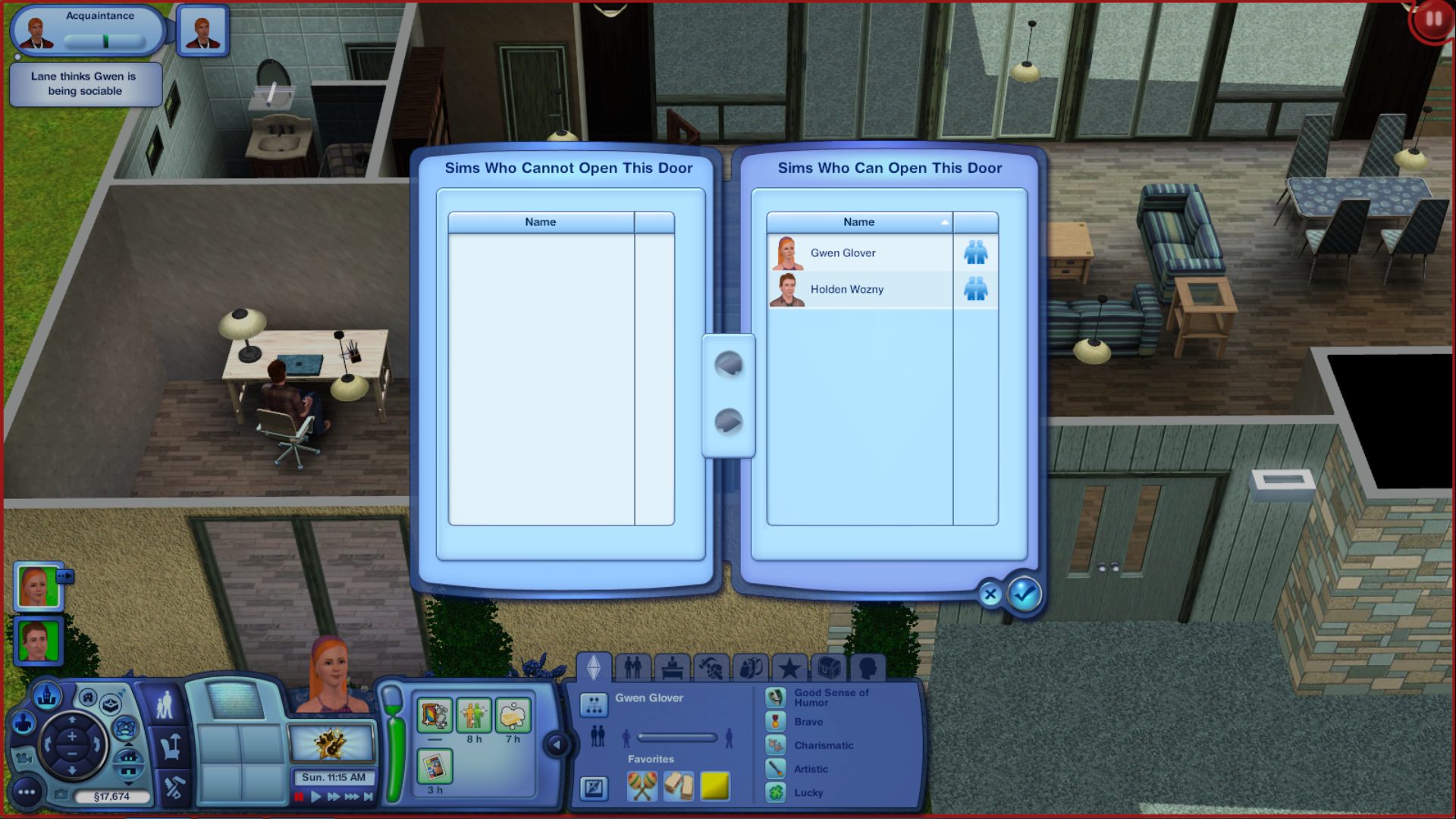
In Build mode, add fencing, add a gate. Back in Live mode, with active Sim - click gate to get the Lock Options > Specify Sims for this Door. Make Sure to add all Sim to the Open Door list on the right. - Highlight each Sim, and click the right arrow to move.
Add Fencing:
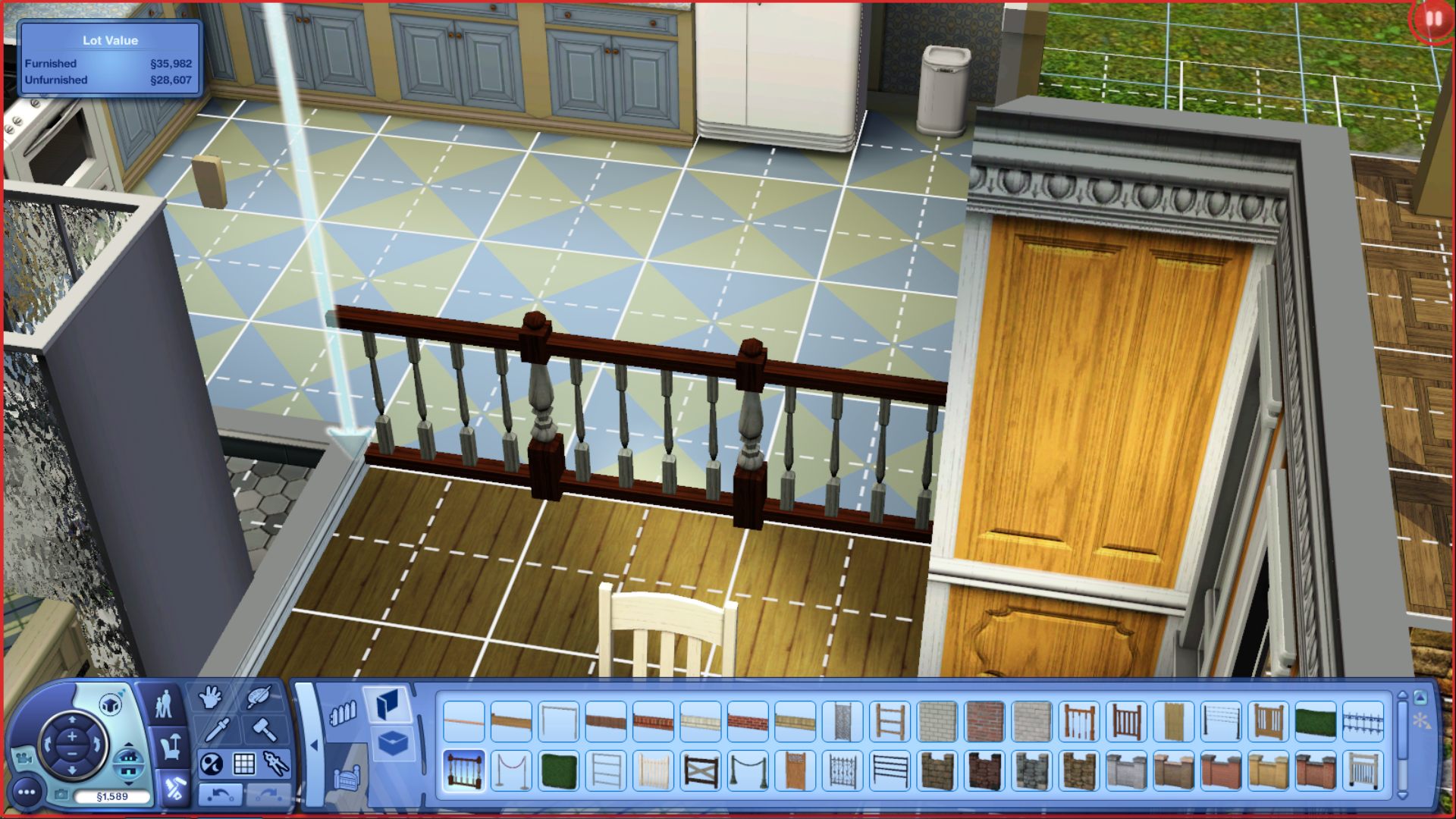
Add a Gate
Click Gate to get Lock Options -
Specify Sims for This Door
Who Can or Cannot Open Door
Post by: MrsFlynn on June 14, 2021, 09:07:05 PM
Click door to get Lock Options -
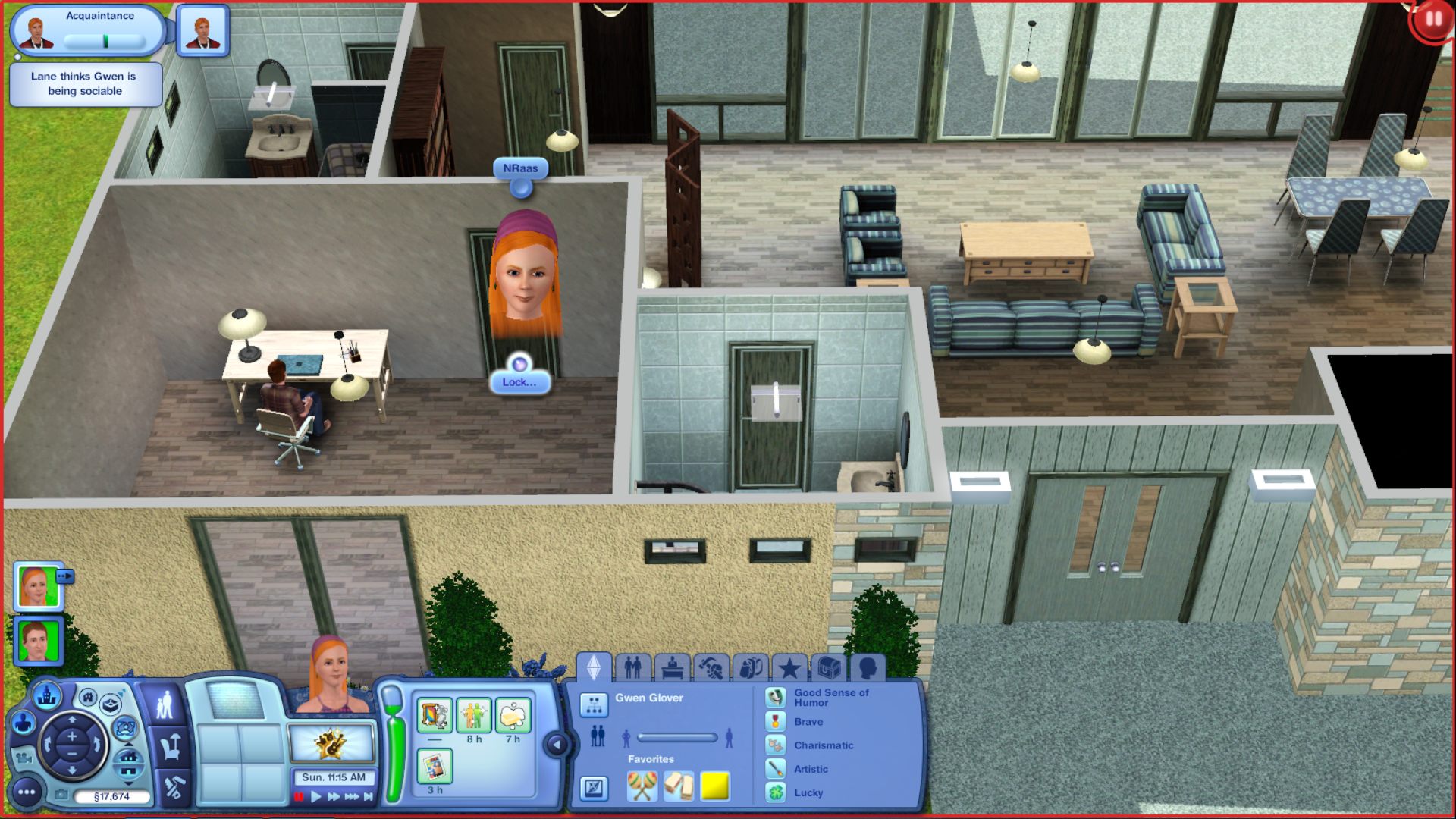
Specify Sims for This Door
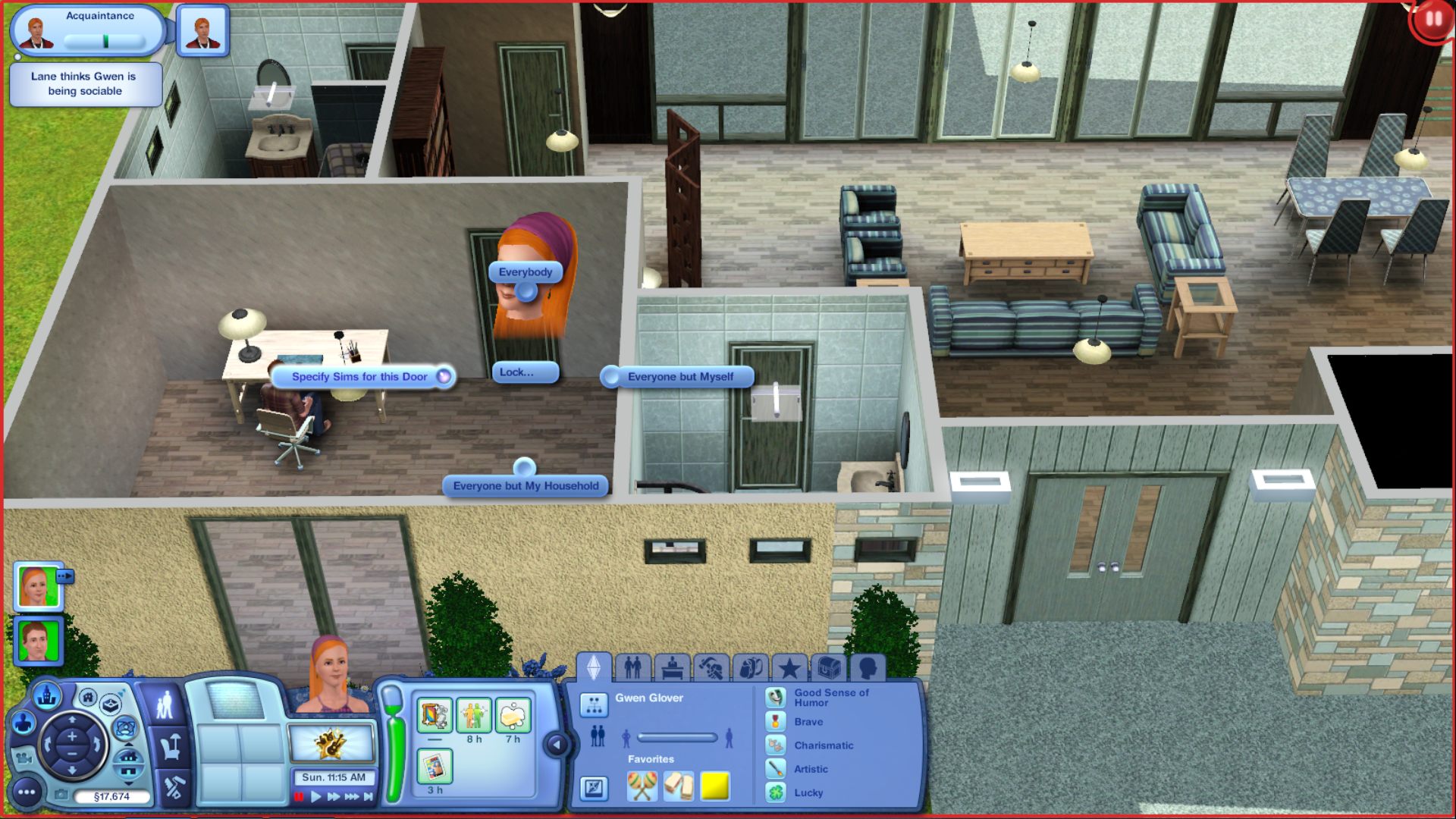
Who Can or Cannot Open Door
Post by: Nindigo on July 11, 2021, 12:05:48 PM
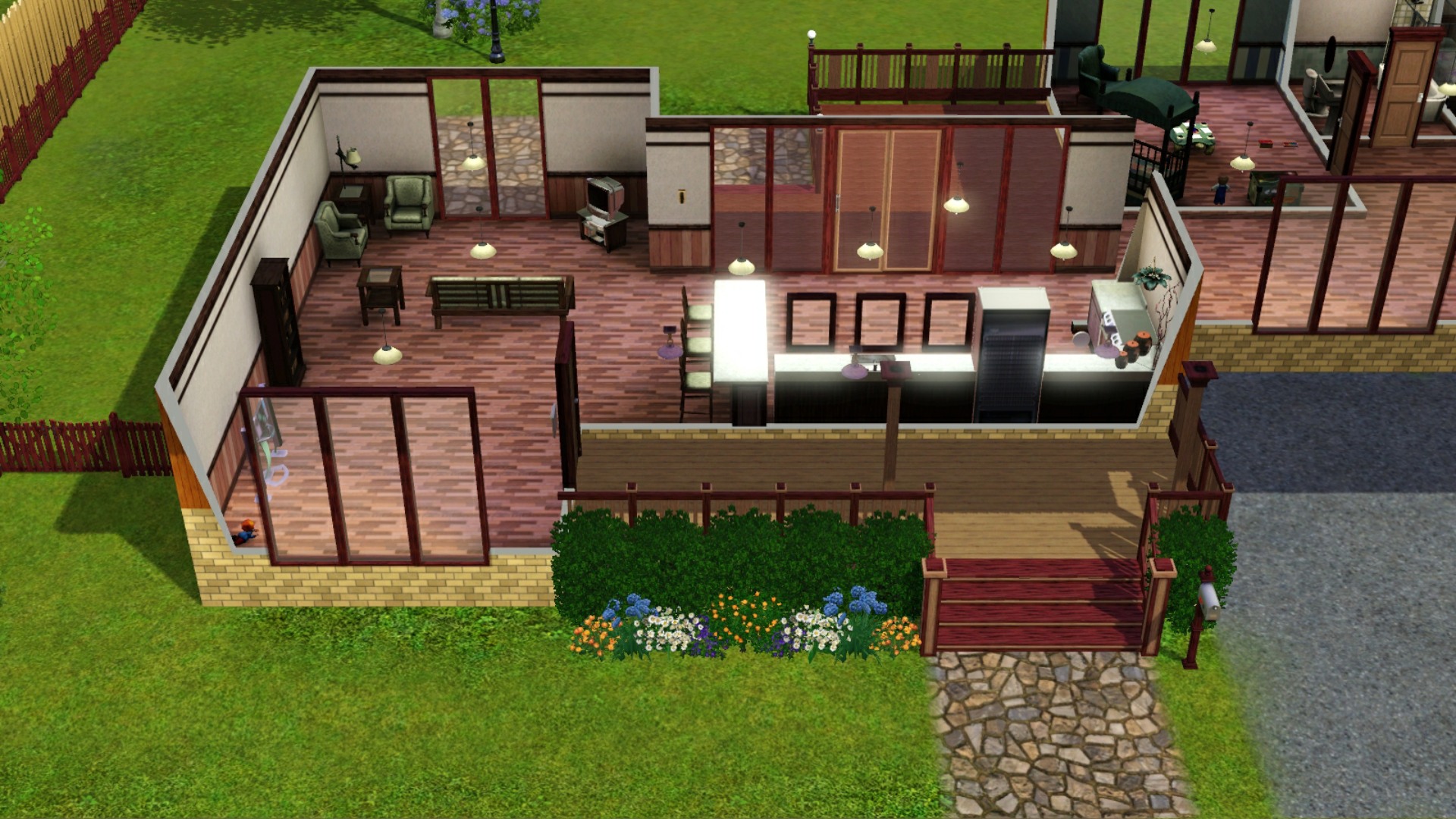
Before ~ with Bloom Effect On
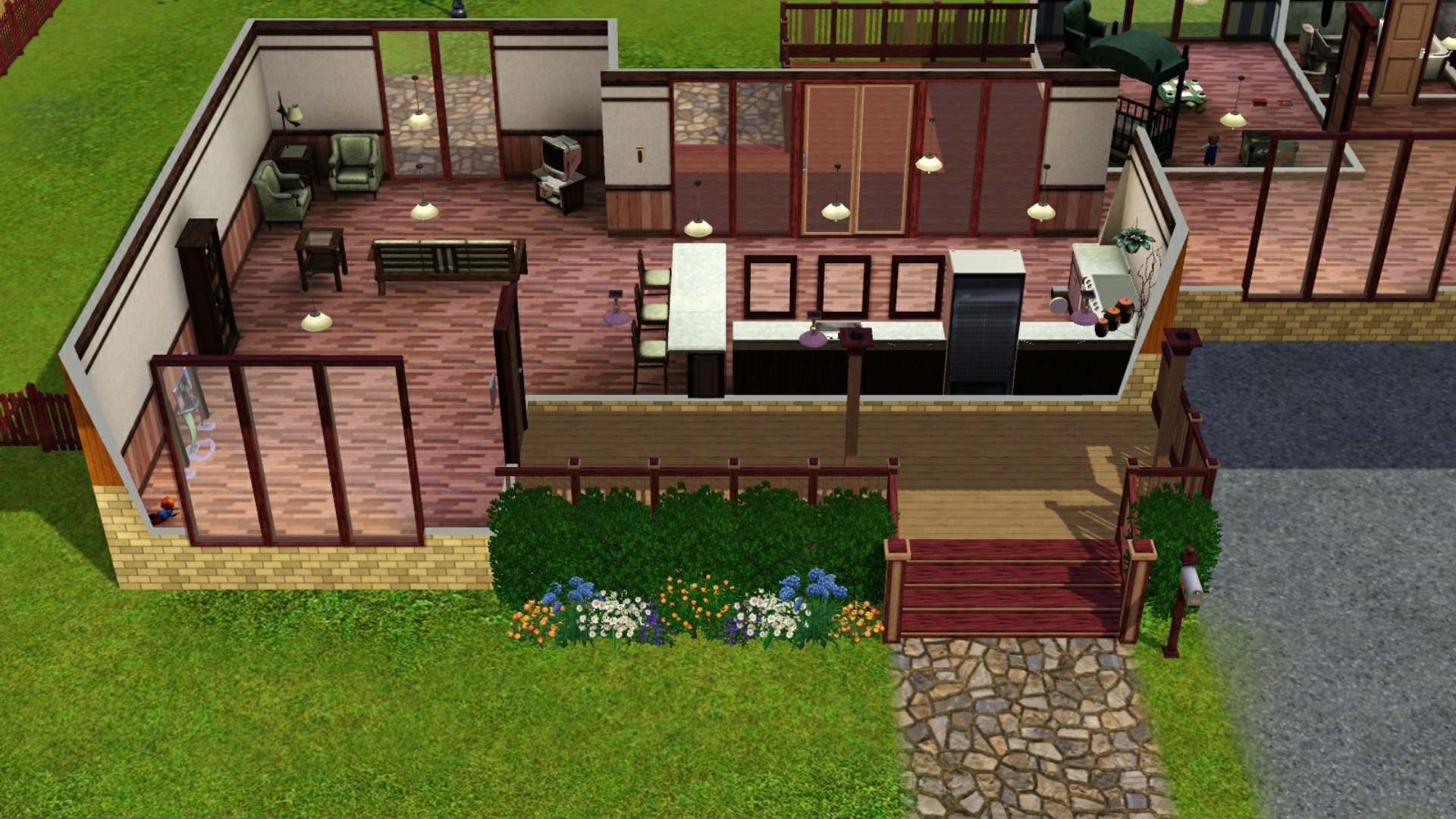
After ~ with Bloom Effect Off
Follow this path:
C:\Program Files (x86)\Origin Games\The Sims 3\Game\Bin
- and open the file GraphicRules.sgr
Find this section:
option AdvancedRendering
setting $Off
prop $ConfigGroup RenderForceMinspecShaders 1
prop $ConfigGroup TerrainLODMode 1
prop $ConfigGroup RenderPostProcessEnabled false
prop $ConfigGroup RenderShadowsEnabled false
prop $ConfigGroup CullUndergroundBuildBuyStructures 0
setting $On
prop $ConfigGroup RenderForceMinspecShaders 0
prop $ConfigGroup TerrainLODMode 0
prop $ConfigGroup CullUndergroundBuildBuyStructures 0
Copy the part prop $ConfigGroup RenderPostProcessEnabled false from the Off setting.
Paste it in the On setting below TerrainLODMode 0 and hit save.
TA-DA! No more blinding bloom.
Post by: Nindigo on August 06, 2021, 01:05:51 PM
If you travel abroad with items made with the canning station - relish or preserved produce - they might become glitched. Mine became invisible and unusable. I was able to place them on the ground after returning back home, from where I simply deleted them.
-- Anything you travel with in your Sims personal inventory may become glitched and need to be delete after returning home.
Post by: MrsFlynn on August 22, 2021, 04:40:07 PM
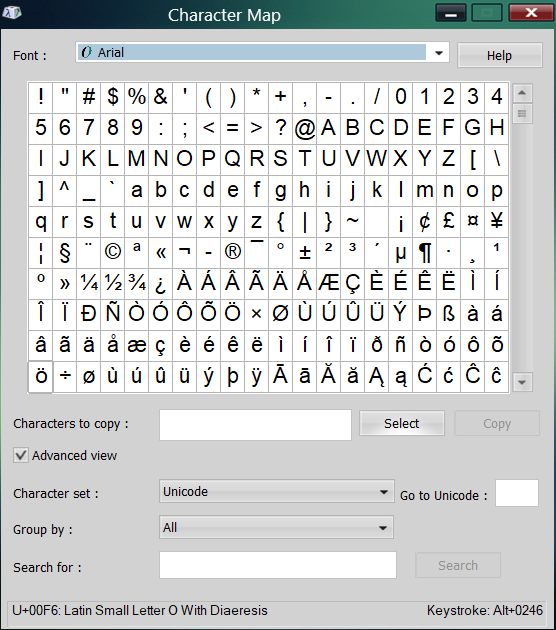
Look for the § symbol. -- Click on the symbol > click the select button and then the copy button.
Post by: Nindigo on August 27, 2021, 09:15:41 AM
Top 1,000 Baby Boy Names in the U.S. (https://www.verywellfamily.com/top-1000-baby-boy-names-2757618)
Top 1,000 Baby Girl Names in the U.S. (https://www.verywellfamily.com/top-1000-baby-girl-names-2757832)
----
Name Generators:
https://www.behindthename.com/random
https://www.name-generator.org.uk/username/
Post by: MrsFlynn on August 30, 2021, 02:14:44 PM
That should help make it more manageable.
(Thank you Nindigo for the tip!!)
Post by: MrsFlynn on August 30, 2021, 02:19:26 PM
Enabling this will break any service that requires a vehicle (such as adoptions). Theory: the game spawns a reference to a vehicle when calling a service, in case the vehicle is needed. This reference is then deleted when the Clean up Vehicles Hourly check is run, then the action never completes.
For example, using an adoption, call for adoption service ends at 8:30 am. It takes about 1 1/2 hours in-game time before the adoption dialog pops up asking what type of Sim/Pet you want to adopt. The game spawns a vehicle reference and sets up anything else it needs - essentially a "phantom" vehicle that is not on the neighborhood map. But, while the game is still setting up everything, the Clean up Vehicles Hourly script fires off and deletes the reference as a "stuck" vehicle. We can see this in the error trap message where is triggers a NullPointerException error because it can't find the vehicle.
Ex: System.NullReferenceException: A null value was found where an object instance was required.
#0: 0x00010 callvirt in Sims3.Gameplay.Objects.Vehicles.Sims3.Gameplay.Objects.Vehicles.CarNpcManager:DriveFromPointToMatrix (Sims3.Gameplay.Objects.Vehicles.Car,Sims3.SimIFace.Vector3,Sims3.SimIFace.Matrix44) (284F24F8 [28C49428] [vt:3972D494] [vt:3972D4A4] )
Post by: MrsFlynn on September 07, 2021, 08:33:41 AM
1. Did not have an active family present when you saved.
2. You saved while in Edit Town Mode.
This is usually not a sign of corruption. Go back into the save, have a look around to see if you can find the family you were playing and save it. At the main menu you should then see a family instead of the silhouetted house.
Post by: Lapaige46 on September 07, 2021, 12:20:26 PM
http://getsimplyruthless.blogspot.com/2013/11/victorians-101-getting-started-building.html
And more Victorian ideas.
https://www.theplancollection.com/victorian-house-plans/page-1
And still frustrated because I can't find exterior trim for Sims 3 but S2/S4 had some. I'm exhausted searching.
Post by: Lapaige46 on September 29, 2021, 06:28:55 PM
Download the file to your desktop.
Extract the file with 7-Zip - https://www.7-zip.org/
1. Right-click on the File > select 7-zip > Extract to: (name of file) In this case it's Nraas MasterController. It will unzip the files into a new folder with that name. Take the .package file (s) and copy/paste them into: C:\Users\Username\Documents\Electronic Arts\The Sims 3\Mods\Packages\Sub-folder of your choice.
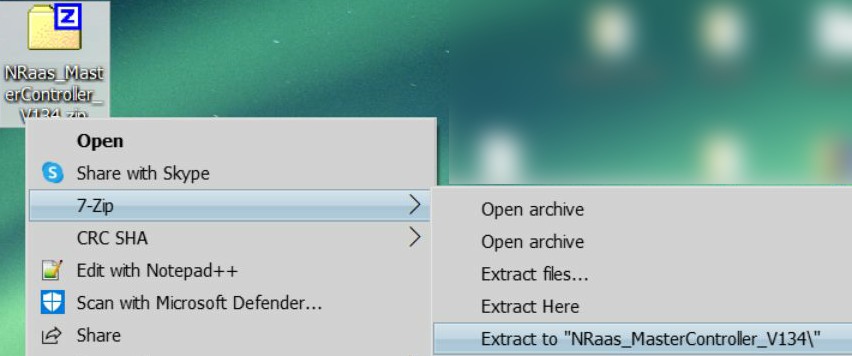
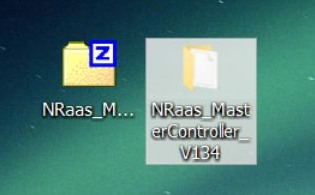

Or....
2. Drag and Drop files from the zipped folder. (Don't even need to unzip a zipped file.)
Right-click to open the folder and the files are right there.
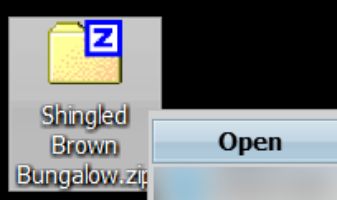
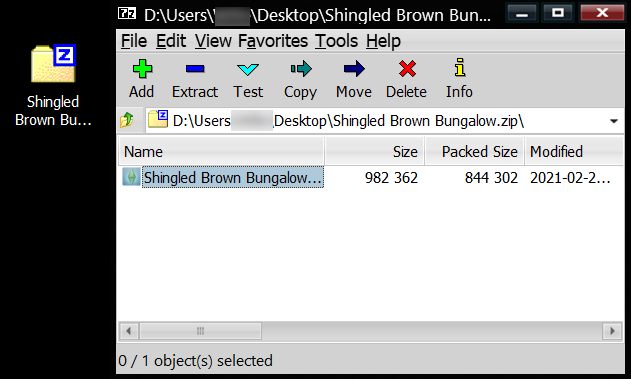
Copy paste to the TS3 download folder. (Showing drag/drop of Sims3Pack file to desktop.)
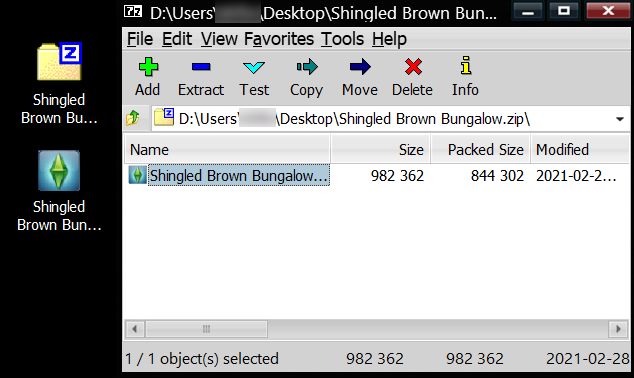
I was able to open a .rar file by right clicking on the folder which brings up the open options. Click on whichever tool you use and the files pop up on the desktop.
Right-click to open the folder and the files are right there.

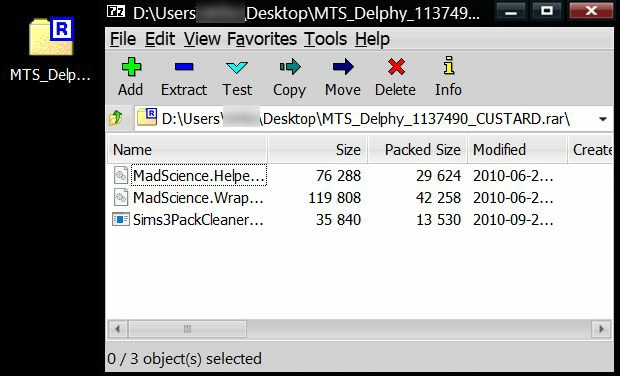
Downloaded Custard for the example of a .rar file. Kind of a bad example, because it needs to have a new folder created and the files copy/pasted to that new folder to be usable. As seen in the screenshot below:
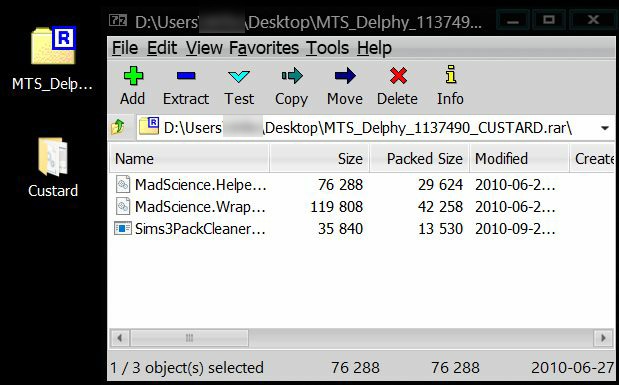

Wanted to show that .rar files can be easily opened and moved like .zip files can.
Addendum: This is important for those who might have a lot of folders on their desktop. If you inadvertently unzip a large file, the folders will flood your desktop so you need to be careful you don't end up deleting any of your other files while you sort through all the files.
Post by: Lapaige46 on December 10, 2021, 02:52:55 PM
I just found the fix.
I was adding a second storey to a house I'm working on and I'd previously tried placing stairs but deleted them for the time being. What happened is that I ended up with holes in the floor upstairs that had no grid so I couldn't place floor tiles in them. The solution I found is to place ladders in the holes. When you delete them, the grid comes back. I had 3 holes in the floor and they're all fixed now.
-- This works for holes left in the ground level from previously placed ladders.
(https://i.ibb.co/5BjN167/Screenshot-40.jpg) (https://ibb.co/5BjN167) (https://i.ibb.co/Sm7L99x/Screenshot-42.jpg) (https://ibb.co/Sm7L99x) (https://i.ibb.co/52b7BvL/Screenshot-43.jpg) (https://ibb.co/52b7BvL) (https://i.ibb.co/rFHTsDQ/Screenshot-44.jpg) (https://ibb.co/rFHTsDQ)
Post by: MrsFlynn on December 10, 2021, 04:58:10 PM
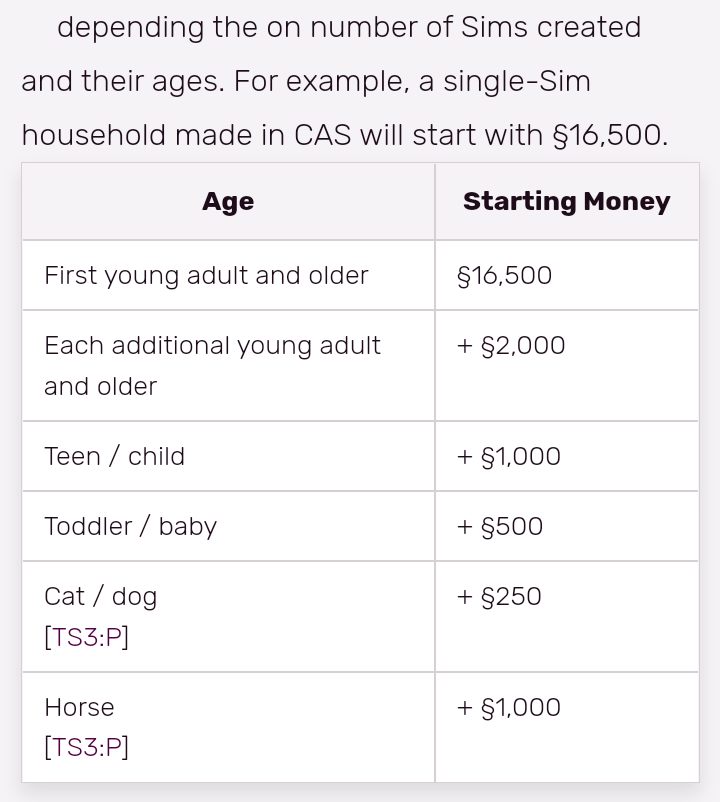
Sims 3 Starting money
----
Age Starting Money
First young adult and older = §16,500
Each additional young adult and older = + §2,000
Teen / child = + §1,000
Toddler / baby = + §500
Cat / dog = + §250
Horse = + §1,000
Simoleon | The Sims Wiki
https://sims.fandom.com/wiki/Simoleon
Post by: Nindigo on February 04, 2022, 04:33:02 AM
https://sims.fandom.com/wiki/Arboretum (https://sims.fandom.com/wiki/Arboretum)
Post by: Nindigo on February 18, 2022, 12:46:33 AM
passwordsgenerator.net (https://passwordsgenerator.net/)
Post by: MrsFlynn on March 16, 2022, 09:39:56 AM
With Nraas MasterController:
Click on lot, select MasterController > Reset Lot
Without Mods:
Evict Family via Edit Town. Select Move Out with Home, bulldoze the lot and place the family w/home back on the lot.
** This tip seems to work for some but not for others.
Post by: beardeux on June 04, 2022, 06:39:34 AM
Home Problems
1) Evict Akoni Kahale and put him in a house on land. Bulldoze the port
2) Evict Rubisel Ichtaca and put him in a house on land - Bulloze the port. There is another port with a pile of rocks preventing accaess to port. Bulldoze that one also.
3) The Ichtaca castle needs the front door area fixed, and remove some of the trees around the outside of the lot
4) The Medina household needs an extra piece of wall next to the front door to stop Palmira being put down where she can't be reached. Also, at the start of the game their garage door needs opening - Delete the door. (Personally I convert the room to something else - gym)
5) Finally, Devin Han, gets stuck, but the writer doesn't know why. Personally I either move him into another home or delete the char.
I make a save of the edited Starter town. Then I don't have to go through all this editing every time I start IP. However, the caves need resetting every time. See Below:
Resetting Dive Caves to correct resetting of sims:
to to Edit town / Ctl Shift C = T / type: enablelotlocking true (no space)
- using Select button - click on dive cave location icon and click on the unlock/lock button in bottom right corner to enable editong on the lot
- Grab the cave and let it go again / Turn Off Cheats
- go back to Live Mode and try exploring again
Hope this helps everyone. I've enjoyed a relatively lag free IP from these helpful notes.
----
Adding these links for additional information:
Removing IP Lag ~ Tips from Ciane ✽ Still works as of April. 2022 and suggests the mod below.
In first post in the thread linked below is a link to Ciane's edited version of IP.
https://forums.thesims.com/en_US/discussion/811253
To Use: Make a new folder in your Sims 3 Saves folder called IPonlyRdy.sims3. Copy the four files shared from MediaFire into it. Using the edited save file and the mod helps reduce the lag in IP.
Reduce/Remove Lag caused by Houseboats Mod
https://modthesims.info/d/665907
Post by: Lapaige46 on June 16, 2022, 01:49:22 PM
Post by: MrsFlynn on June 17, 2022, 04:13:38 PM
Sloped Ceilings Tutorial - Uses constrainfloorelevation (true/false)
https://www.fakehousesrealawesome.com/post/105413944130
Post by: MrsFlynn on June 20, 2022, 10:58:00 AM
Building a Functional Greenhouse in the Sims 3
https://www.youtube.com/watch?v=aXx-MdGtNRQ
I wanted to note it anyway, just in case we get brave and want to try it. :)
Post by: Lapaige46 on July 10, 2022, 02:49:43 PM
To start with, I went with a 40x40 lot to see how much room I really needed. I think you just need to make sure you have room at the front. I used a side opening garage but it would probably work with a front opening as well. I haven't tested it.
Start by leveling and flattening your lot. Build your house and garage directly on the lot. No foundations. Add flooring where you may want porches.
(https://i.ibb.co/PWWz3jJ/Screenshot-1.jpg) (https://ibb.co/PWWz3jJ) (https://i.ibb.co/ykxjPpT/Screenshot-2.jpg) (https://ibb.co/ykxjPpT) (https://i.ibb.co/dj3LYgw/Screenshot-3.jpg) (https://ibb.co/dj3LYgw)
Drop a set of stairs as close as you can to your porch area and using the level terrain tool, level the ground from the lowest level of the stairs. I leveled way more than I needed to but you probably only need to do from the front of the house to the street. I used the soften terrain tool here but it's not necessary at this point.
(https://i.ibb.co/j68VPWf/Screenshot-4.jpg) (https://ibb.co/j68VPWf) (https://i.ibb.co/1mXZtgN/Screenshot-5.jpg) (https://ibb.co/1mXZtgN) (https://i.ibb.co/YbvP2BD/Screenshot-6.jpg) (https://ibb.co/YbvP2BD)
Build your house and add your front stairs and porch railings. Soften your terrain all around being careful to stop before you get to the slope or you end up with a sagging railing. I used landscaping to cover the slope.
(https://i.ibb.co/BsK3wZh/Screenshot-7.jpg) (https://ibb.co/BsK3wZh) (https://i.ibb.co/3FXPBsk/Screenshot-8.jpg) (https://ibb.co/3FXPBsk) (https://i.ibb.co/48JtyRv/Screenshot-9.jpg) (https://ibb.co/48JtyRv)
At this point you can use the basement tool to add a basement if you wish.
(https://i.ibb.co/M1MLzmW/Screenshot-10.jpg) (https://ibb.co/M1MLzmW) (https://i.ibb.co/wNnKqHB/Screenshot-11.jpg) (https://ibb.co/wNnKqHB) (https://i.ibb.co/SctVx43/Screenshot-12.jpg) (https://ibb.co/SctVx43)
Post by: Lapaige46 on July 17, 2022, 06:35:57 PM
Example 1 - Dig without walls or foundation.
Example 2 - Add walls, floor and stairs.
Example 3 - Dig with existing walls but must not have flooring.
(https://i.ibb.co/wJKHzQQ/Screenshot-19.jpg) (https://ibb.co/wJKHzQQ)
Post by: Lapaige46 on July 20, 2022, 05:27:36 PM
I wanted the fruit basket to sit in the middle of the island and found this was the way to do it. The section in the center is just big enough for the basket.
(https://i.ibb.co/pfcxRCn/Screenshot-4.jpg) (https://ibb.co/pfcxRCn)
Post by: Lapaige46 on July 23, 2022, 01:53:27 PM
https://www.youtube.com/watch?v=ZNPLFwVV_zg
- Uses constrainfloorelevation (true/false)
----
Using CFE to Add Doors to a House with Foundation
✽ Note: It maybe best to do this while building the house instead of trying to add on after the house shell is fully finished.
1. Press Ctrl Shift C together -- Type in testingcheatsenabled on and then type in constrainfloorelevation false (Turns CFE on) and press Enter.
2. Draw the foundation wall in from the ground level around the back door area.
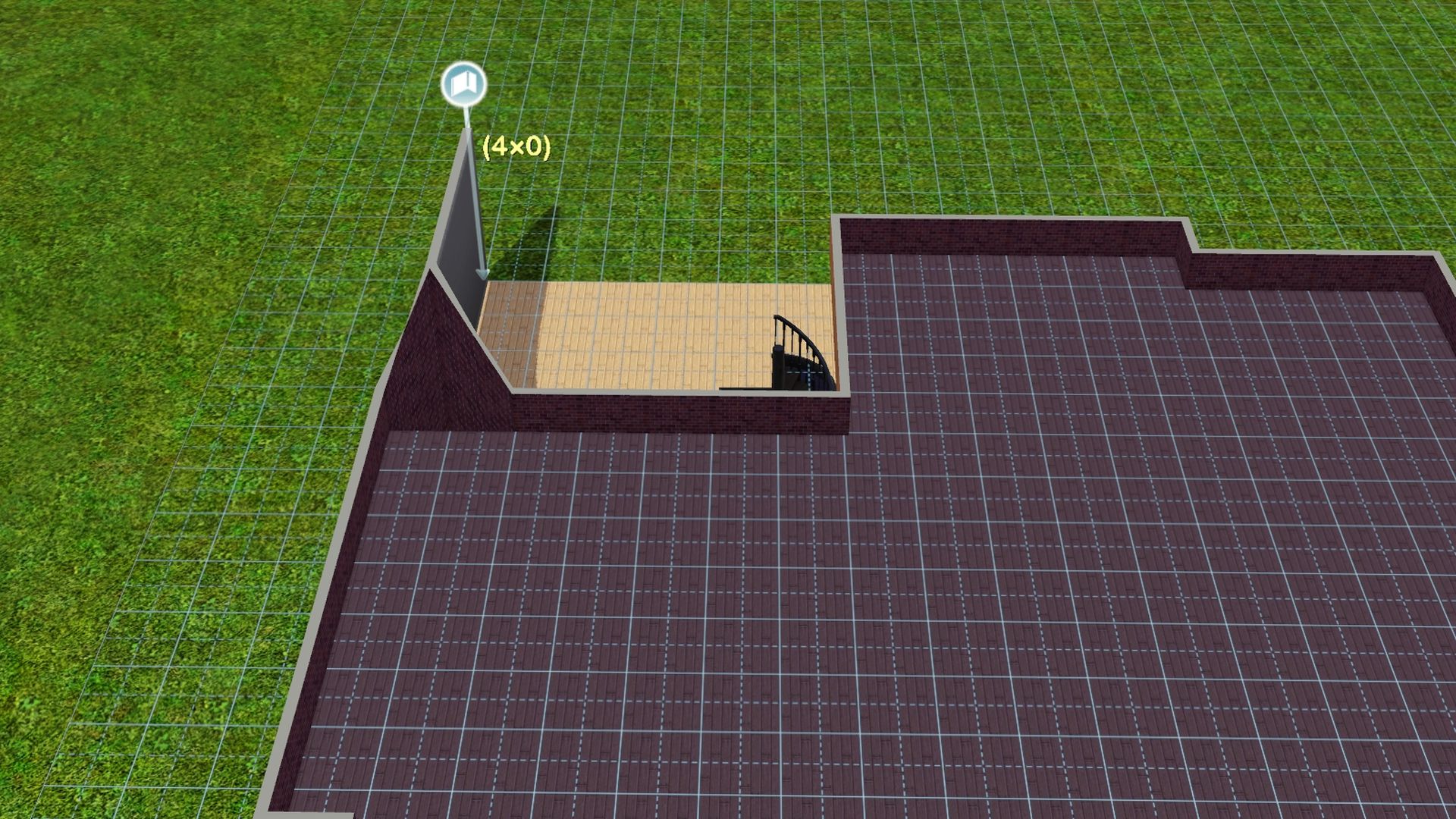
++ It will spike up on the garage side of the house and need to be fixed by leveling the terrain from the 2nd floor/roofline and the foundation level of the house.
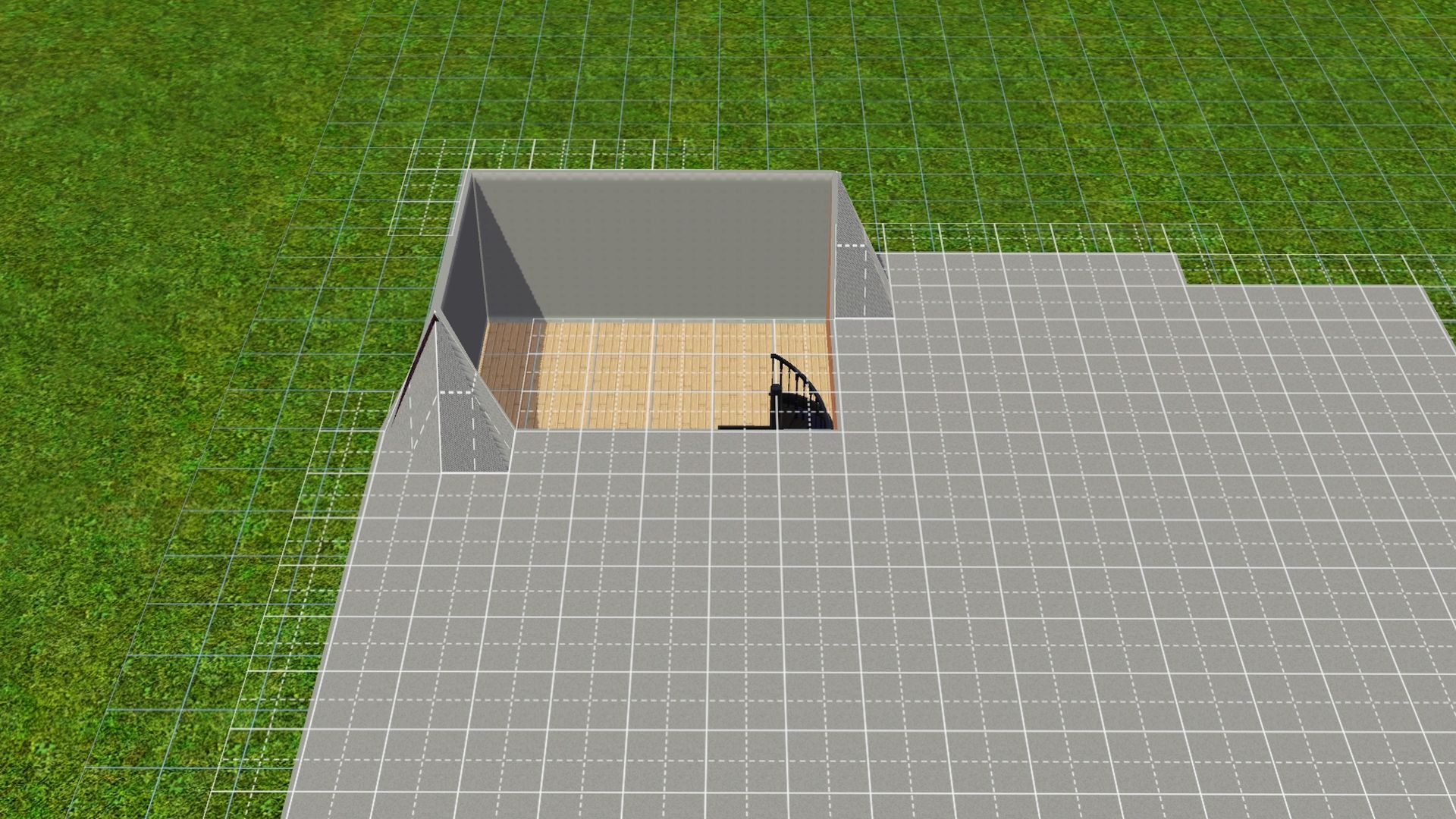
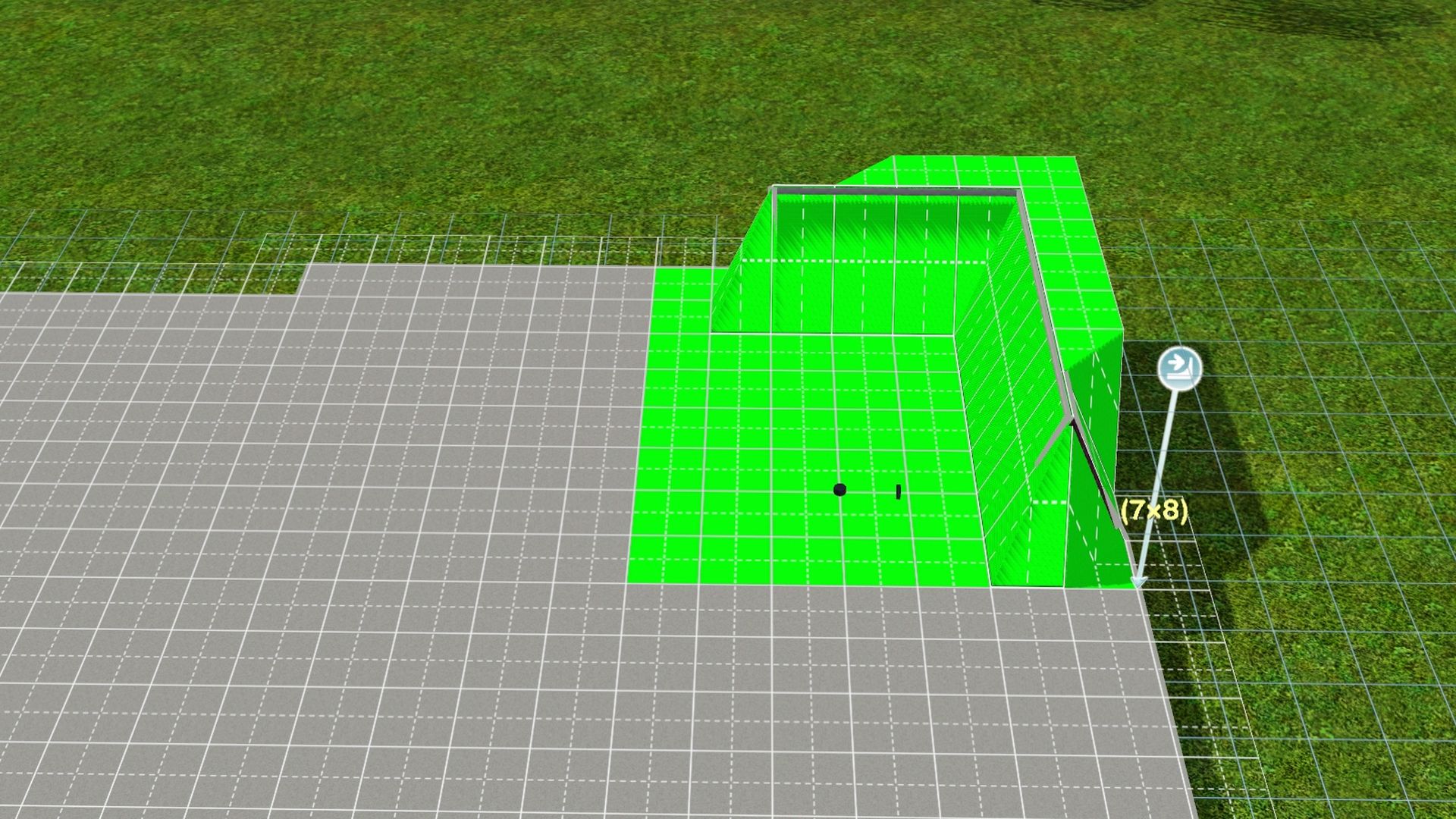
3. Draw out the room walls around the back door area and the rest of the house, if not done yet.
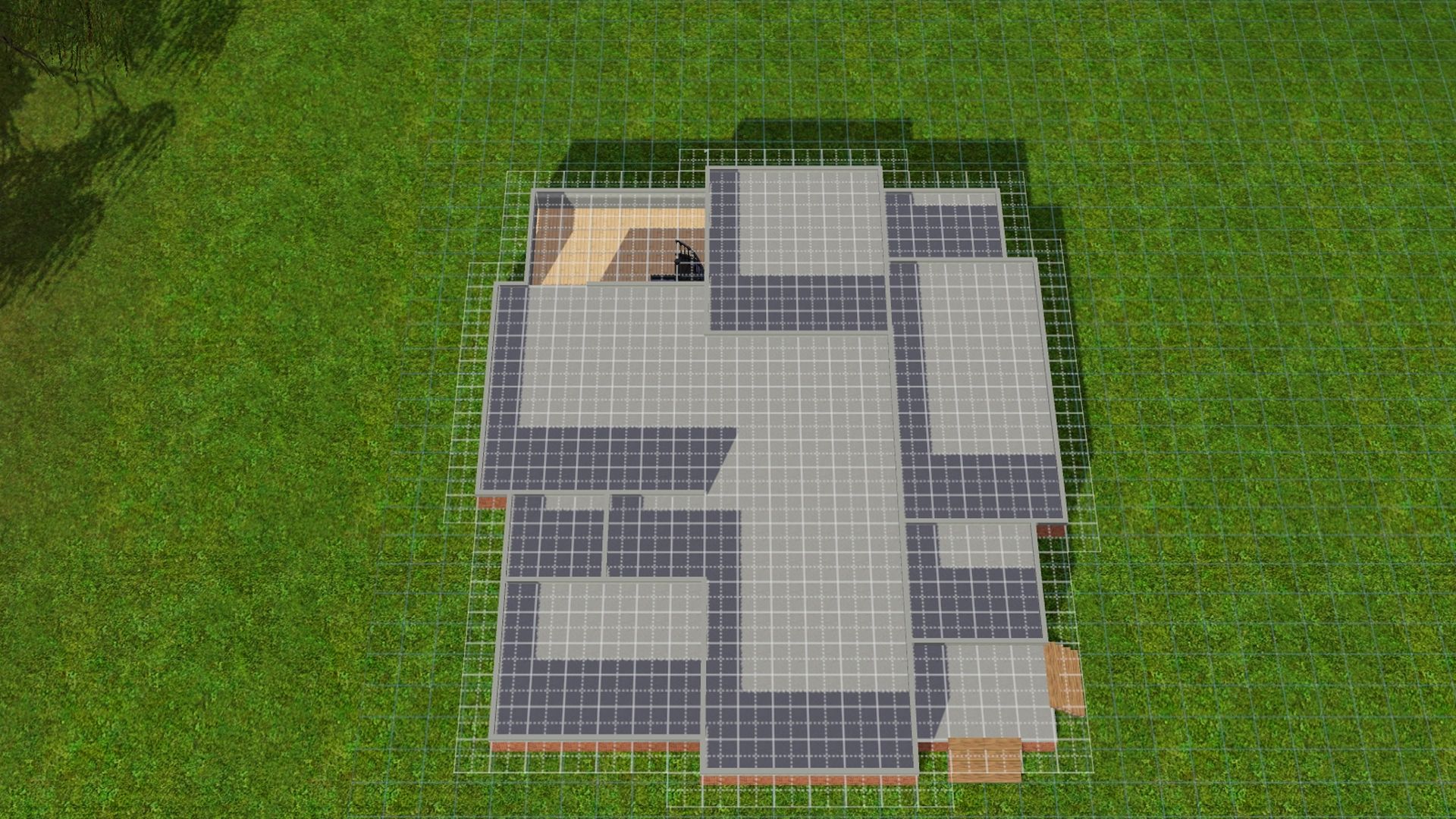
4. Use the sledgehammer tool to delete 2 - 4 wall pieces in the foundation wall that the door (s) will be attached to.
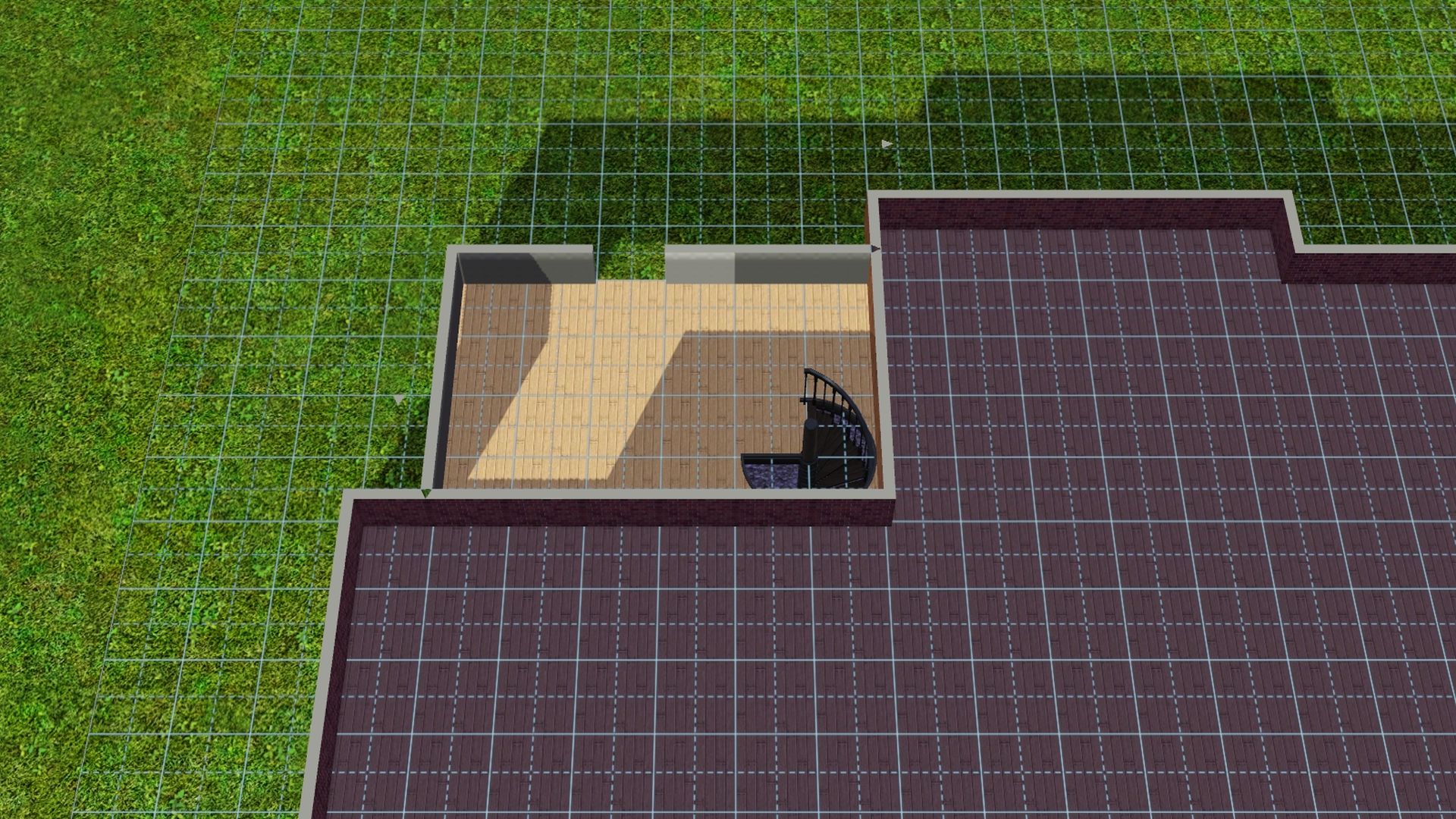
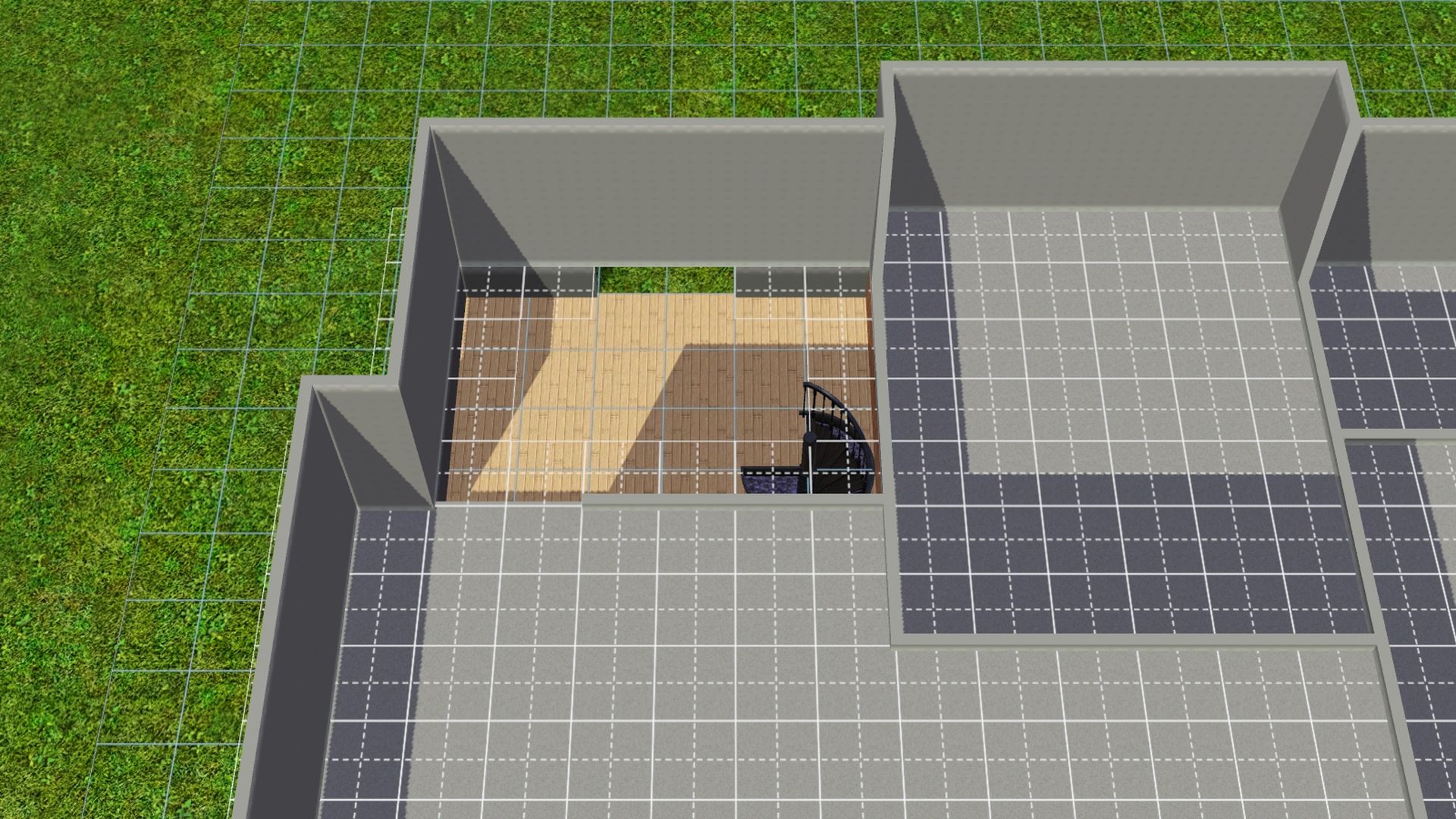
5. Draw back in the walls at ground level in where you'd like to put the door (s).
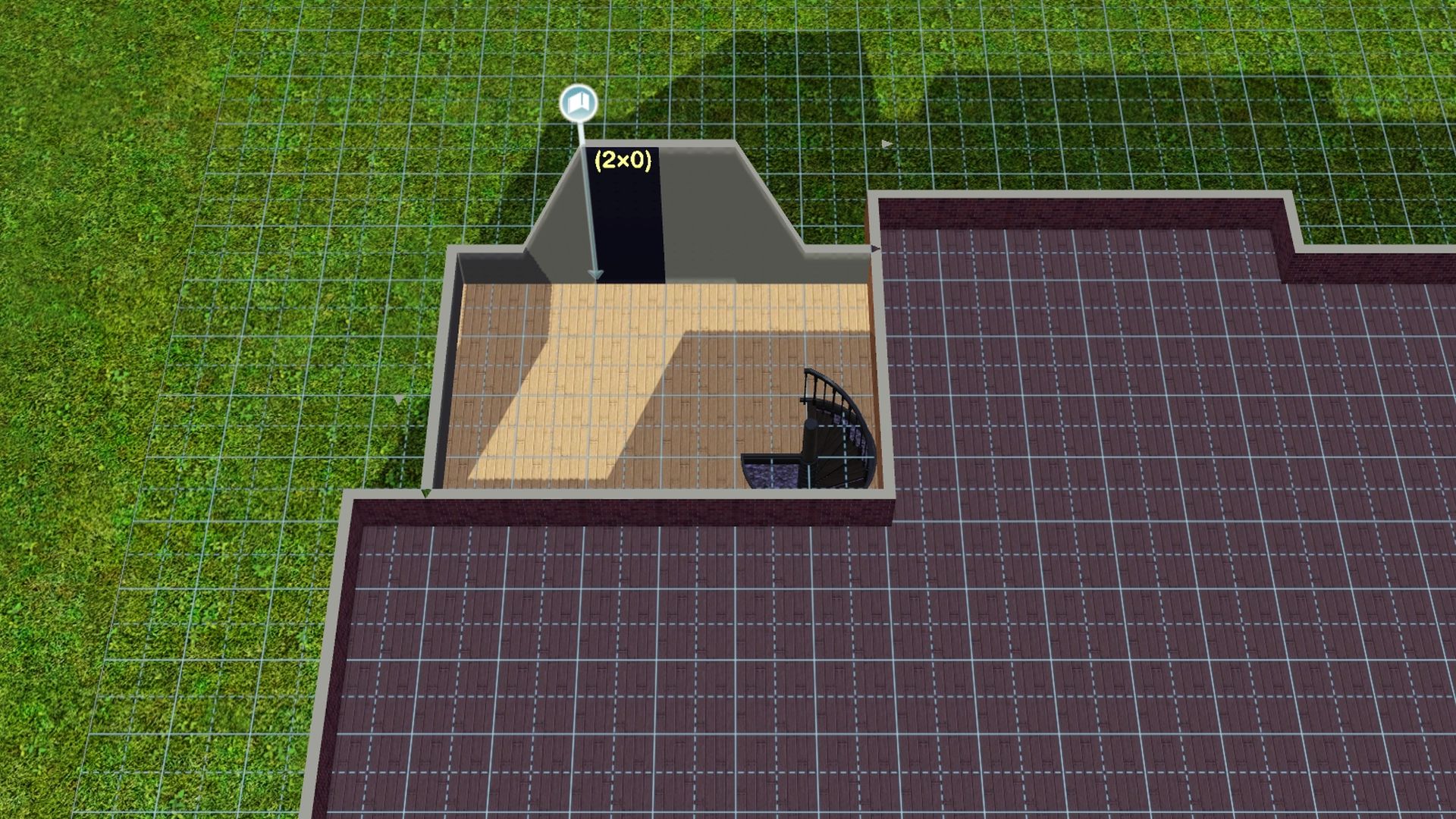
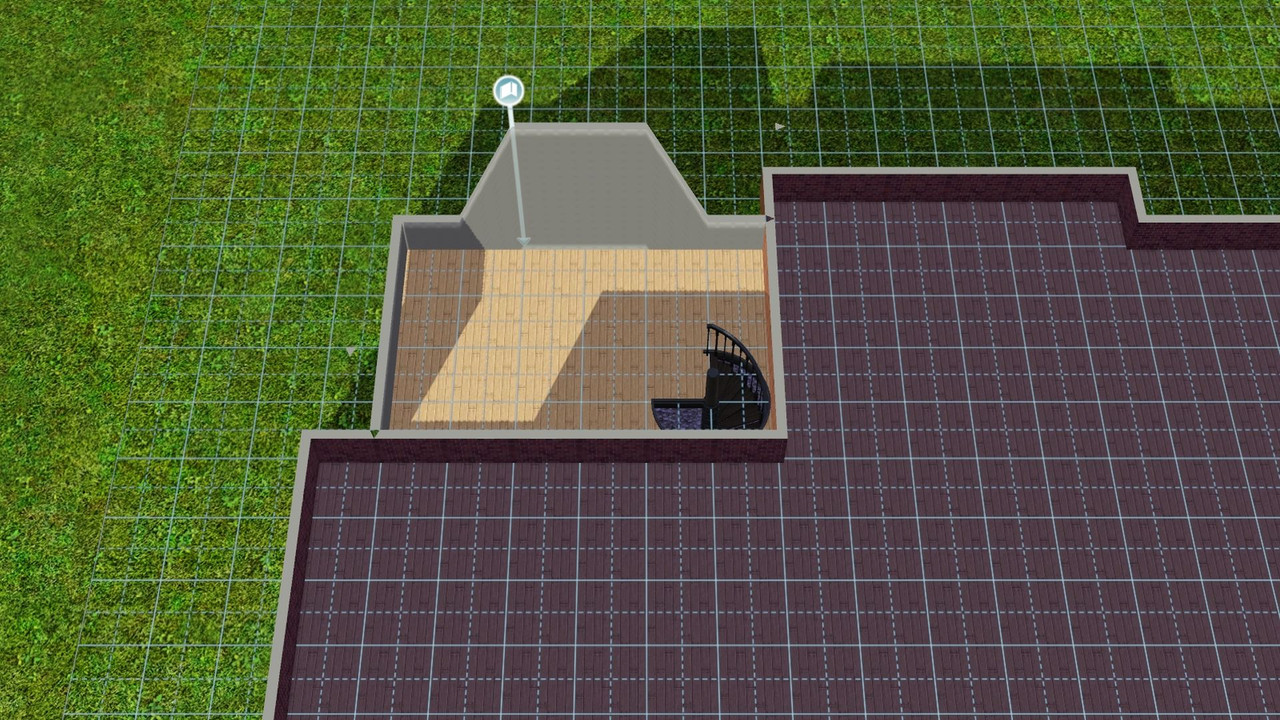
6. Add the door. Making sure it does not have a grid by it when trying to place.
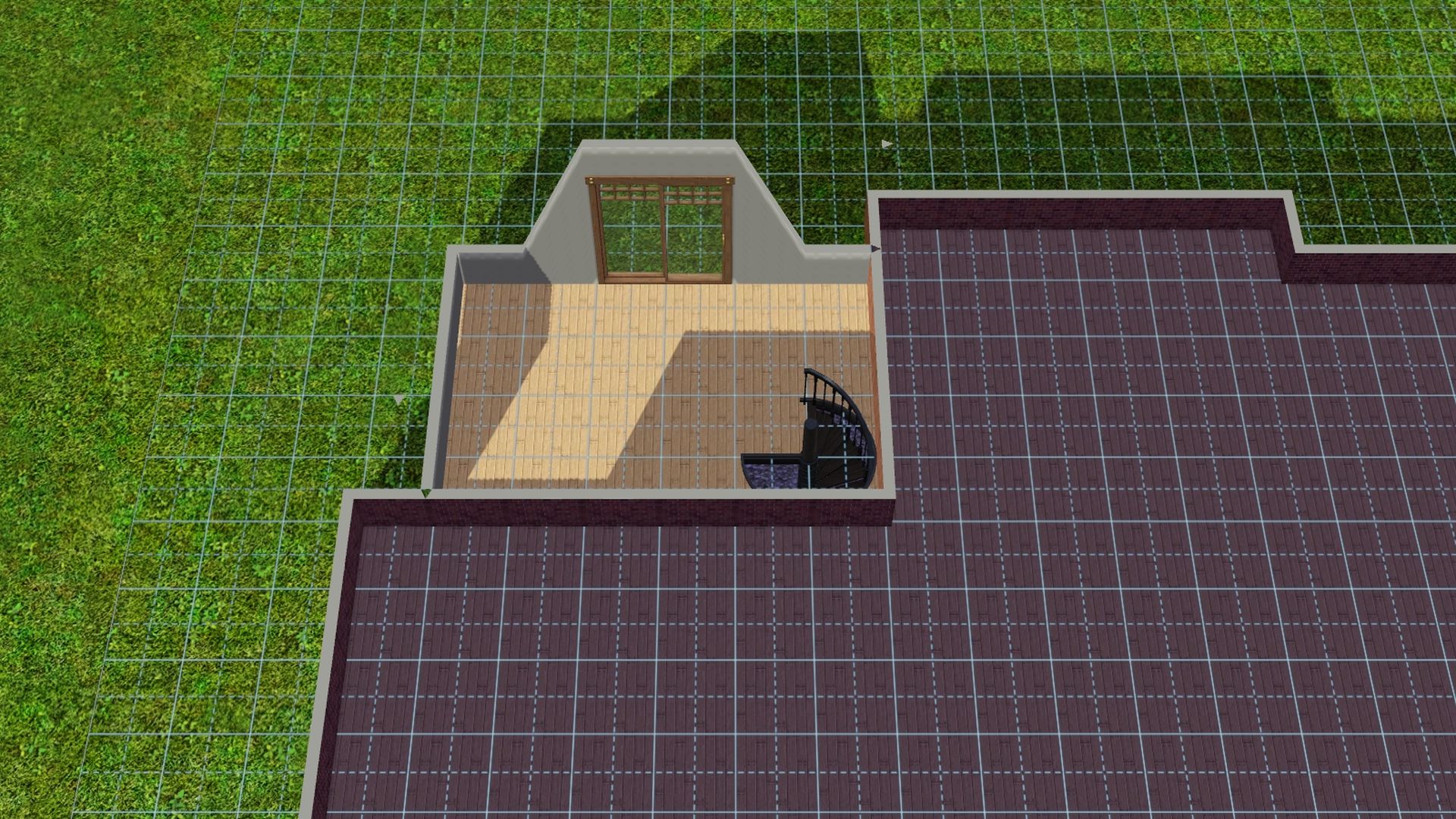
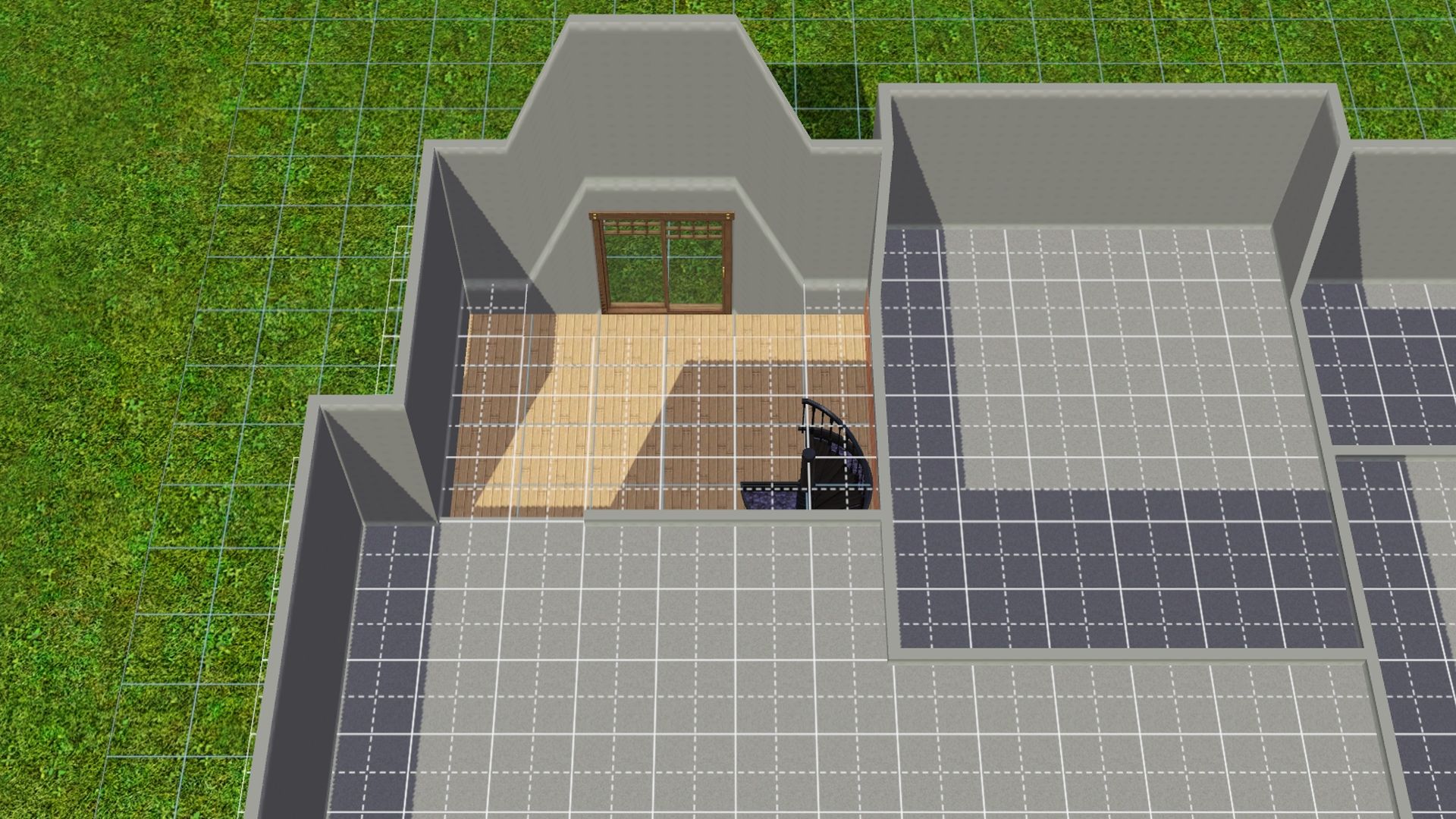
7. Add free wood flooring or level the terrain from the 2nd floor/roofline level of the house.
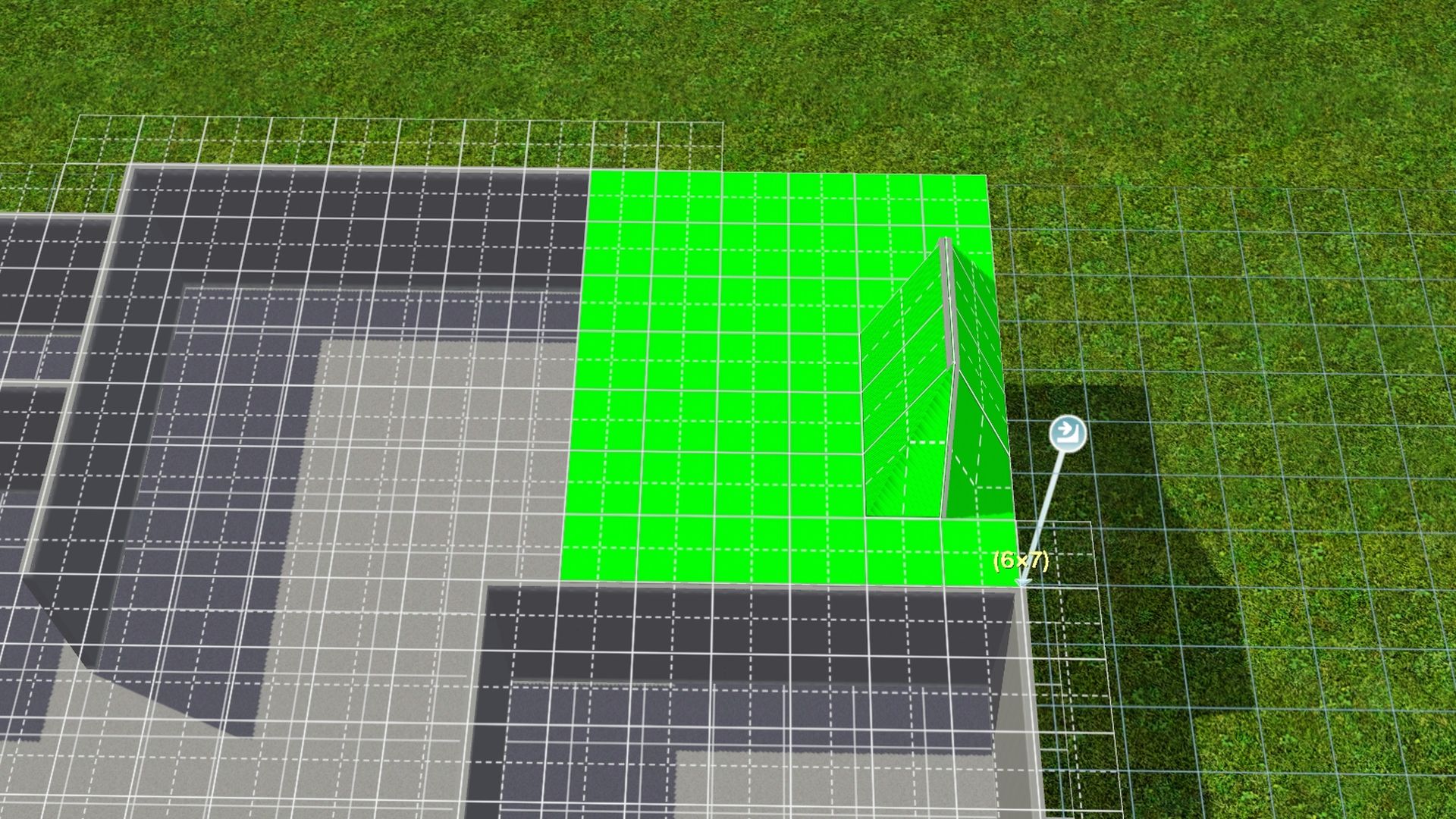
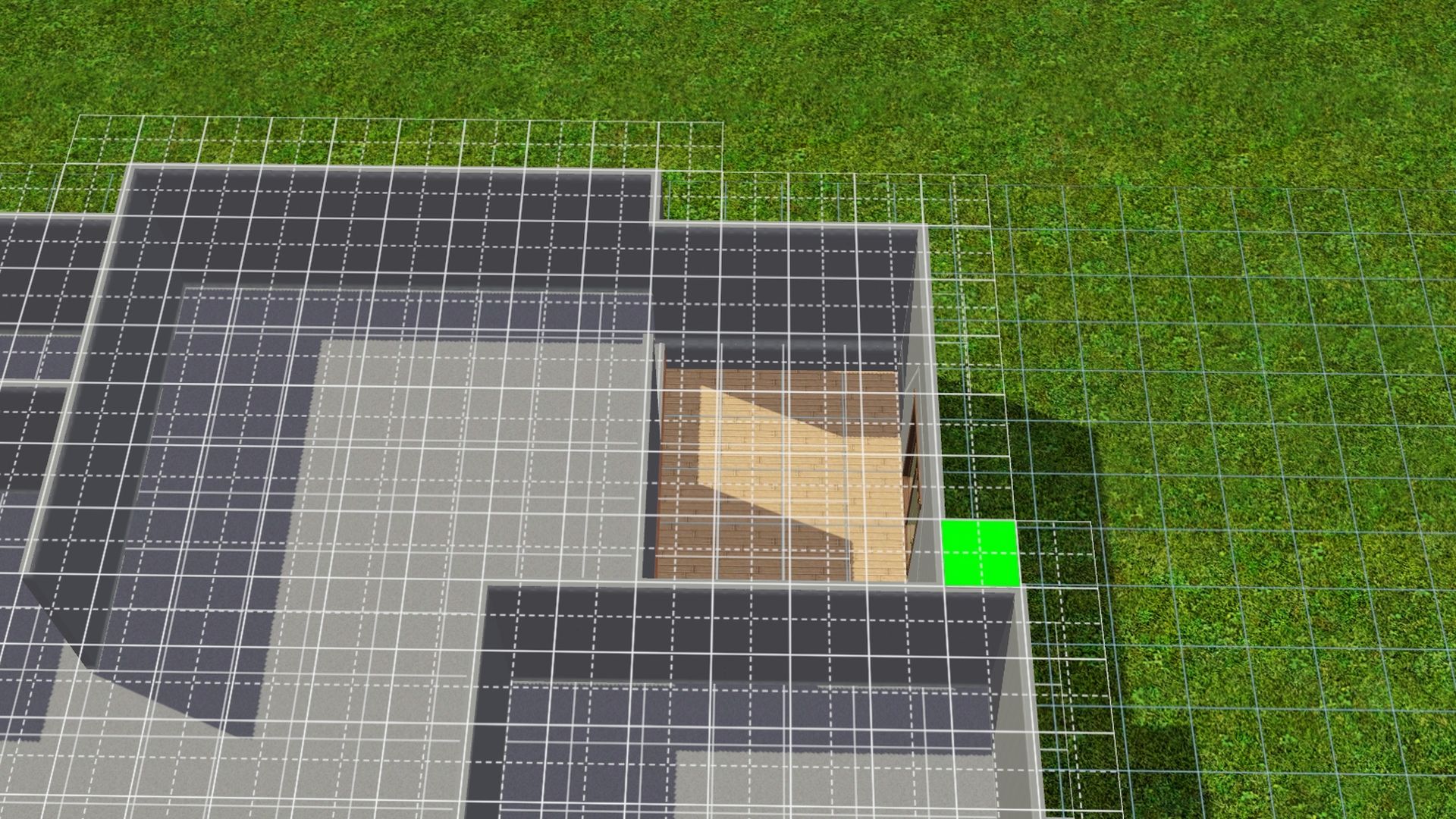
8. If all went well, you should be done with CFE and can safely turn it off. Press Ctrl Shift C together -- Type in constrainfloorelevation true (Turns CFE off) and press Enter.
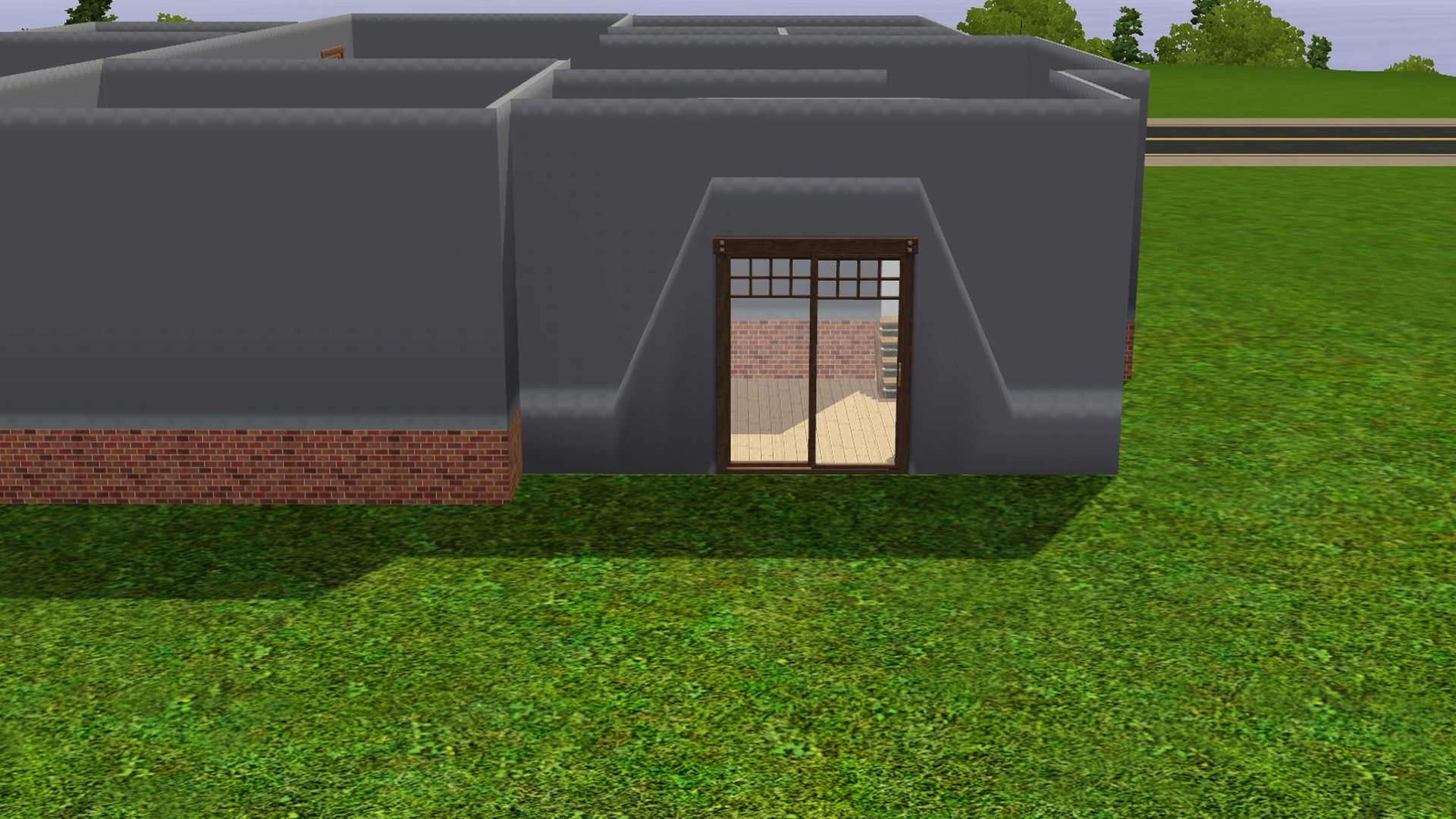
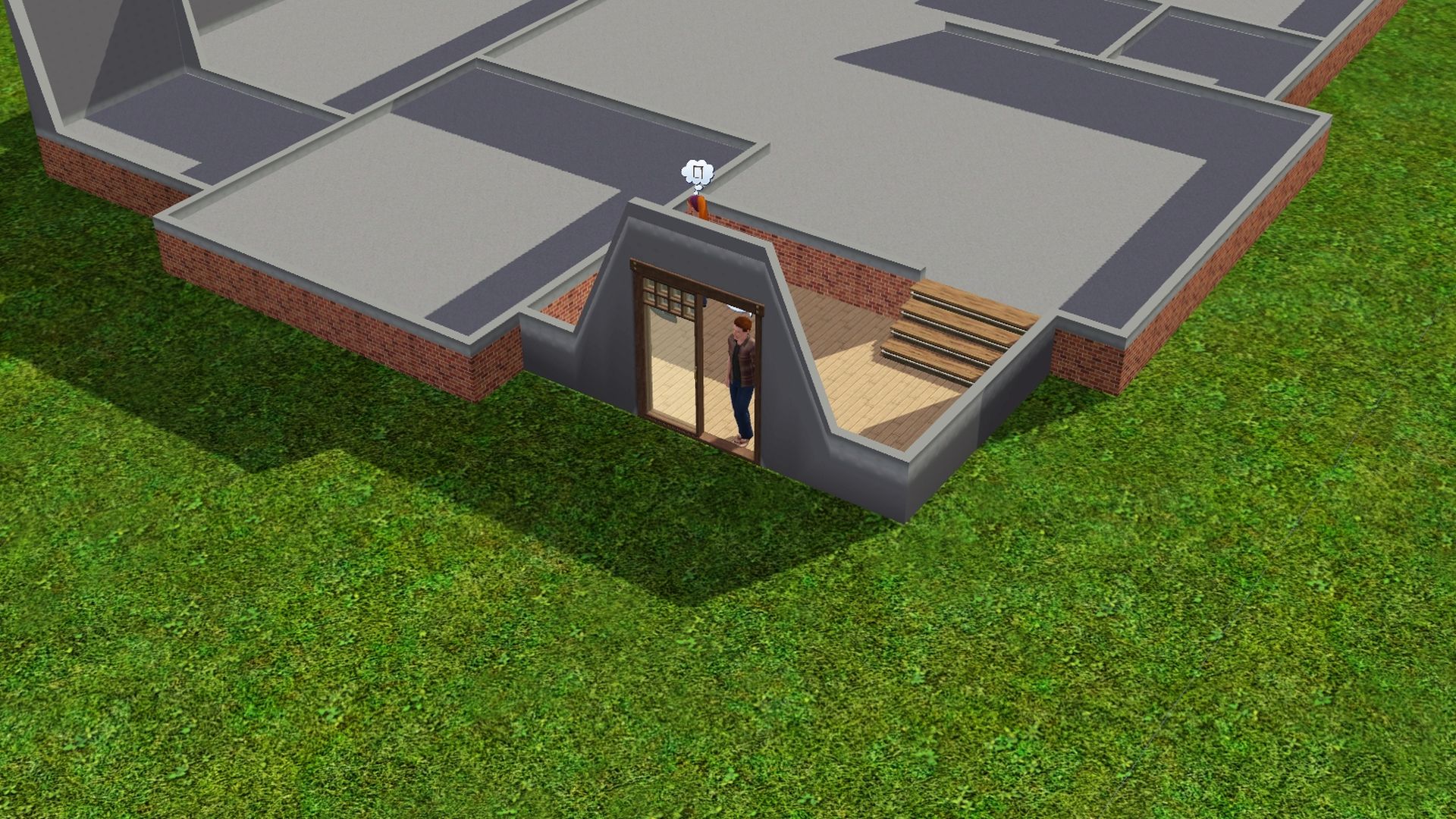
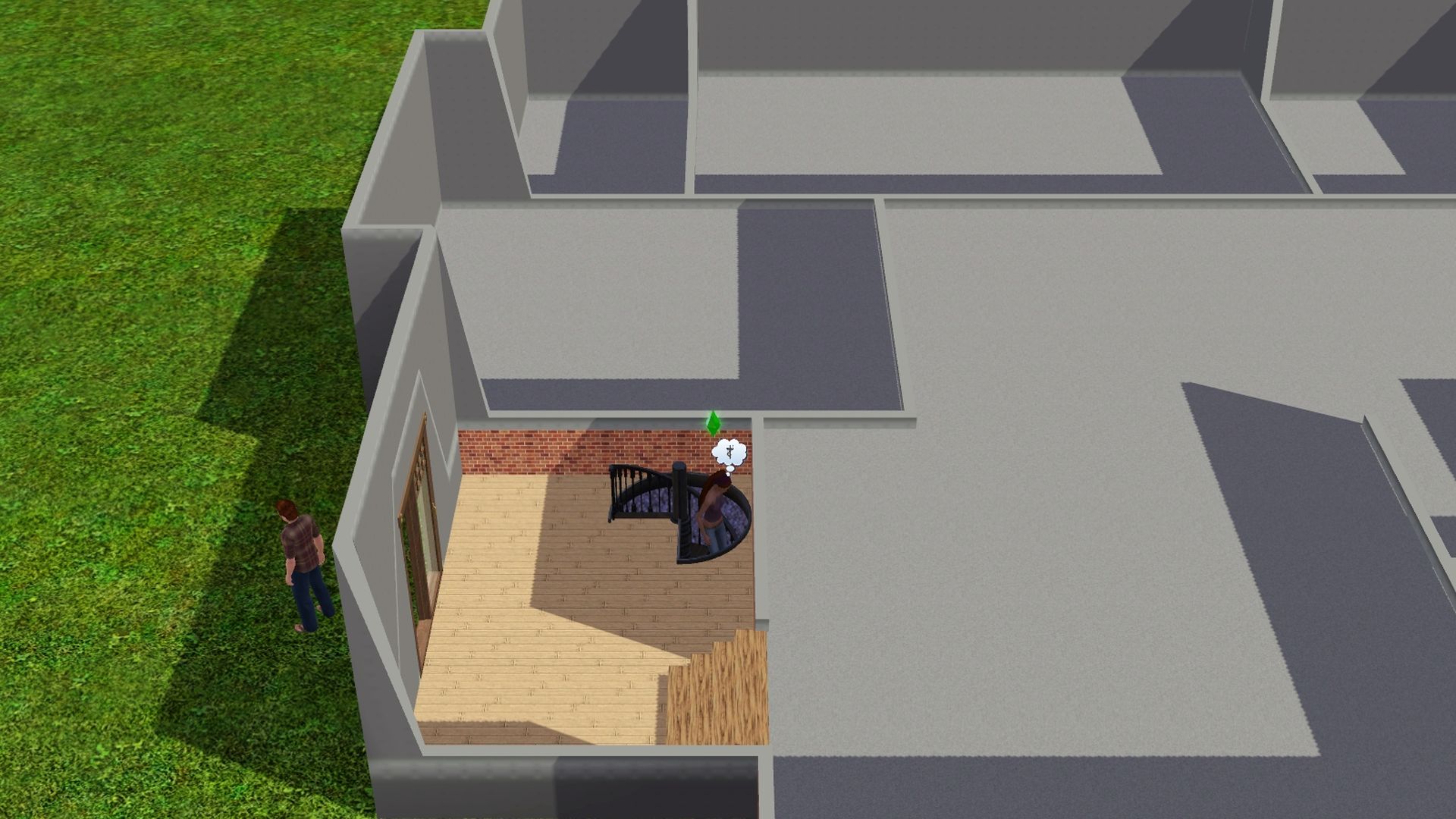
-- Finish up the build and decorate/furnish to your liking. :)
Post by: Lapaige46 on July 28, 2022, 02:18:38 PM
When you use interior walls you end up with this happening because CFE won't allow flooring next to the area that has been adjusted.
(https://i.ibb.co/gZfdrfj/Screenshot-13.jpg) (https://ibb.co/gZfdrfj)
The only solution is railings.
(https://i.ibb.co/3kCgzvt/Screenshot-14.jpg) (https://ibb.co/3kCgzvt)
The biggest problem I see is when you're on the main level, a piece of the wall and the landing flooring disappears and I read that sims won't climb the stairs because they don't see the landing.
(https://i.ibb.co/jVWS4qz/Screenshot-15.jpg) (https://ibb.co/jVWS4qz)
I decided to move in a sim and go live to see what would happen. As you can see, he managed the stairs just fine. I also checked to see if he'd get an "unfinished room" moodlet when he was on the main floor but it doesn't seem so.
(https://i.ibb.co/M8RQLY9/Screenshot-16.jpg) (https://ibb.co/M8RQLY9) (https://i.ibb.co/Fb4WTHX/Screenshot-17.jpg) (https://ibb.co/Fb4WTHX) (https://i.ibb.co/9rX09hr/Screenshot-18.jpg) (https://ibb.co/9rX09hr)
You can also adjust the stairs by how much you lower the landing. You can split the staircase into two equal sections or you can have two steps up to a landing and a longer set of stairs to the second floor, or you can raise the landing and have the longer set of stairs first and then a couple of steps to the second floor.
This is the tutorial I used. https://www.youtube.com/watch?v=IzCL0CSfP5o
I hope this makes sense. :D
- constrainfloorelevation false (to turn the cheat on)
- Go into Build Mode > Terrain Tools > Level Terrain to flatten out the flooring/walls to where it looks normal again.
Post by: Lapaige46 on July 30, 2022, 02:14:55 PM
Typically a sims house is built right on the ground, or on a foundation. The video linked below shows how to lower your floor level so that your house is only 1 or 2 steps off the ground.
Place stairs using "alt".
Learning from experience here. Make sure your floorplan is exactly as you want it and your porch is in place before lowering the floors. Modifying it afterwards is tricky but I've discovered it can be done.
(https://i.ibb.co/FnzpG7v/Screenshot-4.jpg) (https://ibb.co/FnzpG7v) (https://i.ibb.co/3hxpNss/Screenshot-5.jpg) (https://ibb.co/3hxpNss)
You can recolor the base as you would any wall or you can remove it and replace it with a low fence.
(https://i.ibb.co/LZQrM1c/Screenshot-13.jpg) (https://ibb.co/LZQrM1c)
The whole video is quite informative but the part regarding this particular trick starts at about 7:29.
The Sims 3 - Building Tips and Tricks #2 - Stairs (Part 1)
https://www.youtube.com/watch?v=ZBGEkQxCc78
----
One Step Foundations
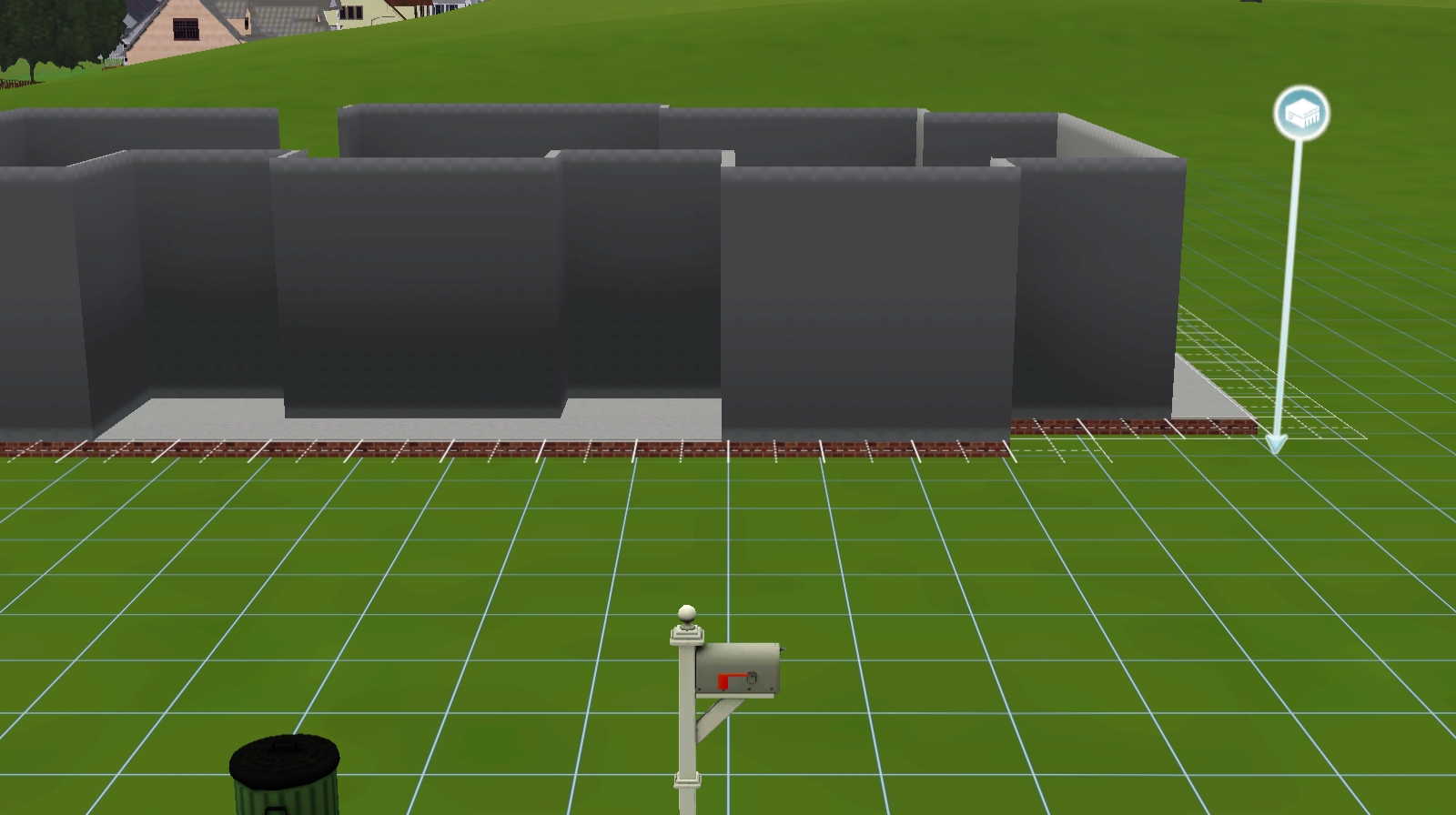
After feeling so proud of myself for working through the process of creating a one-step foundation, I've just discovered there's a much easier way. Simply hold down "alt" when you're placing a foundation. You may already know this but I have just learned it. ::)
Post by: Nindigo on July 31, 2022, 02:34:22 PM
Barnacle Bay; Lucky Palms; Riverview; Lunar Lakes; Hidden Springs; Sunlit Tides;
----
Aurora Skies Festival Lot:
https://www.thesims3.com/assetDetail.html?assetId=7022551
Dragon Valley Festival lot:
https://www.thesims3.com/assetDetail.html?assetId=7344881
Midnight Hollow Summer Festival Lot:
https://www.thesims3.com/assetDetail.html?assetId=7686949
Direct Download Link = https://lvlt.thesims3.com/7686949.Sims3Pack
Monte Vista Festival Grounds:
https://ie.thesims3.com/assetDetail.html?assetId=6715249
Post by: MrsFlynn on August 18, 2022, 08:16:55 PM
Framed photos will disappear. Not sure why, that's never been explained that I have been able to find. Other than it's a glitch.
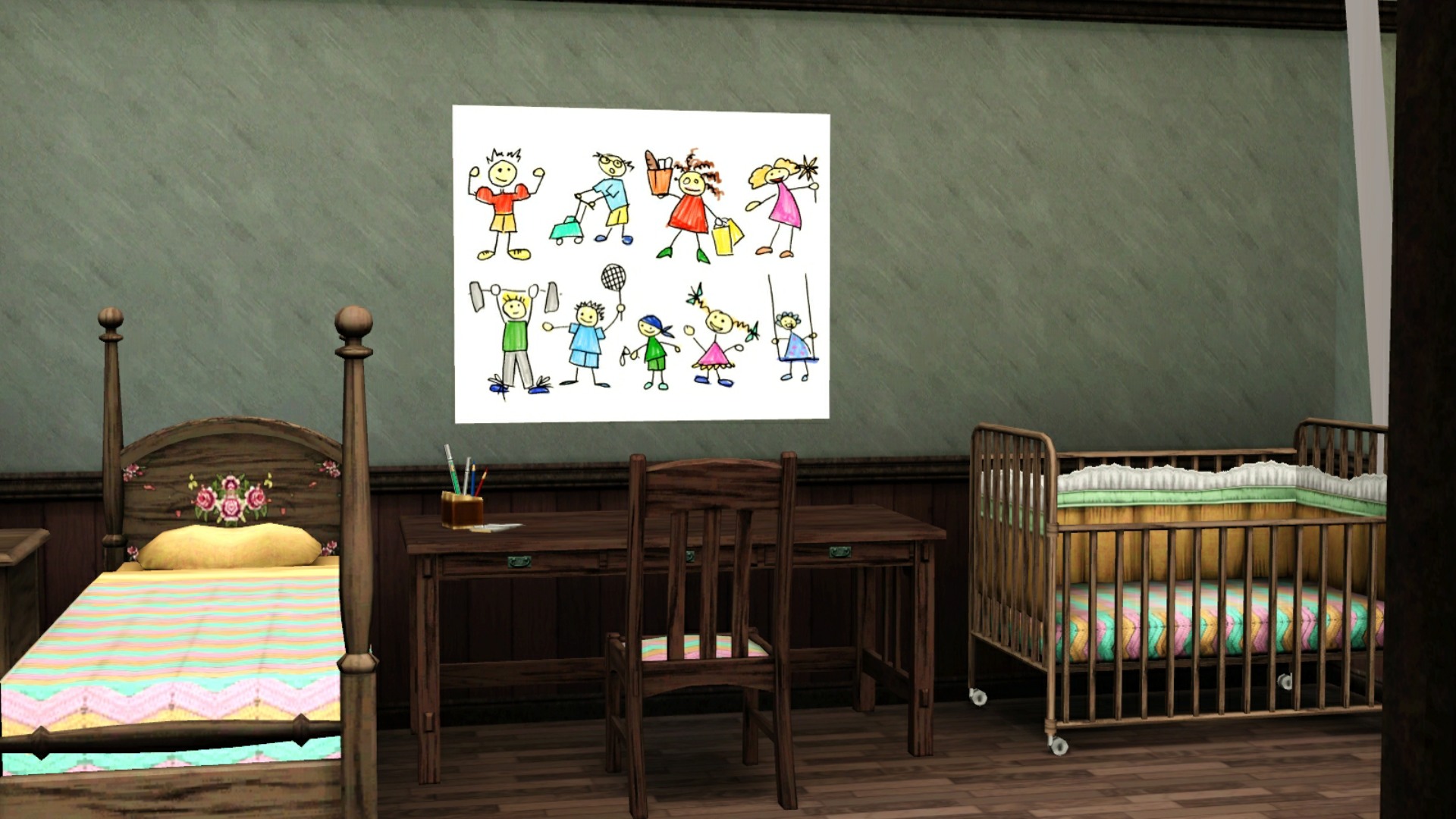
If it's desired to keep all your Sim's paintings, manually place them into their personal inventory for safe keeping. It seems that some of them may turn invisible if automatically packed into the family inventory.
Post by: MrsFlynn on August 20, 2022, 08:45:42 AM
Neighborhood Tree Guard
§450.
Pets Object
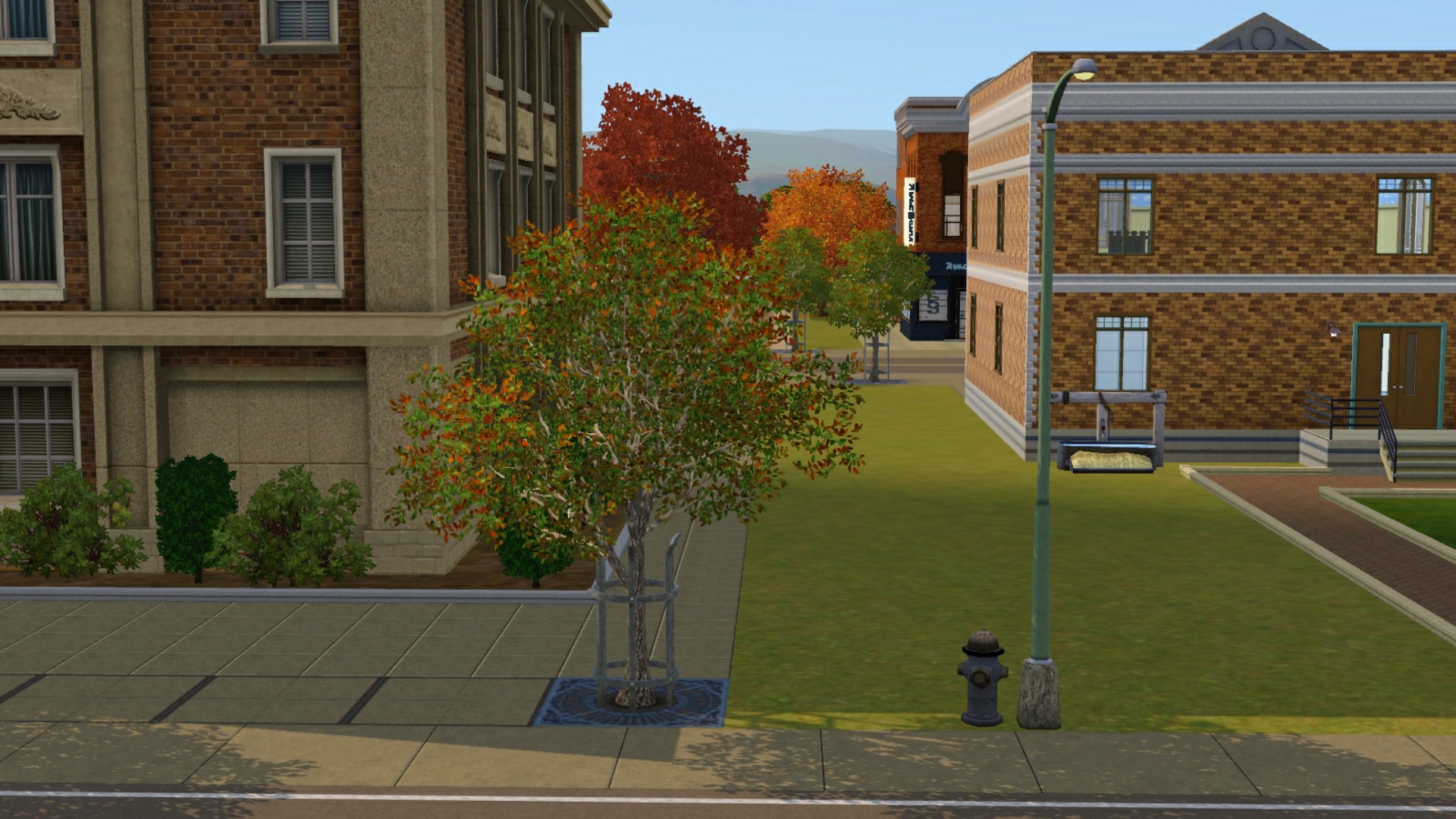
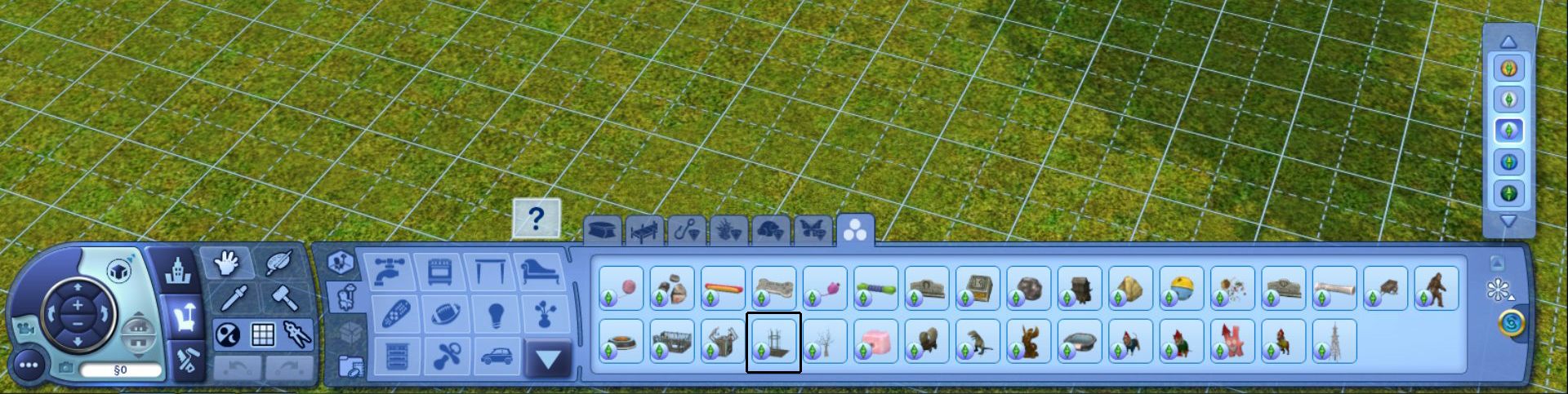
It's in Buydebug > Misc. Objects tab. Filter by Pets to find it easier. It's by the Pet Hygienator.
Post by: MrsFlynn on August 23, 2022, 02:07:08 PM
With testingcheatsenabled on - Press Ctrl-Shift-Click together on the door and select Set Door as Front Door.
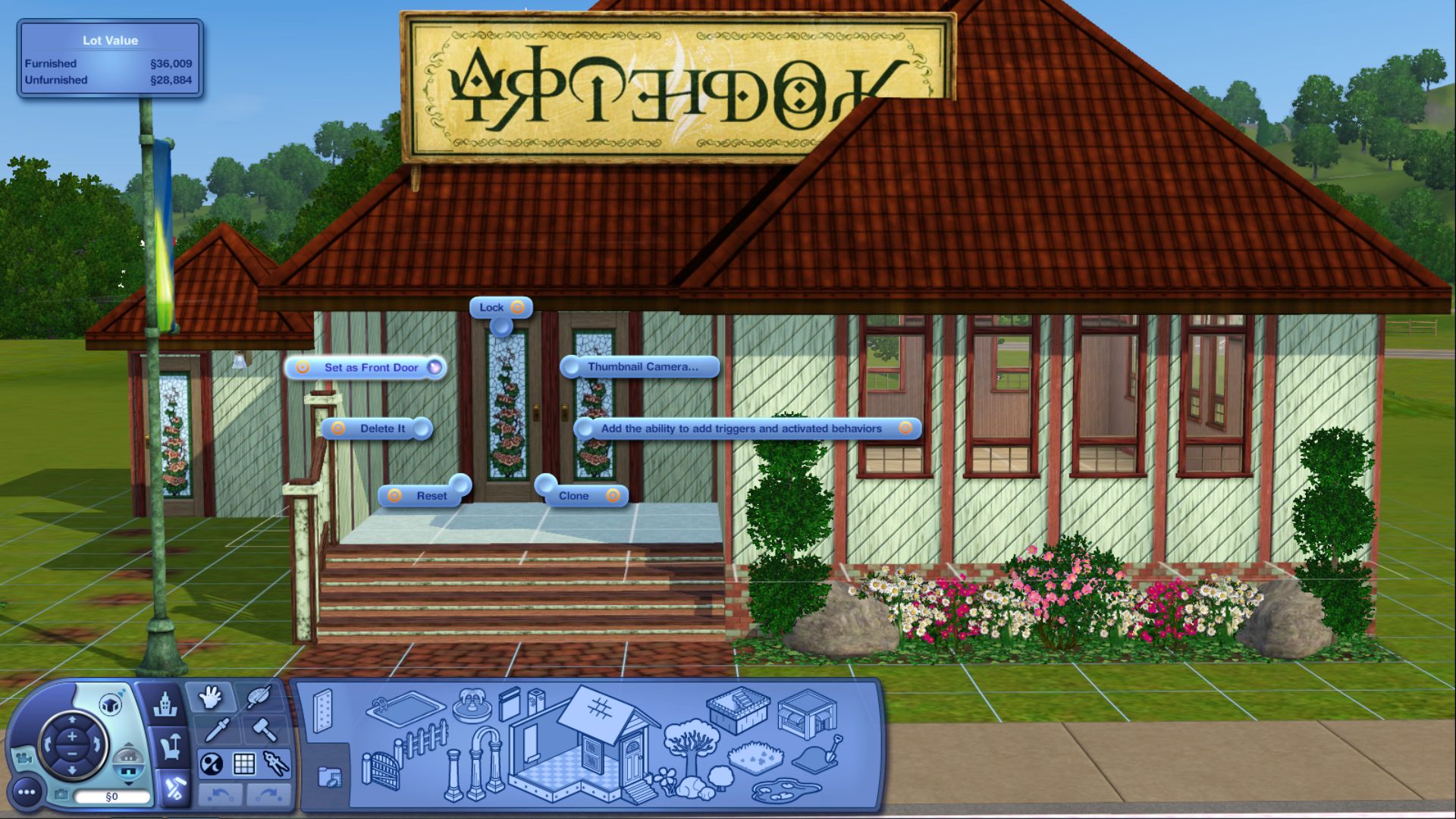
✿ Important to Note: After you first place the lot and set the front door you can not reset it. Deleting and replacing the doors doesn't reset the front door. Placing a new copy of the lot will also not allow you to reset the front door. You will need to place the lot into a new save before you can set the front door again.

Post by: MrsFlynn on September 15, 2022, 12:23:41 AM
The alien abductions are few and far between from what I understand without the mod, so it may take a bit to see if the mod works.
-- After playing with the mod, I feel it's safe to say it works well. I haven't seen any aliens in my save since!! Yay!!
I've read where if you're trying to Avoid the Noid, err... I mean alien abductions is to not use the telescope either at all or at night, not sure which or if it's both. Get rid of space rocks if you have any. And uhm.... Don't stay up all hours of the night. lol *Blush*
– More info on Aliens and avoiding them:
It's rare to have an Alien spawn without triggering it. Using the telescope, having high logic and meteor stones on your lot increase your chances. Otherwise its super rare. And your sim will never be impregnated without these circumstances. They will just visit outside your lot late at night and then leave if you don't interact with them. They wont move into town or anything.
Here's a mod that has the options of no alien abductions.
More/Less Alien Abductions
https://modthesims.info/d/493379/more-less-alien-abductions.html
Post by: MrsFlynn on September 17, 2022, 09:48:08 PM
Also, if you're Sim is high level in their career or maxed their career. It's better just to pass on this opportunity, as it won't do much for their career.
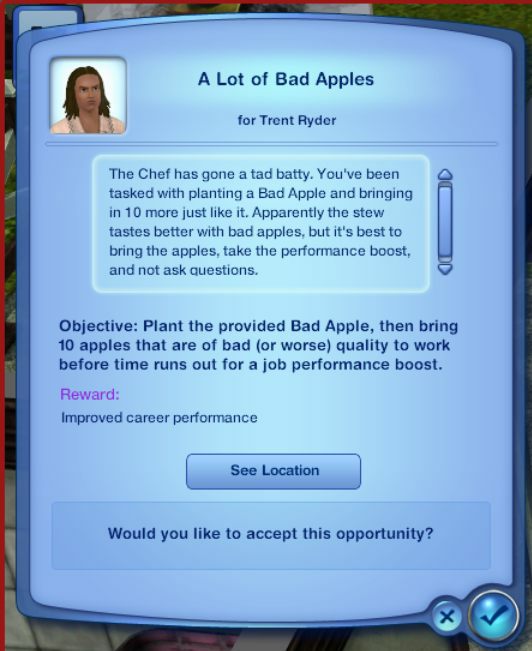
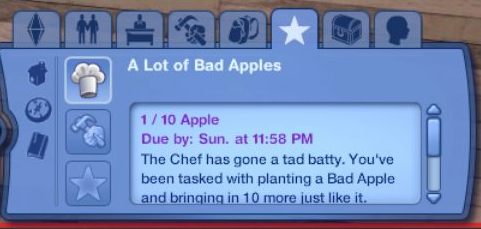
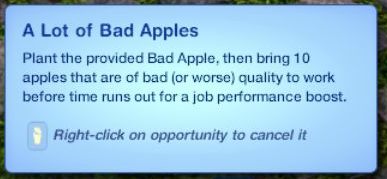
1/10 Bad Apples
Due by: Sun: 11:58 pm - 1 week to do the opportunity
Bad Apples - A Tad Bit Batty
https://www.carls-sims-3-guide.com/skills/cooking/challenges-opportunities.php
A Lot of Bad Apples
https://sims.fandom.com/wiki/Opportunity/Culinary
Post by: Nindigo on October 06, 2022, 04:14:28 AM
testingcheatsenabled on
discotags on/off
testingcheatsenabled off
Post by: Lapaige46 on October 11, 2022, 10:17:02 PM
I've been building a toy store with lots of toys to put up on shelves. That was a pain in the ....
But!! I learned that you can move things up and around shelves using the "M" key.
Post by: beardeux on November 26, 2022, 11:03:27 PM
Post by: Nindigo on November 27, 2022, 09:33:44 PM
Post by: MrsFlynn on April 04, 2023, 07:13:42 AM
If you want to play with a different family, you will have to reset their adventure world info. Otherwise everything you did previously stays done for the new family you switch to.
Go to where the ep01 caches folder is and delete the town(s) they visited. Save a copy of the file(s) first, if you want to keep it for a specific family. Once you do this, the game rebuilds the towns from scratch for your new family.
----
These are default the paths. They may differ depending on your install, if it's a custom install for example.
EA App: C:\Program Files\EA Games\The Sims 3\EP01\Caches
Origin: C:\Program Files (x86)\Origin Games\The Sims 3\EP01\Caches
Steam: C:\Program Files (x86)\Steam\steamapps\common\The Sims 3\EP01\Caches
Disc: C:\Program files (x86)\Electronic Arts\The Sims 3\EP01\Caches
Post by: MrsFlynn on April 29, 2023, 04:48:40 PM
Post by: beardeux on January 05, 2024, 01:37:47 PM
While in Live mode, left mouse click and drag to raise or lower each need.
Post by: MrsFlynn on January 10, 2024, 11:50:52 AM
In Edit Town Mode -
1. Press Shift Ctrl C together and type in testingcheatsenabled true
2. Press Shift Ctrl C together again and type in enablelotlocking true
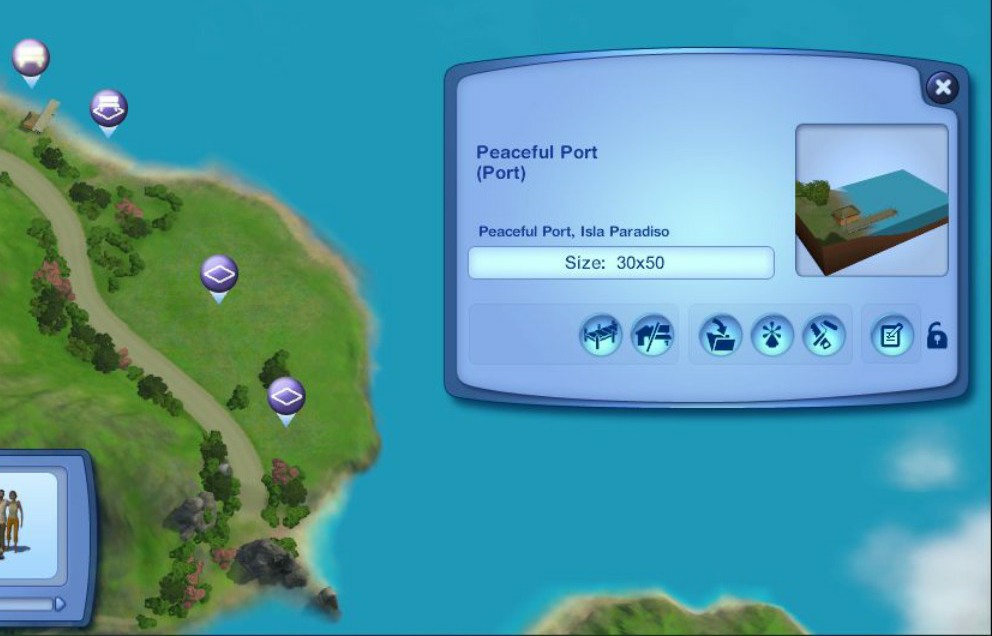
3. Use the Bulldozer to bulldoze house and lot the houseboat was on.
4. Click on lot and click on the unlock button to the right, to make sure it's unlocked. Then you can delete the port with the bulldoze button. The lot will be set to No Visitors and can be bulldozed, if desired.
Click on images to see larger view.
Locked Port -
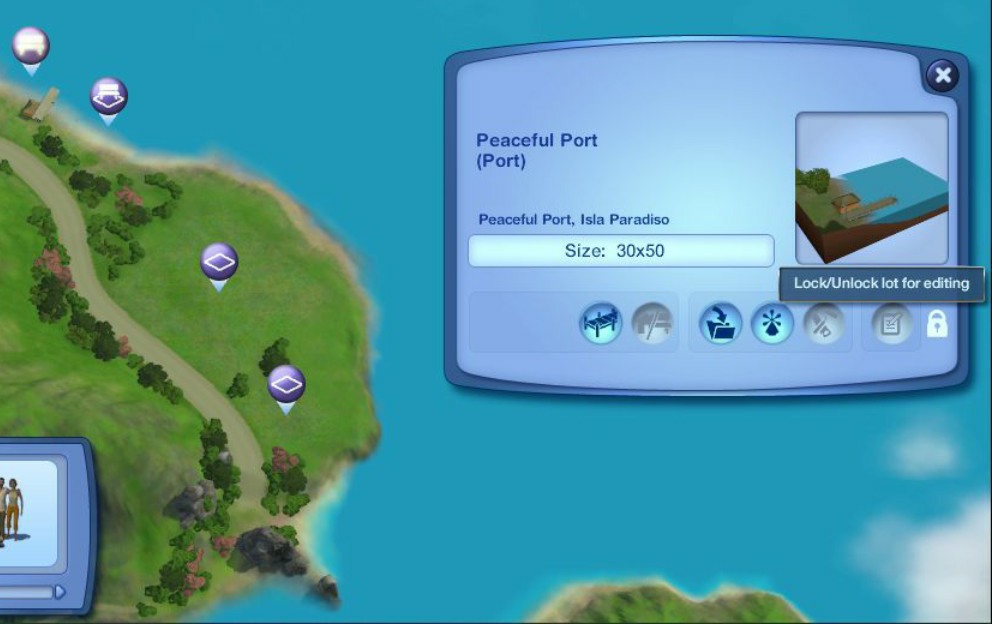
Unlocked Port -
----
Ciane is someone who has written a few or so guides on Steam and the Official Sims forum about Sims 3.
The thread linked below has a save file from Ciane that has some of the families moved off of houseboats, and other town edits. I've added a link to a mod that helps with lag if wanting to keep the houseboats and an article from Crinrict that has some helpful tips along with a video fix guide.
Removing IP Lag:
https://forums.thesims.com/en_US/discussion/811253/removing-ip-lag/p1
There's a mod that helps with the IP Lag as well:
Reduce/Remove Lag caused by Houseboats:
https://modthesims.info/d/665907/reduce-remove-lag-caused-by-houseboats.html
Lags in Islo Paradiso:
https://sims3.crinrict.com/en/2014/02/lags-in-islo-paradiso.html
Sims 3 Island Paradise Fix Guide (2022):
https://www.youtube.com/watch?v=T7N8pFSp0Cw
Post by: Lapaige46 on January 31, 2024, 07:13:13 PM
You'll get different results if you enter the object as singular or plural. For example "curtain" vs "Curtains".
You might also try different spellings if you can't find what you are looking for. I've noticed some misspellings. "Whicker" vs "Wicker", for example. Both of those spellings are used to describe wicker furniture. "Whicker" is incorrect, but will find results.
Post by: Lapaige46 on March 14, 2024, 09:21:42 AM