Using these space or room markers can be done with just base game.
Hidden Room Markers and Public Room Markers are base game items, you can get to the via the buydebug menu with testingcheatsenabled on. (Press Ctrl-Shift-C together and type in
testingcheatsenabled on)
💡 – Important Note: Once room markers are placed you need to use the {restrictbuildbuyinbuildings off} cheat to edit anything on that lot.
Click on images to see larger view.
✽ – BuyDebugBuy Mode > Sort by Function > Debug [?].
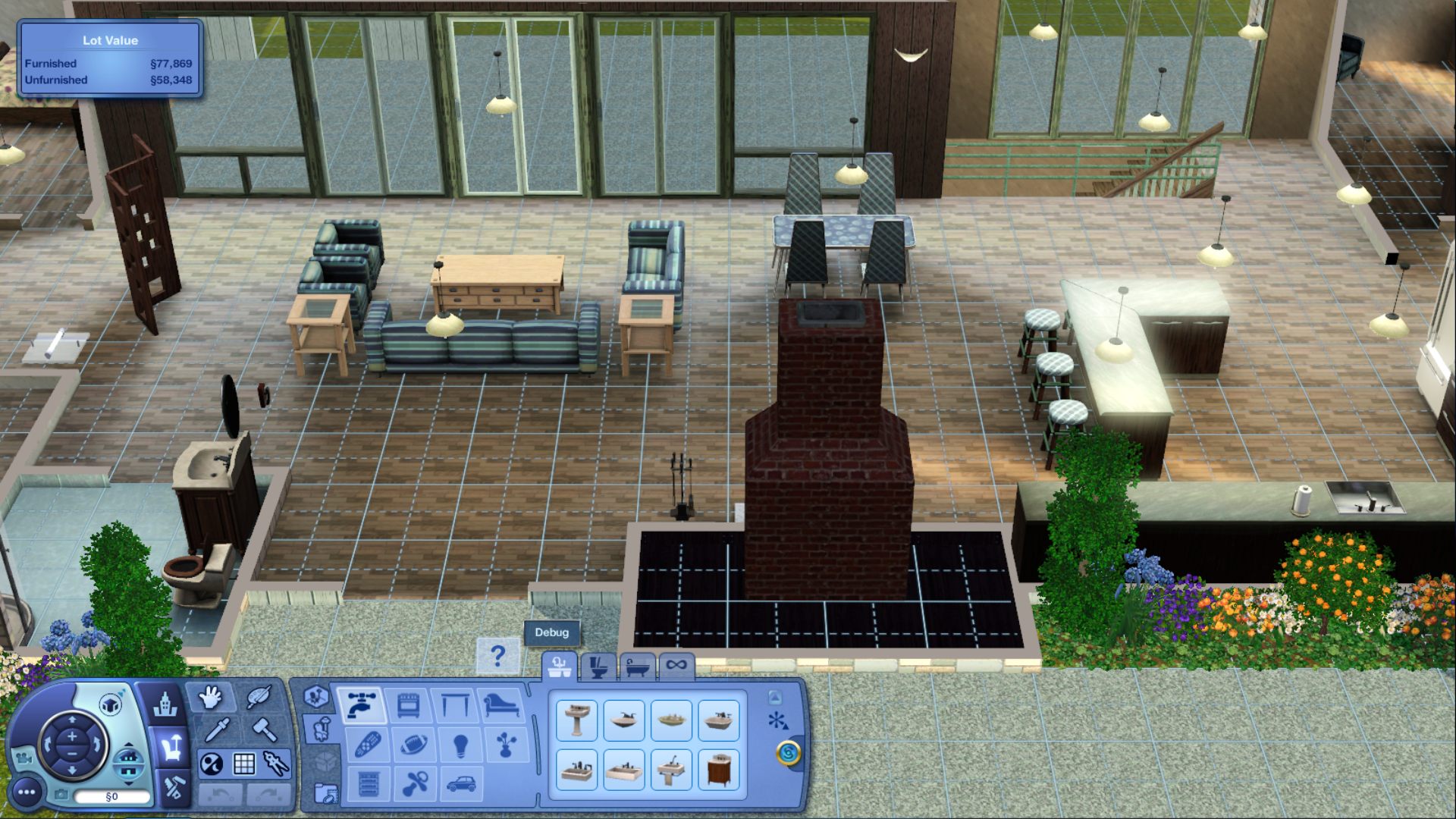
Go to the last tab called Misc. Objects, scroll down until you see the orb called Hidden Room Marker and/or Public Room Marker.
** Do not put any markers in your Sims' bedrooms/bathroom. This is considered their own private space.
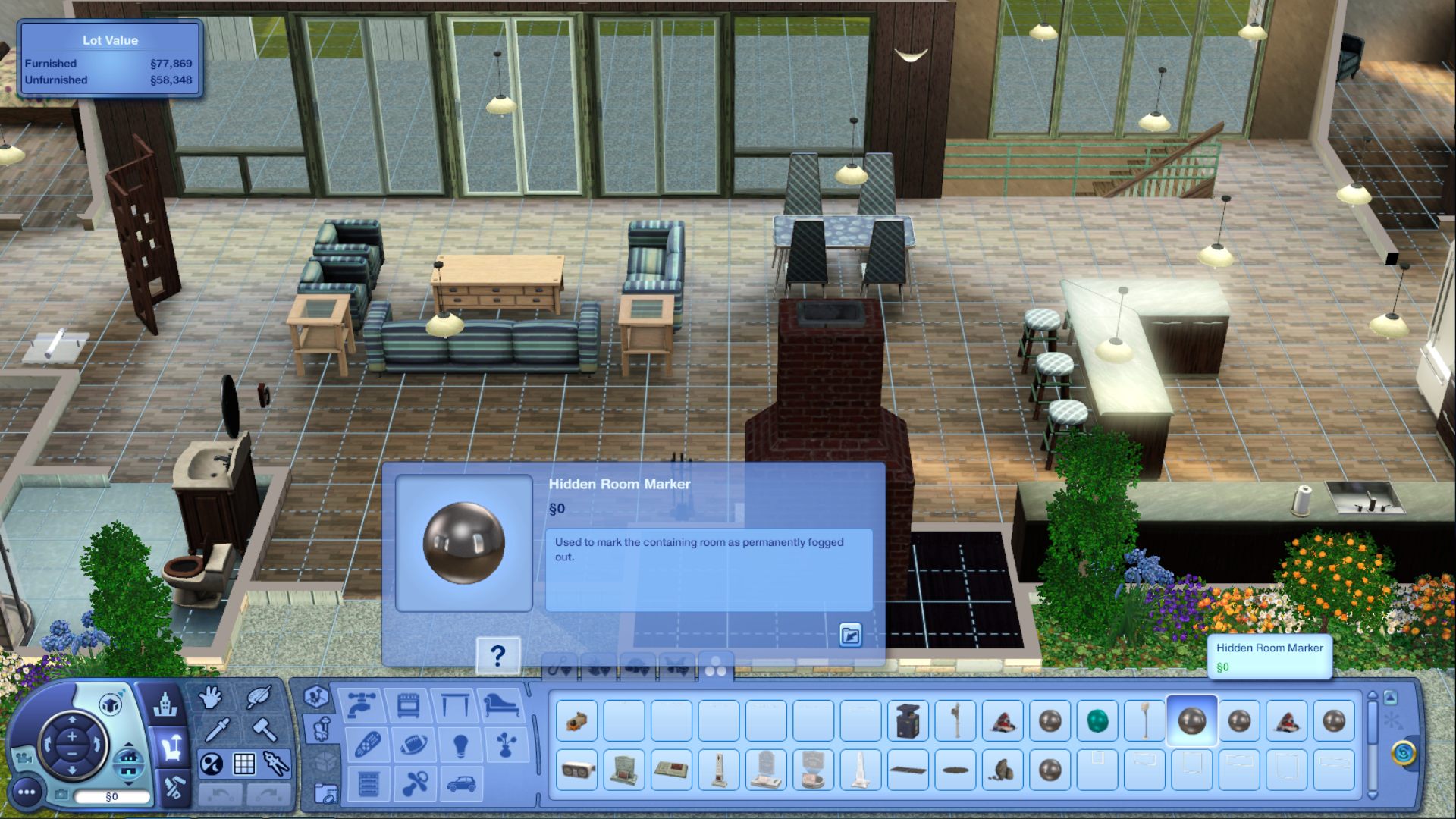
✽ – Hidden Room Marker: This marker is for rooms your Sim will not have access to. This is considered rooms where NPC Sims will be living.
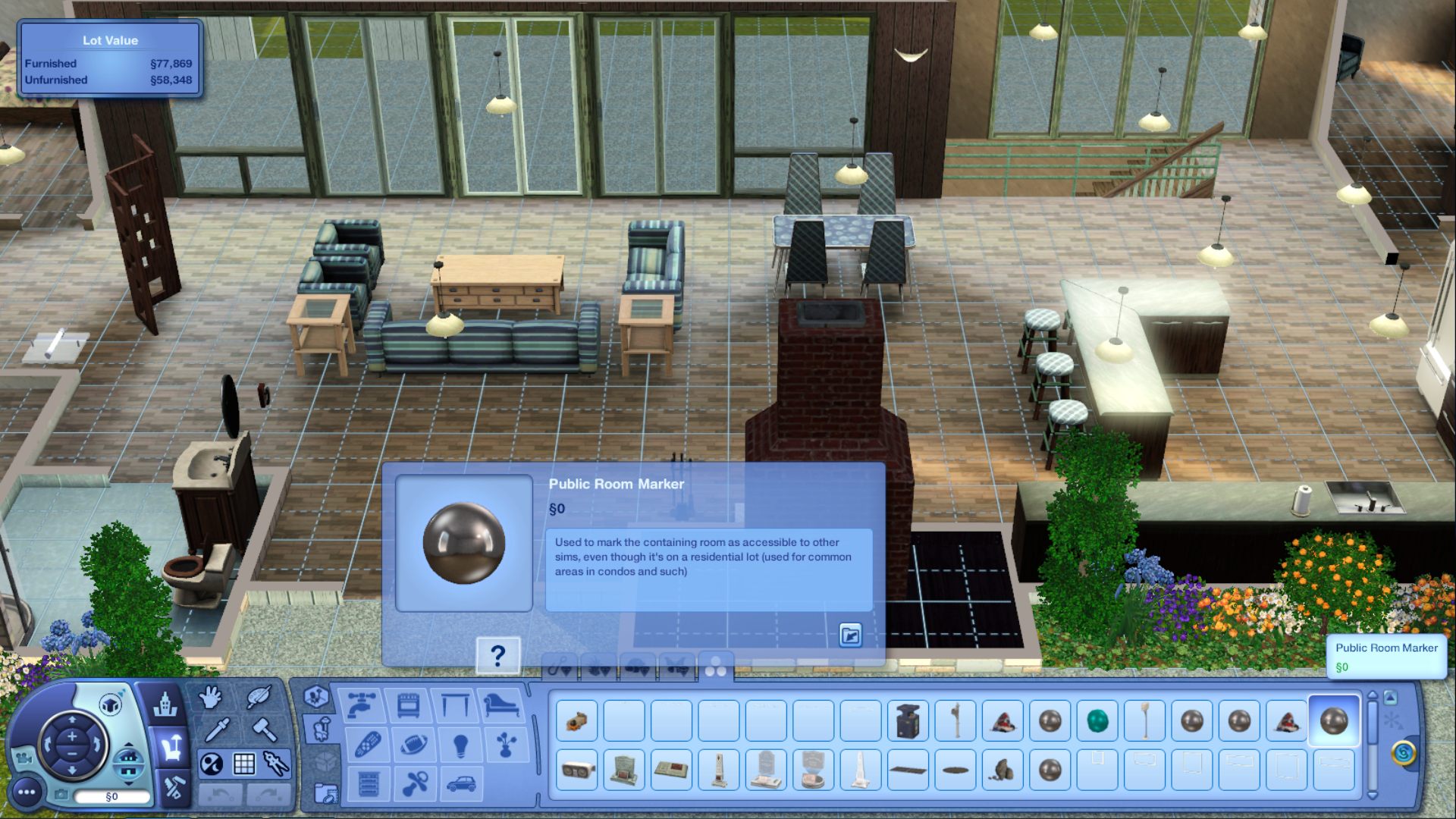
 ✽ – Public Room Marker:
 This marker is for all the spaces you want your Sim to use, but not own any of the objects. For example, living spaces, such as kitchen, living room, family room, etc. Any space you want to consider shared public space.
Please note: The NPC rooms will be darkened out when in Live mode. All NPC Sims do is walk through them and disappear. There is no need to furnish their rooms. If you ring their doorbell, they will come to the door to interact with your active Sim.
Pick the lot you want to build on and build the house or apartments as you would normally. This includes furnishing, decorating, and recoloring the objects if desired. Once room markers are placed you need to use the {restrictbuildbuyinbuildings off} cheat to edit anything on that lot.
✽ – To Turn Editing off. Press Ctrl-Shift-C together to bring up the cheat window and type in testingcheatsenabled on and then type in restrictbuildbuyinbuildings on. This turns off the build cheat.
You don't need to furnish/decorate the rooms or spaces that you'll be putting the hidden markers in. You can even take out some walls so you don't have to place as many hidden markers. This may help lower the cost of the purchase price of the lot.

