✽ – What is terrain bleed?It's like a tear in the roadway and sidewalk when viewing them up close. It's not normally seen unless you are zoomed in on the roadway and sidewalk. Some example photos below: Click images to see larger view.
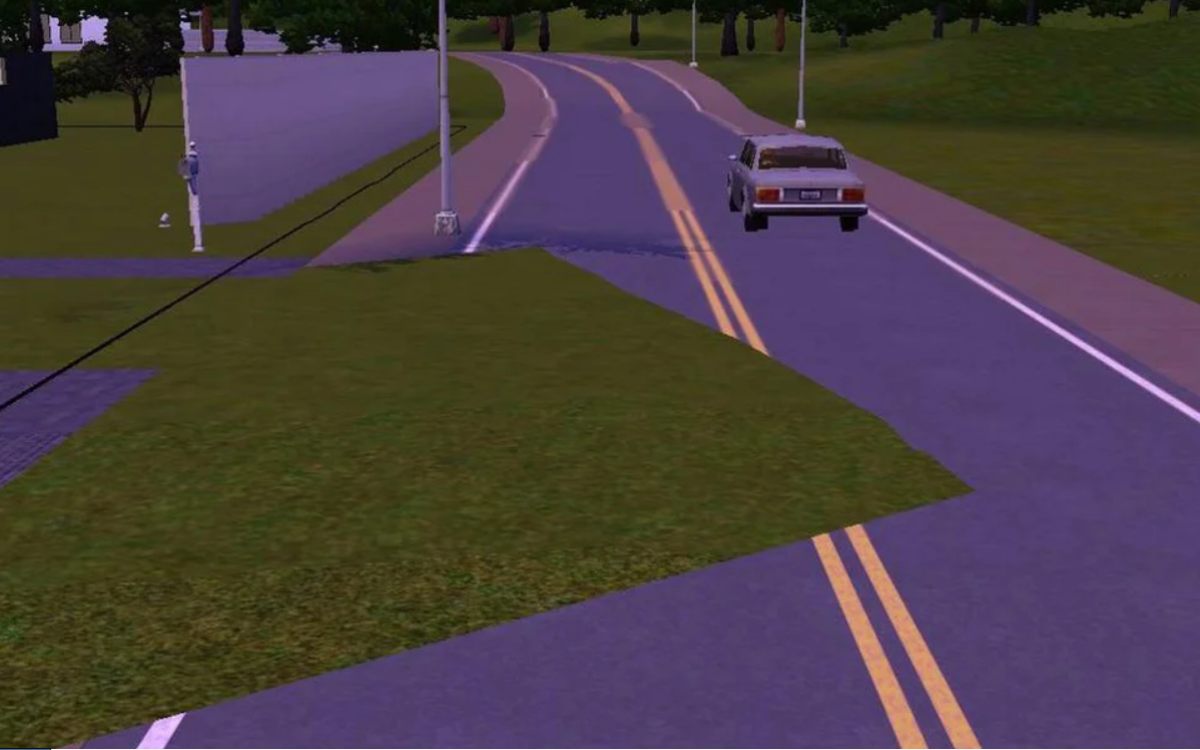
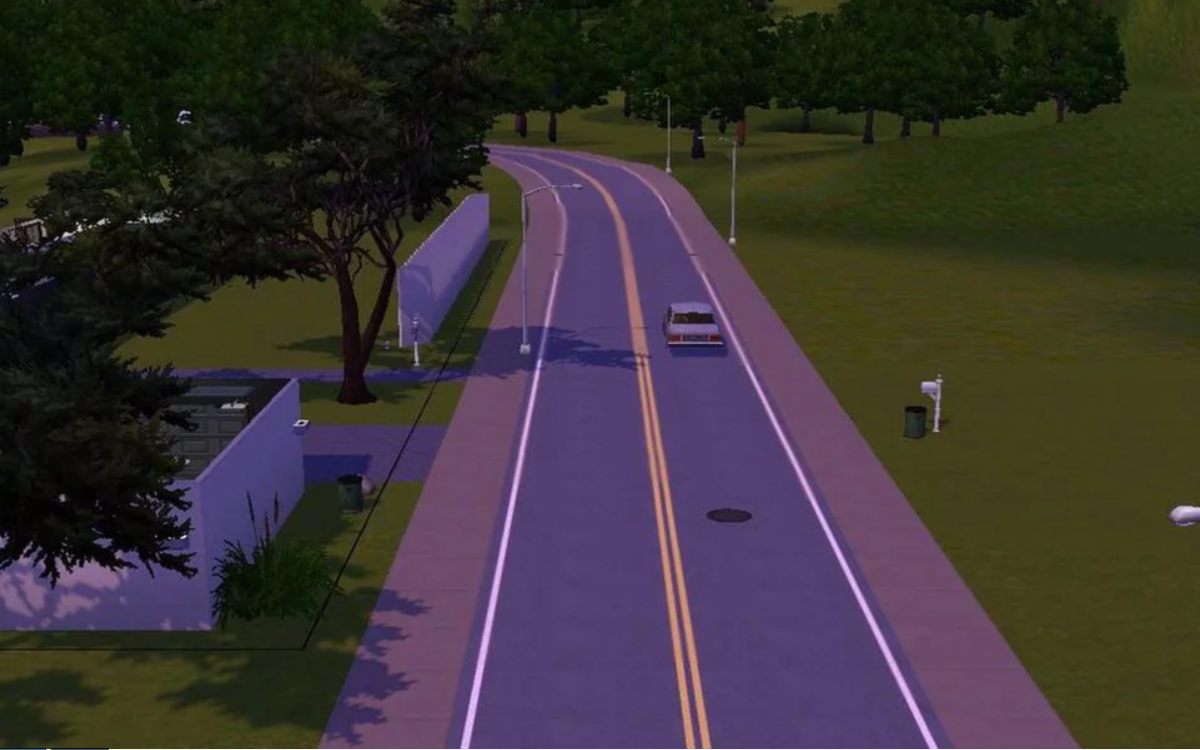
It's not game breaking. It's more of an annoyance that can happen when renovating a town. The game sometimes has a hard time dealing with the changes made after awhile.
-- Using the fixed world files from MTS may not work in fixing the terrain bleeding problem.
✽ – The reasons for terrain bleed are: ◾ Bulldozing not only the buildings/premade lots but the empty lots as well when renovating a town.
◾ Buldozing lots and replacing them with larger or smaller lots.
◾ Placing lots where there wasn't one before, regardless of size of the lot.
✽ – To help limit terrain bleed: ◾ You can bulldoze the pre-made lot - as in the building and landscaping on lot, but don't bulldoze the lot itself.
◾ Try not to add lots where there weren't any before.
✽ – Fixing terrain bleed?How I've been able to fix terrain bleed is to save all my lots to the library and start a new save in the town I'm trying to renovate.
If you need help saving lots to the library, please see
this how to.
-----
Reference Link: Here's a thread over at Nraas that talks a little more about terrain bleed. Chain offers some ideas on what causes it.
Terrain Bleed
https://www.nraas.net/community/chatterbox/topic6308

