✽ Click images to see larger view ~ Details About The Program:There are two current versions of the tool:
Custard ~ v.1.0.3922.35965 (Sept. 2010)
Information:
https://modthesims.info/d/390235Download:
https://chii.modthesims.info/getfile.php?file=1137490Custard ~ v1.1.4110.34676 (Apr. 2011)
Information:
https://modthesims.info/download.php?c=1&t=390235&c=1&ht=0&page=10&pp=25#startcommentDownload:
https://chii.modthesims.info/getfile.php?file=1180750Download and extract with 7zip:
https://www.7-zip.org/a/7z1900-x64.exe - Right-click on zipped folder and extract to (name of folder)
✽ Please be aware this tool has
not been updated since 2010/2011 (by looking at the .exe files) and is in an Alpha testing phase. Which means it may have bugs and not work as expected.
- Back up your Sims 3 files and use a copy of them in this tool.
~ What is Custard and what does it do?:It's a tool that helps look at what's inside a single Sims3pack file. Remove any bad or corrupt files and re-save it.
Only works on Sims3Pack files. Cannot open .package files.
✦ The version from Apr. 2011 may show false-positive corrupt files (the red/orange highlighted files.)
– (Not a DBPF)
– (Contains another DBPF)
From what we've been able to tell the tool (both versions) does not seem to recognize files/objects in the newer packs or store content files, therefore flagging some of the files as corrupt. It's been suggested to remove the red/orange "corrupt" files. However doing that may make the file not work or install.
----
DBPF, or Database-Packed File, is a file used by Electronic Arts to store and index data inside a single file for several computer games. These may include graphics, 3d models, animations, sound files, and scripts.
What is "dbpf"
https://findwords.info/term/dbpf
~ To Use: - using Custard ~ v.1.0.3922.35965 (Sept. 2010)
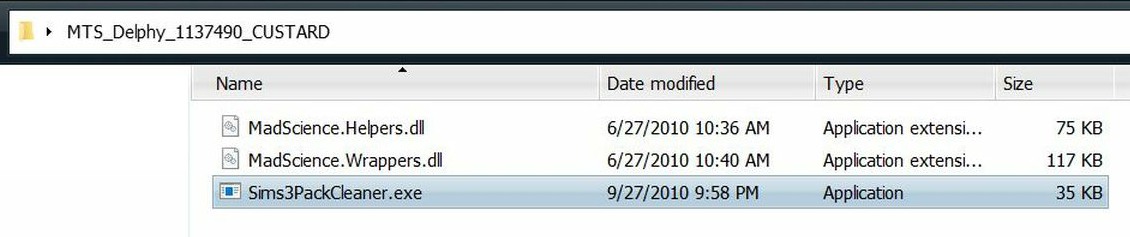
1.Double click the Sims3PackCleaner.exe file to open Custard.
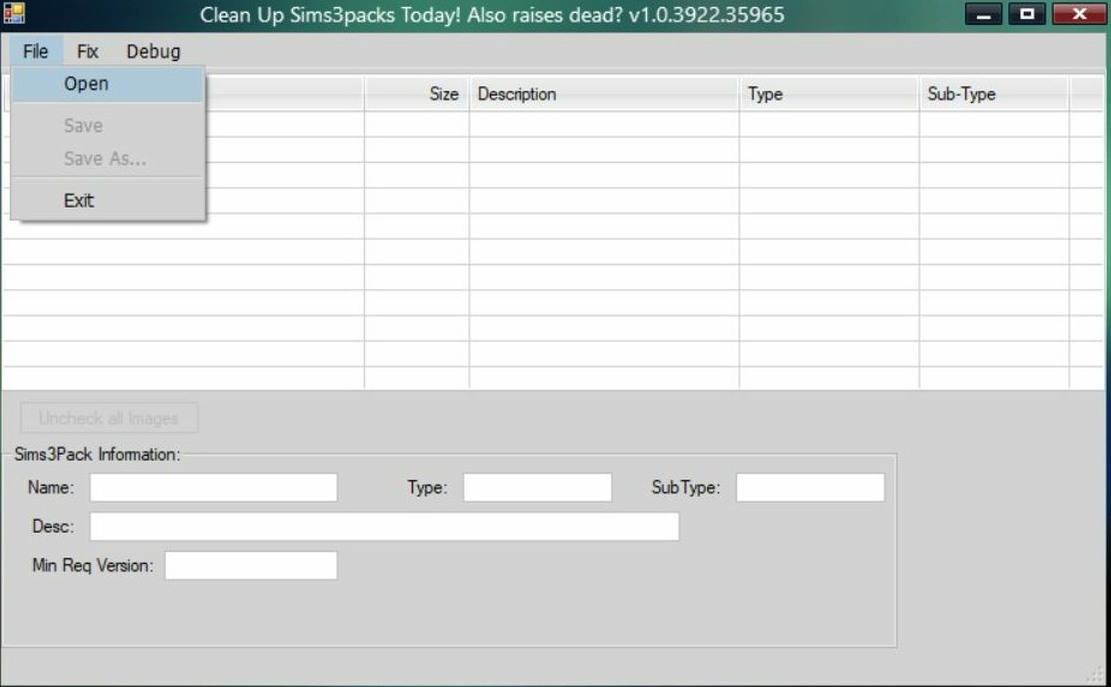
2. Click File > Open and navigate to the folder your .Sims3Pack file is in and double click to open folder.
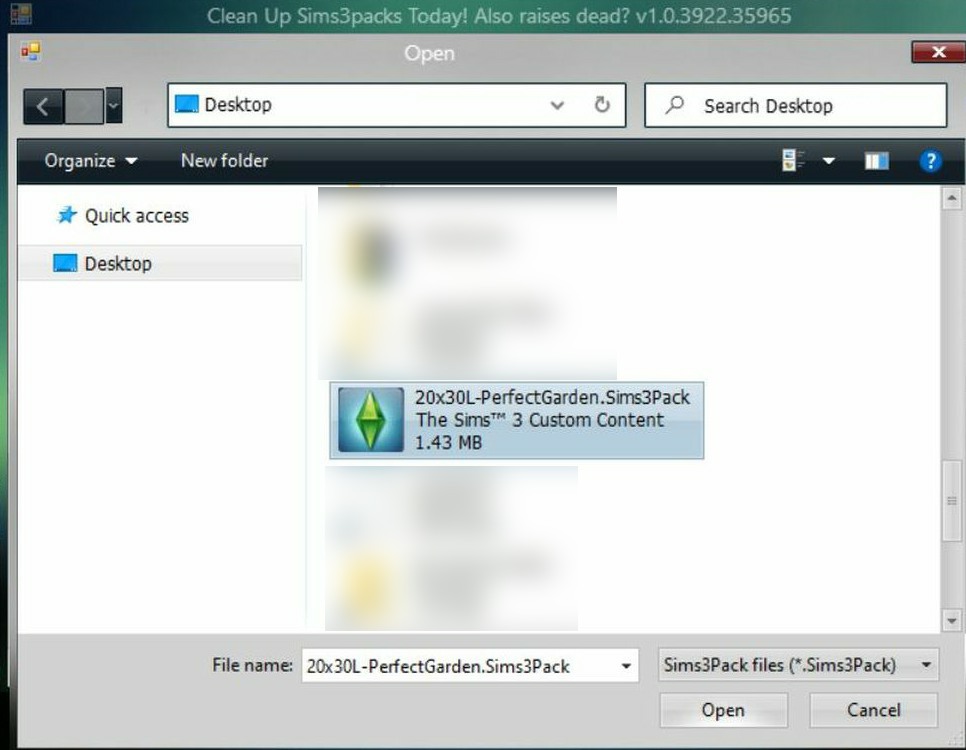
3. Click your .Sims3Pack file and then the Open button. - This program can not open more than one Sims3Pack file at a time.
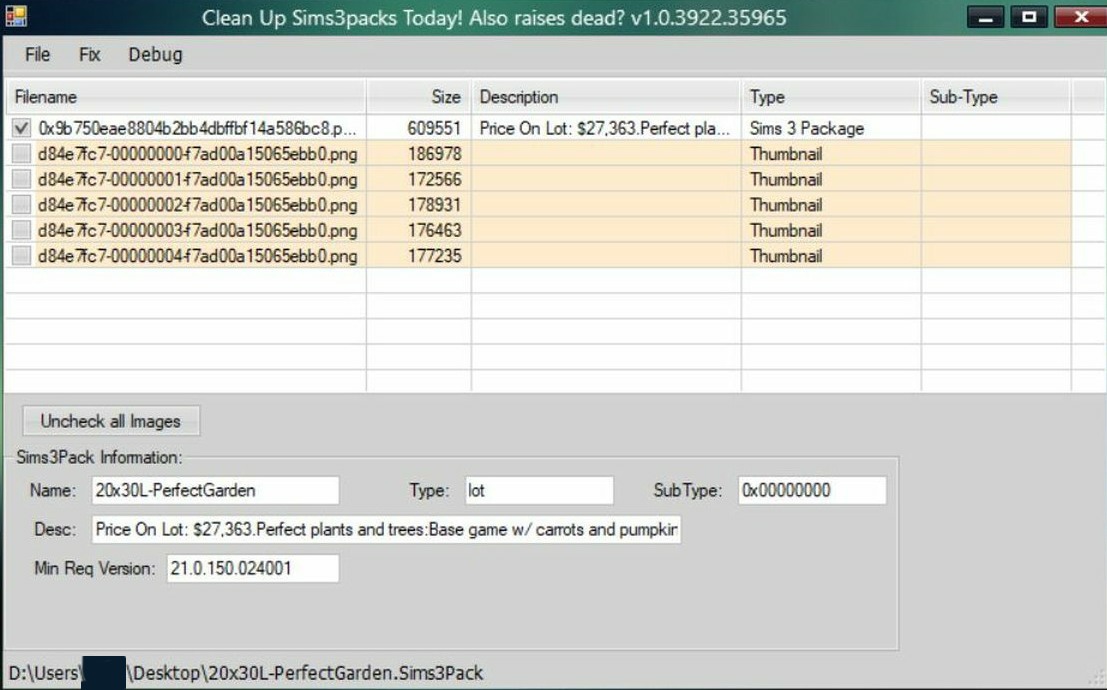
4. If everything is good. It should look like this:
- House file, first top row in white with a type of Sims 3 Package. Image files in a peachy-orange/beige color.
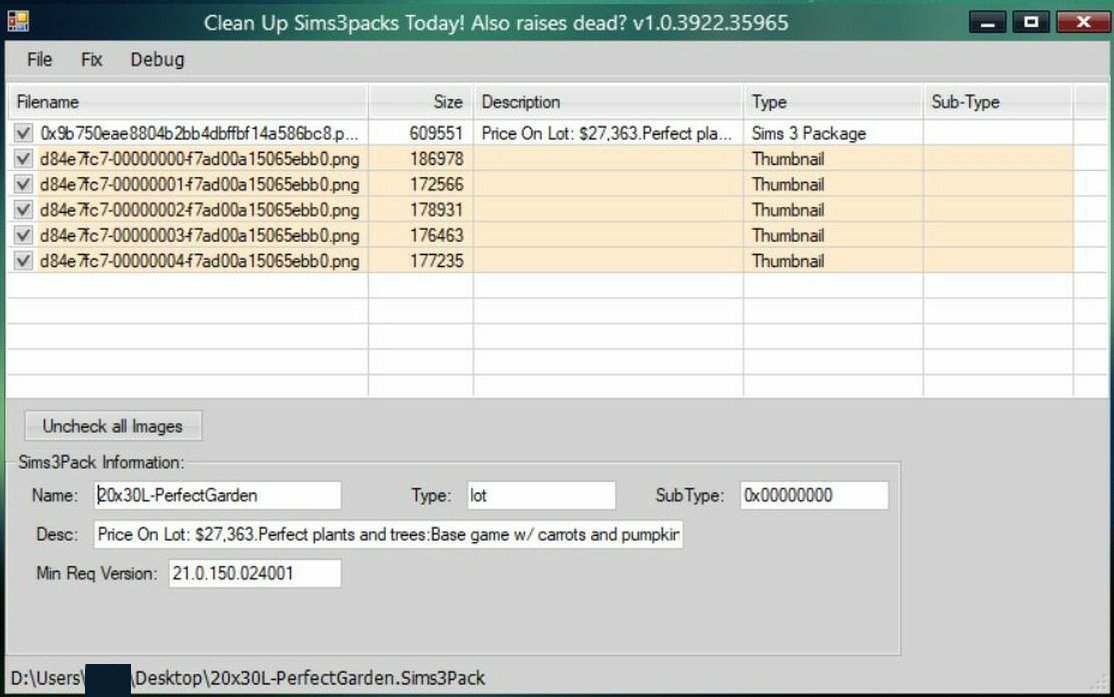
** Images can be removed if desired. Un-check them and then re-save the file.
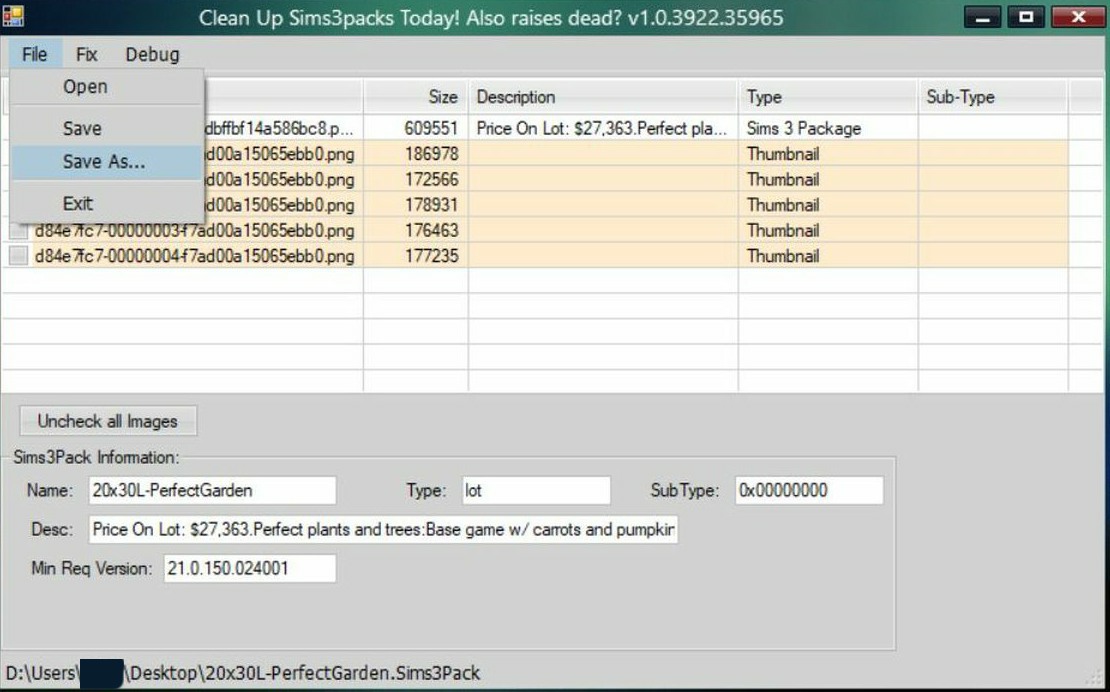
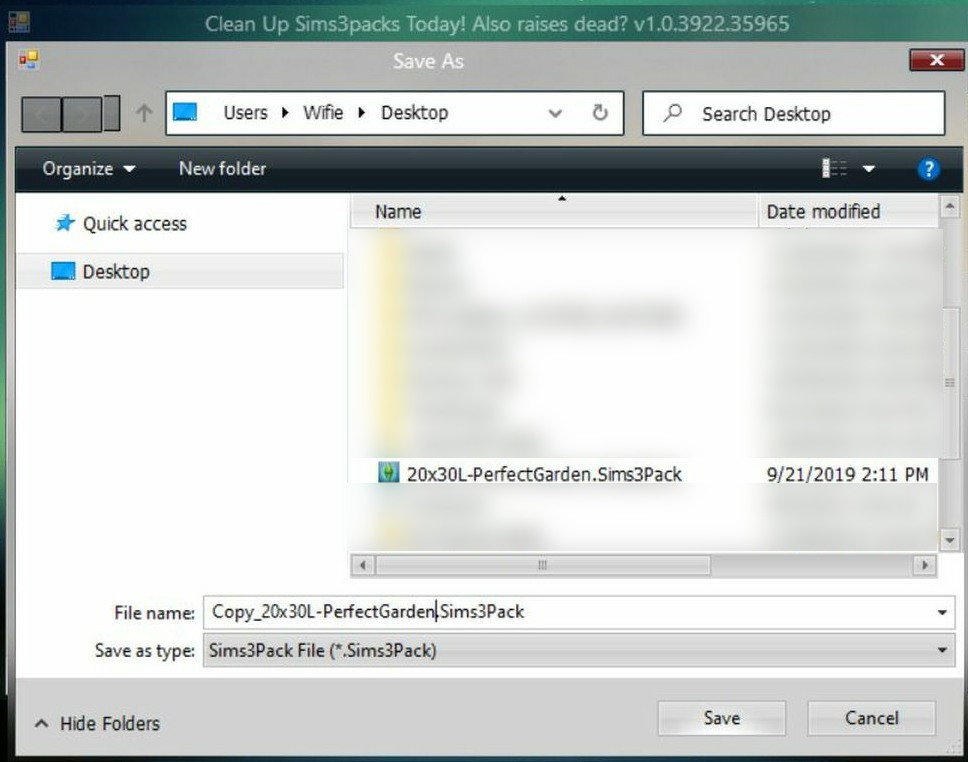
5. Click File > Save As and type in new name and close Custard.
-- Repeat steps 1 - 5 to check new file.
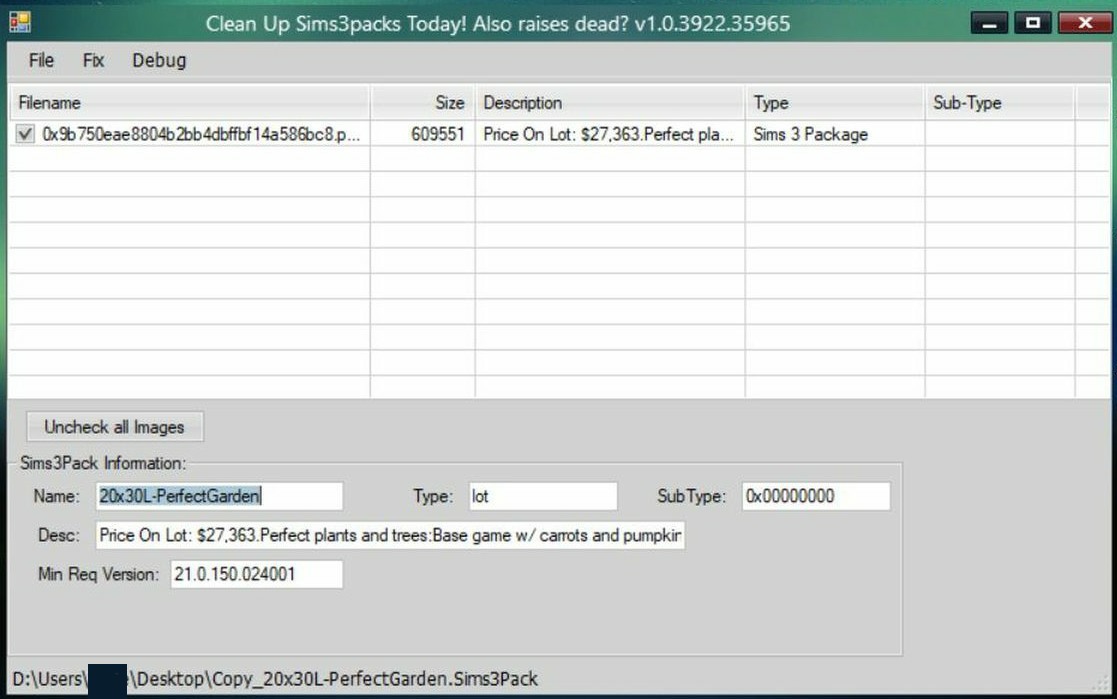
– If there are any Red/Orange colored files, they may need to be removed by un-checking them or tested. The files in White are okay.
If checking a world file, it may show as Red/Orange. This does not mean it's bad, it just means it will need to be checked manually.
The easiest way I have found to check the file is to install it into a new Sims 3 folder for testing purposes and look at it via the Installed Content tab.
– Testing in a new Sims 3 folder, with a new test save is the best way to test any .Sims3Pack file or .package file. This way you avoid corrupting any save files you have in your main Sims 3 folder.
See
this post, for a How To Create a Sims 3 folder, or to download one.
~ Reference Link:Delphy’s Custard -
https://sims3.crinrict.com/en/2011/01/tutorial-delphys-custard.html

