Sims 3 Thumbnail Extractor
Info:
https://modthesims.info/t/494172 Direct Download Link:
https://chii.modthesims.info/getfile.php?file=1341791Thumbnail Extractor for .package and .sims3pack files ; images in .png format
✦ Works on merged custom content files! ~ Thanks for the tip Mpart!!
 Click here for Quick Text Instructions on Sims 3 Thumbnail Extractor
 ----
1. Unzip the tool to to a new folder of the same name your desktop.
To unzip a file/folder, double-click the zipped folder to open it. Then, drag or copy the item from the zipped folder to a new location.
2. Double-click on the Sims3ThumbnailExtractor folder.

3. Run the tool by double-clicking on Sims3ThumbnailExtractor.exe

4. Choose Files or Folder (to where the files are.) - I usually choose Folder
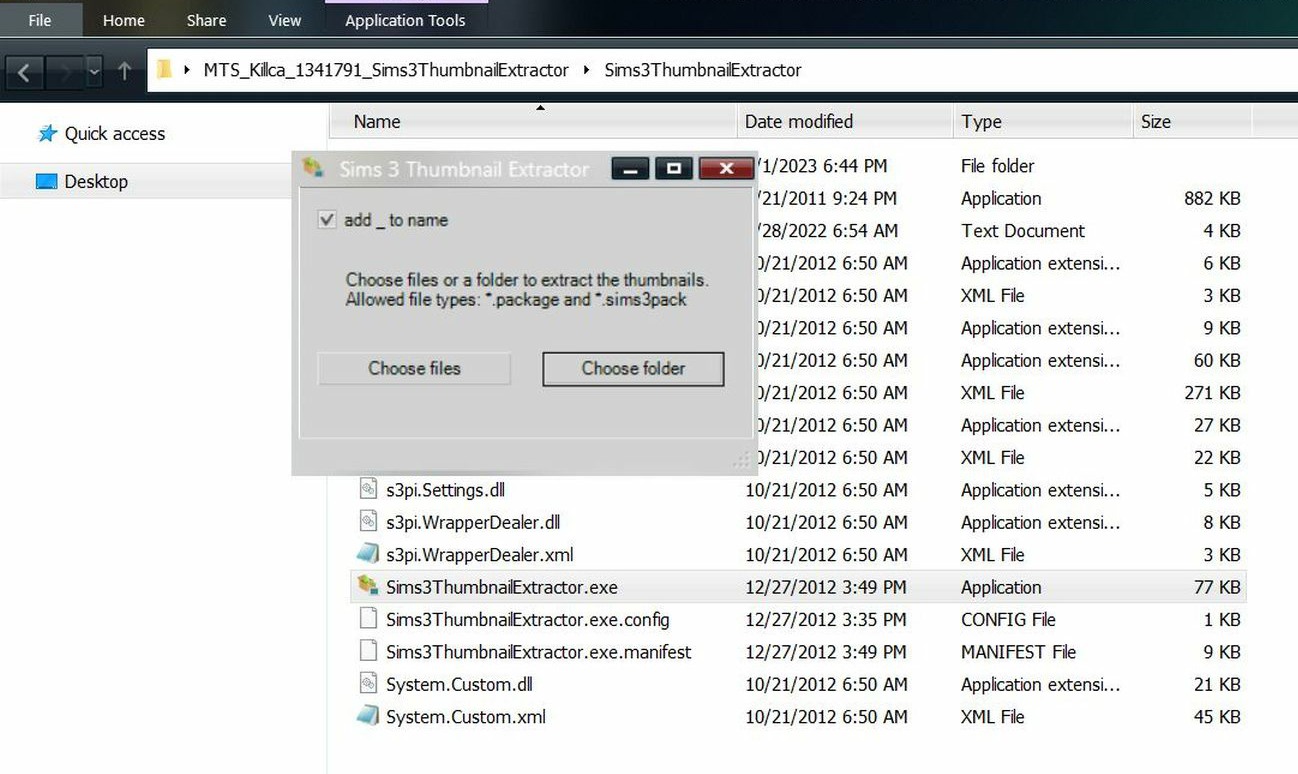
5. Navigate to where your files are and click OK. This is where the .png files will be added to.
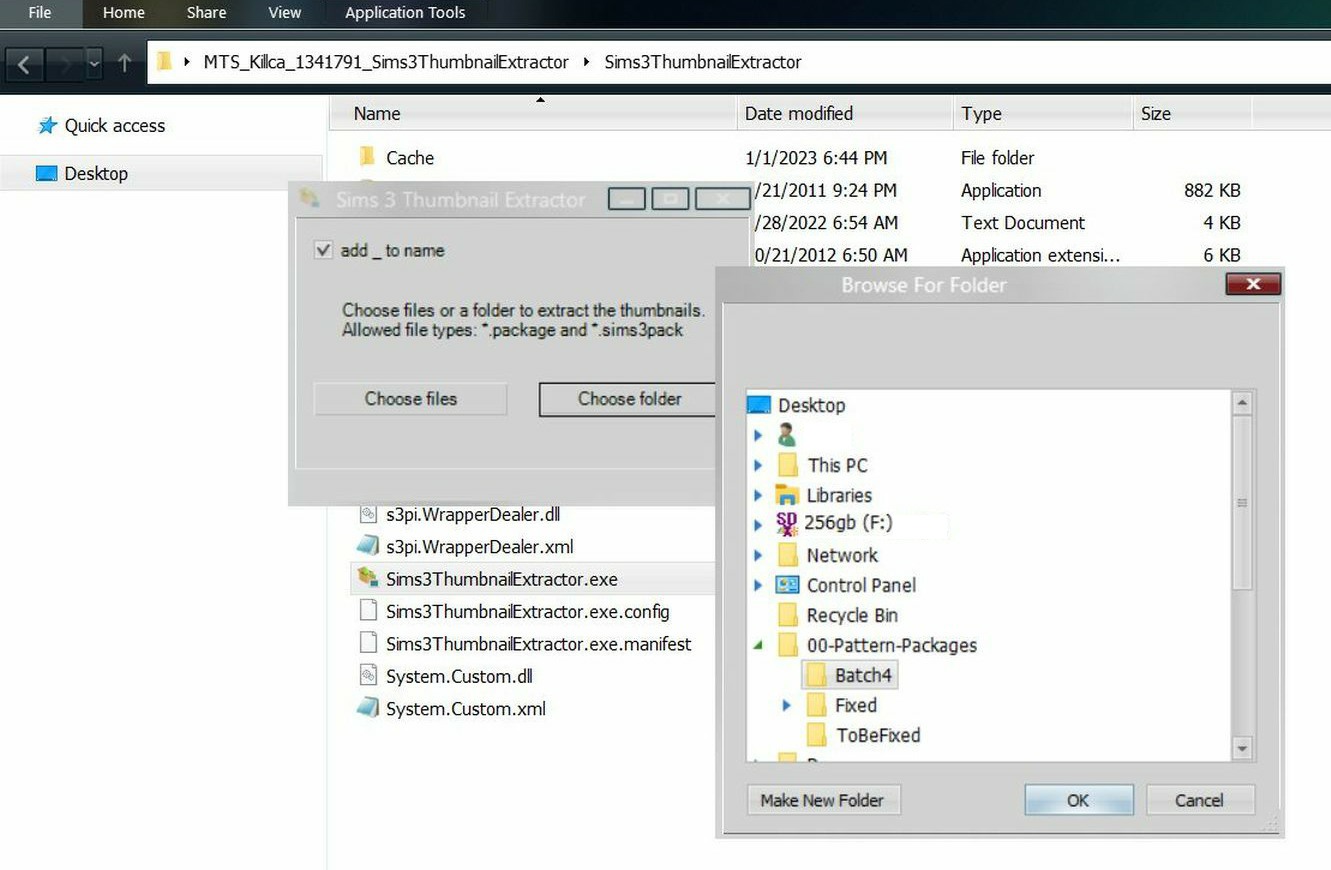
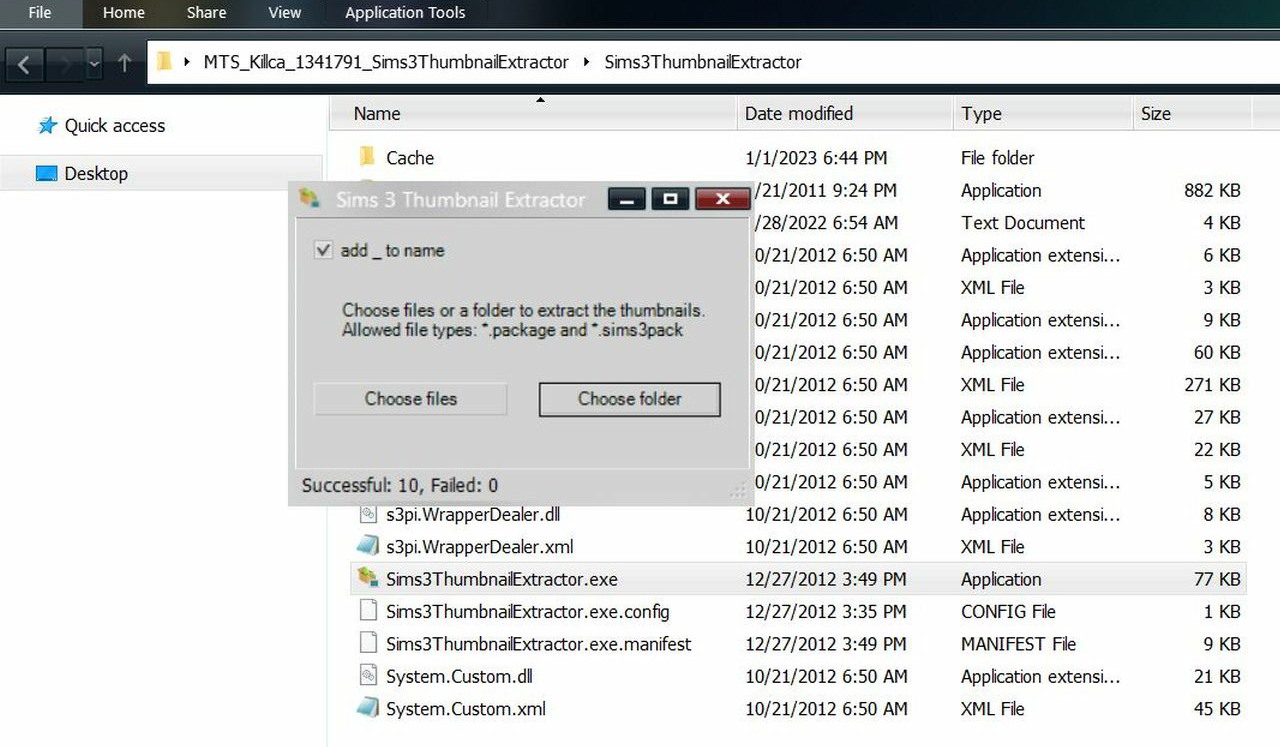
✽ Notes: The tool extracts images into .png format and may duplicate/triplicate the images. This might be due to there being extra image files within the .package or .Sims3Pack files.
6. Exit Thumbnail Extractor tool.
7. Go to the folder that you selected in step #3.
-- You should see .png image files along with your .package files.
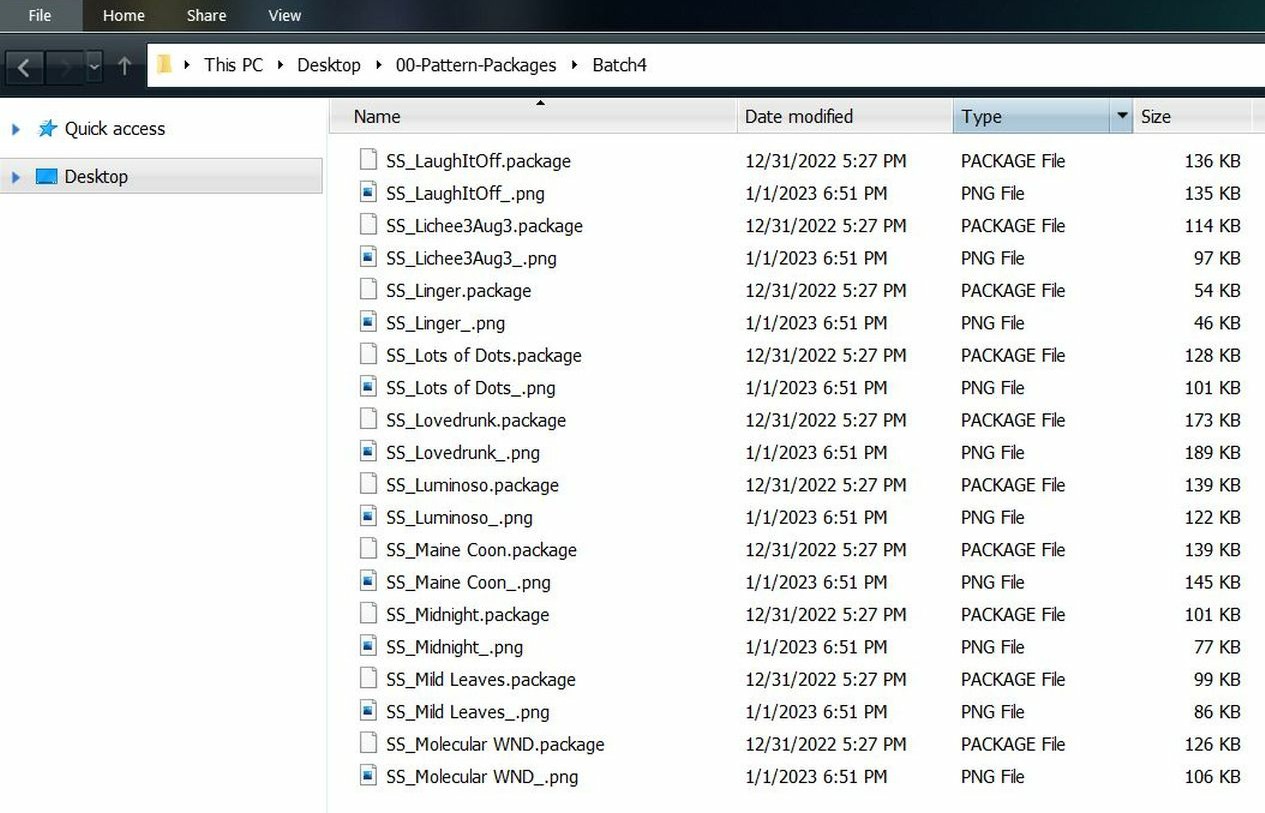
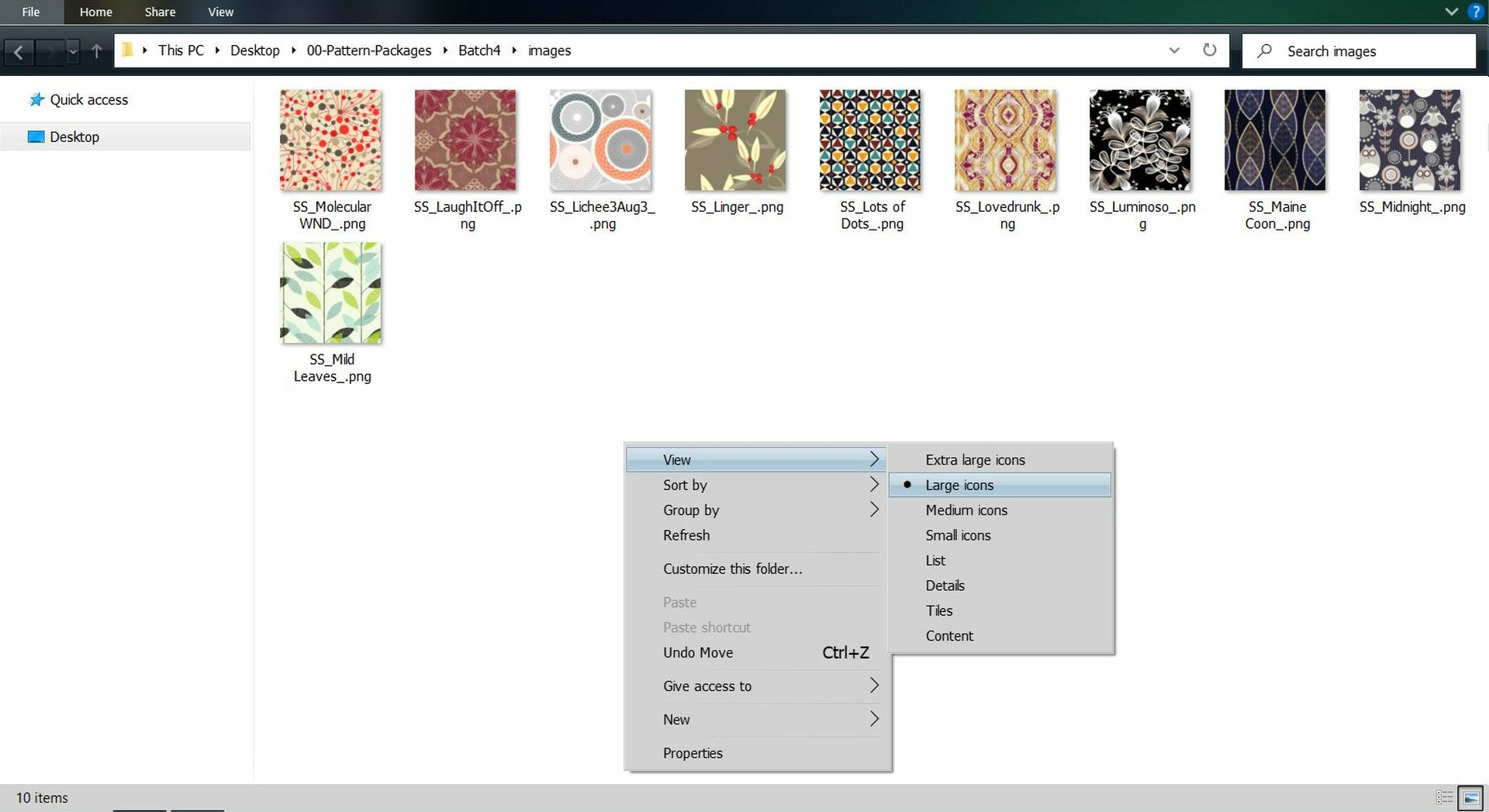
8. *Optional* To organize the images I click the word Type and filter it by that. I also create an image folder.
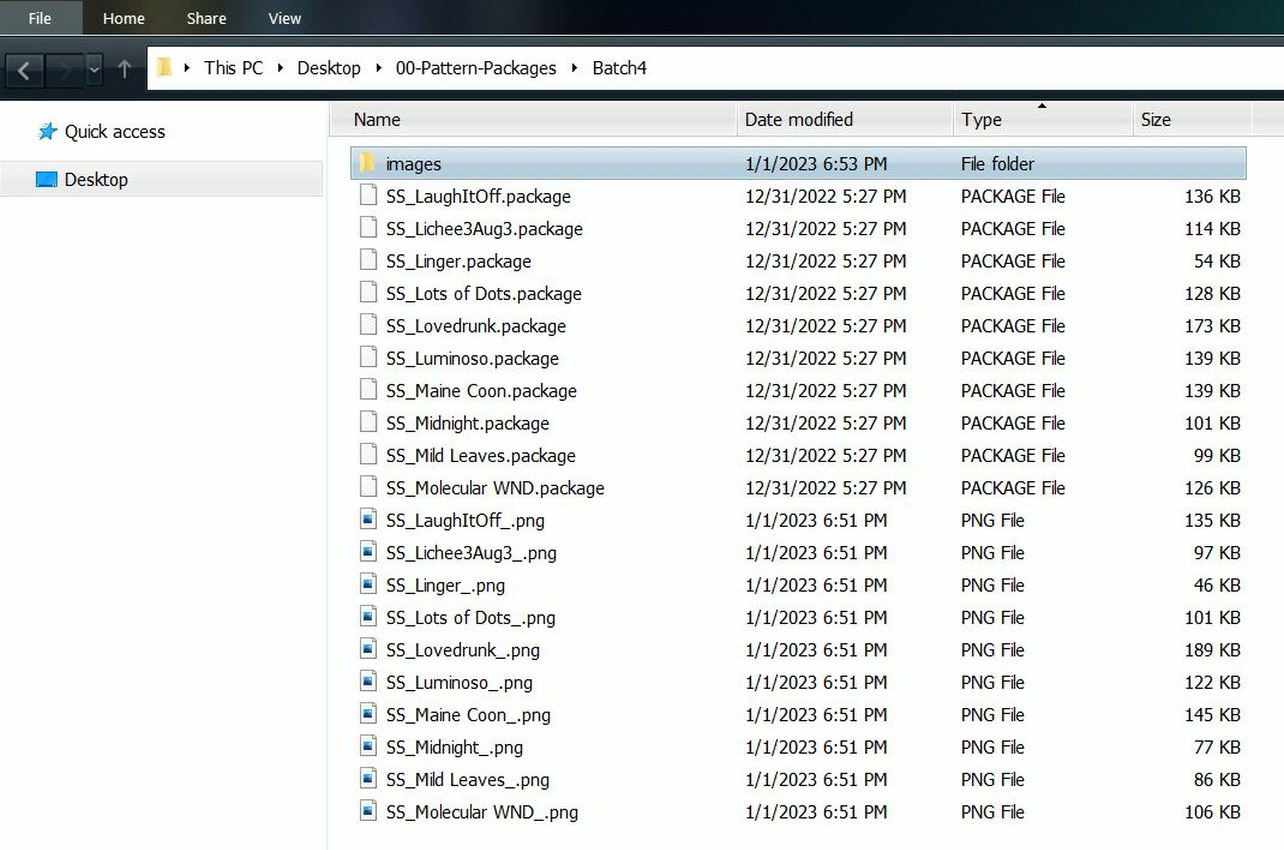
9. *Optional* Cut and paste images into the new folder. To view thumbnails, right-click > View and select either small, medium, large or extra large icon.
Sims 3 Thumbnail Extractor ~ Text/Quick InstructionsDepending on what file type you're using:
If it's .Sims3Pack Files - (Custom Content files - not store .Sims3Pack files)
1. Double-click on the ThumbnailExtracter.exe to open.
2. Choose Folder to where the files are.
-- It will ask about letting the tool have acess to your computer, click yes.
3. The tool will then add the .png files to the folder you chose in Step #2.
4. Exit Thumbnail Extractor tool.
5. Go to the folder that you selected in step #2.
-- You should see .png image files and your .Sims3Pack files.
----
If it's .package -
1. Double-click on the ThumbnailExtracter.exe to open.
2. Choose Folder to where the files are.
3. Select the folder that the .png files will be added to.
4. Exit Thumbnail Extractor tool.
5. Go to the folder that you selected in step #3.
-- You should see .png image files of your .package files.
====
~ Reference Links:PSA for anyone organising their TS3 CC: download Sims 3 Thumbnail Extractor!
https://valoisfulcanelli.tumblr.com/post/179243986096
