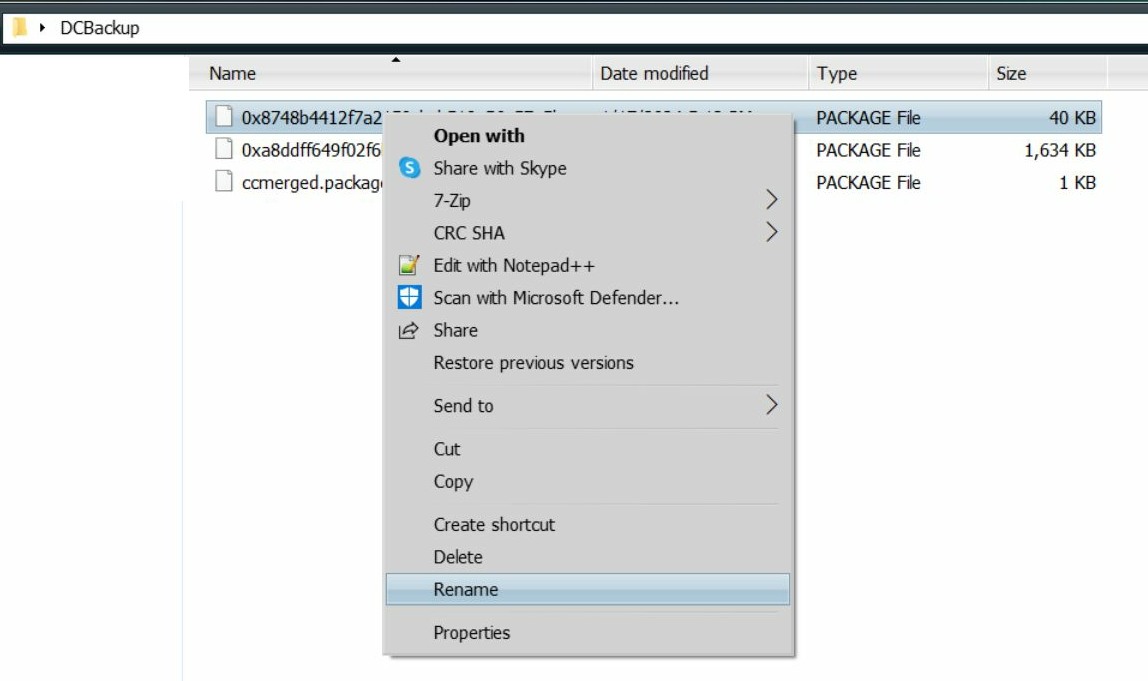
~ How To: Look at Package Files in DCBackup via S3PEI use S3PE to look at the .package files in the DCBackup folder and then rename them in File Explorer.
If you don't have S3PE, you can download the file (s3pe_14-0222-1852.exe: Windows Easy Installer version) With the link below.
S3PE -
http://www.simlogical.com/s3pe.htmHow To: Look at Library and CC Files via S3PE,
here (Basics).
When you download/install a .Sims3Pack file. via the Sims 3 launcher a .package file of that item or items from the .Sims3Pack file will be saved to the DCBackup folder. -
[C:\Users\Username\Documents\Electronic Arts\The Sims 3\DCBackup]You can rename them to better tell what is what. A couple of ways to tell what file is what is below.
✽ Click on images to see larger view.
A way to possibly tell what each file is - Look at the file size of the .Sims3Pack file either in the Downloads folder -
[C:\Users\Username\Documents\Electronic Arts\The Sims 3\Downloads]
Or in the Downloads tab of the Sims 3 launcher -
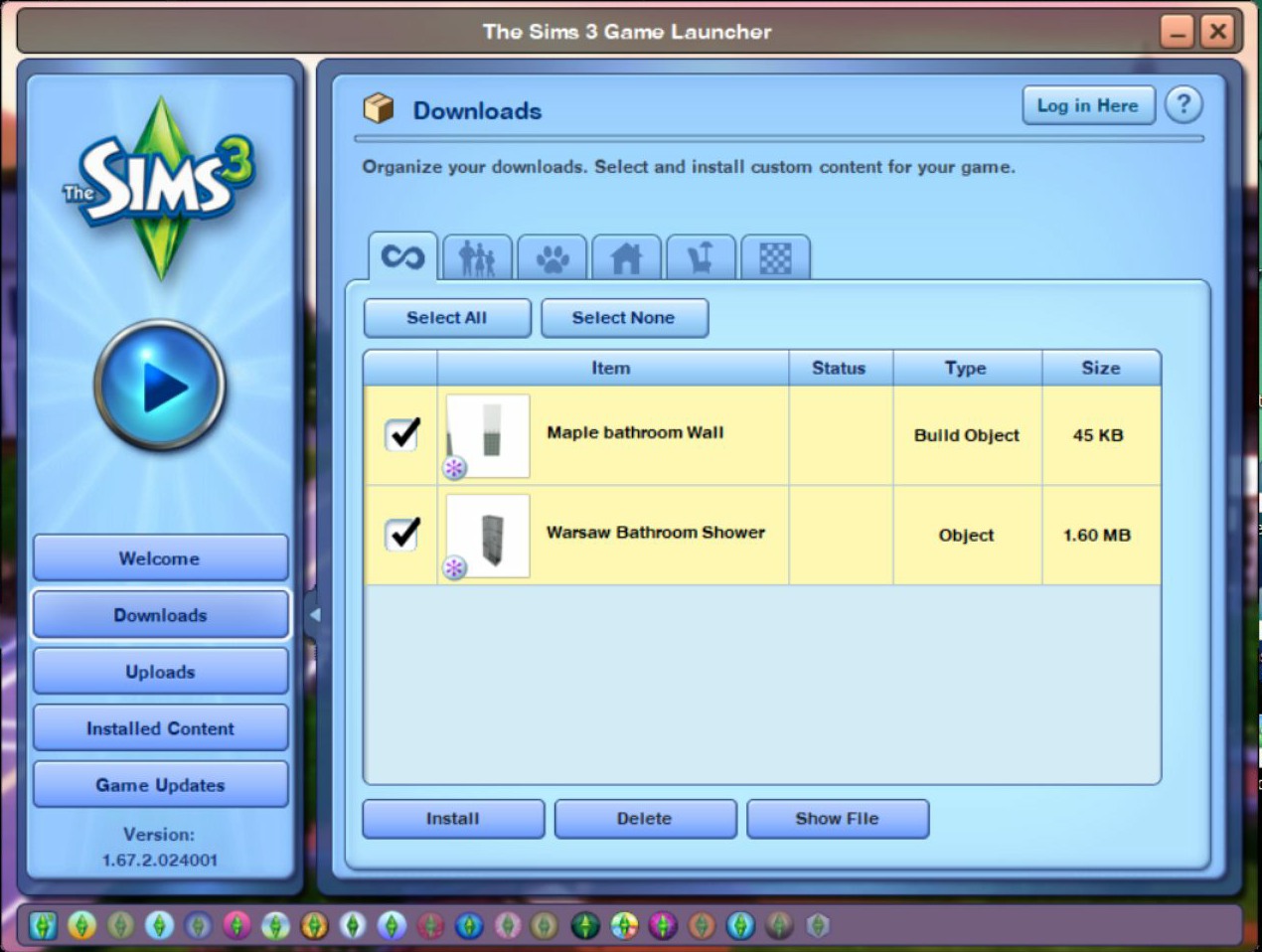
Make a note of the file size numbers and compare them to the package files found in the DCBackup folder -
[C:\Users\Username\Documents\Electronic Arts\The Sims 3\DCBackup]After the files have been installed.

In my example, the bathroom wall is 46 KB (Downloads folder) and the similarly numbered file in the DCBackup folder is 40 KB. This tells me that it's most likely the bathroom wall.
The shower is 1638 KB in the Downloads folder and the similarly numbered file in the DCBackup folder is 1634 KB. This tells me the it's most likely the shower.
To confirm what file is what. Look at the files via S3PE.
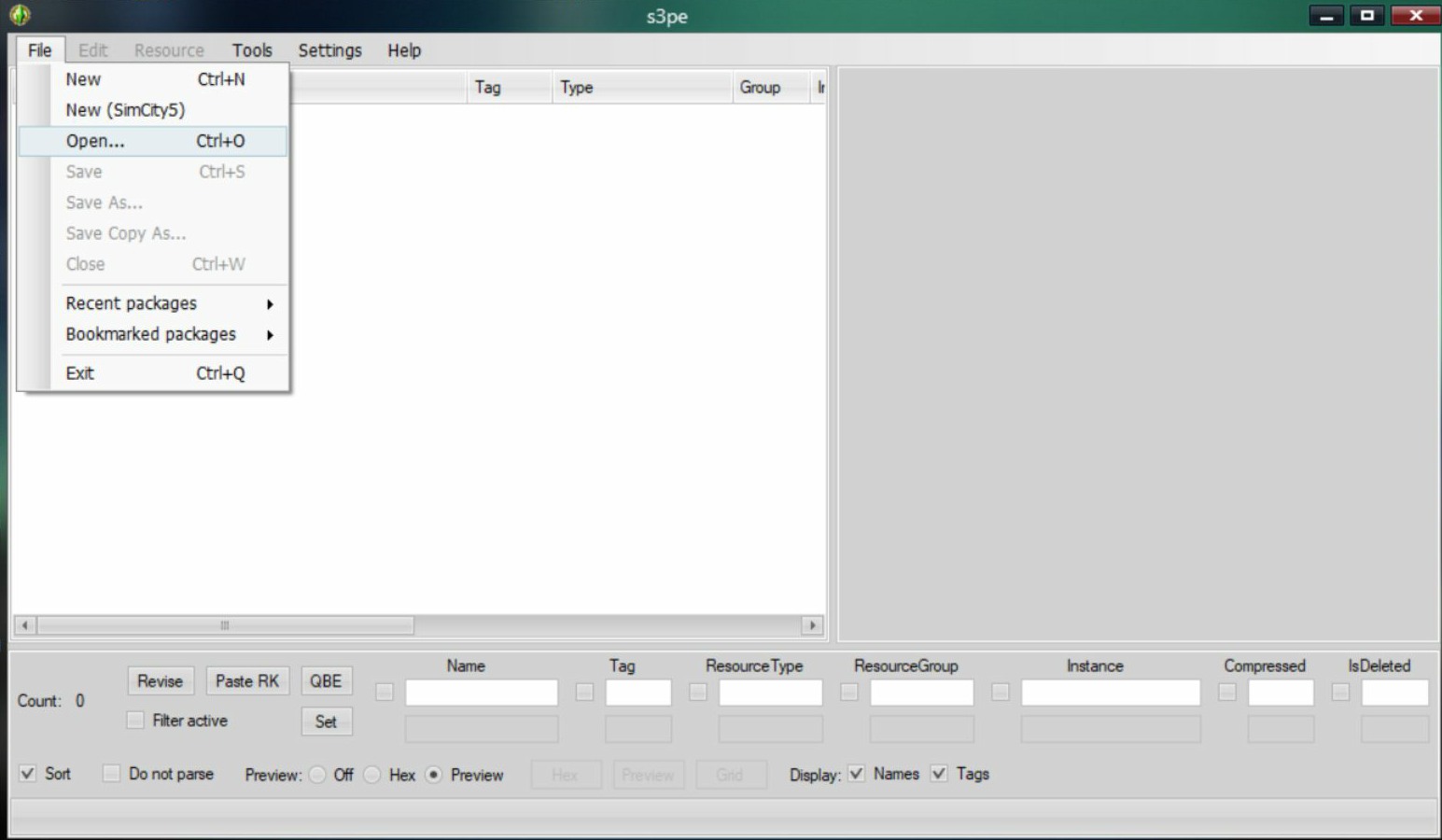
1. Double-click S3PE - Select File > Open
2. Navigate to where your files are at.
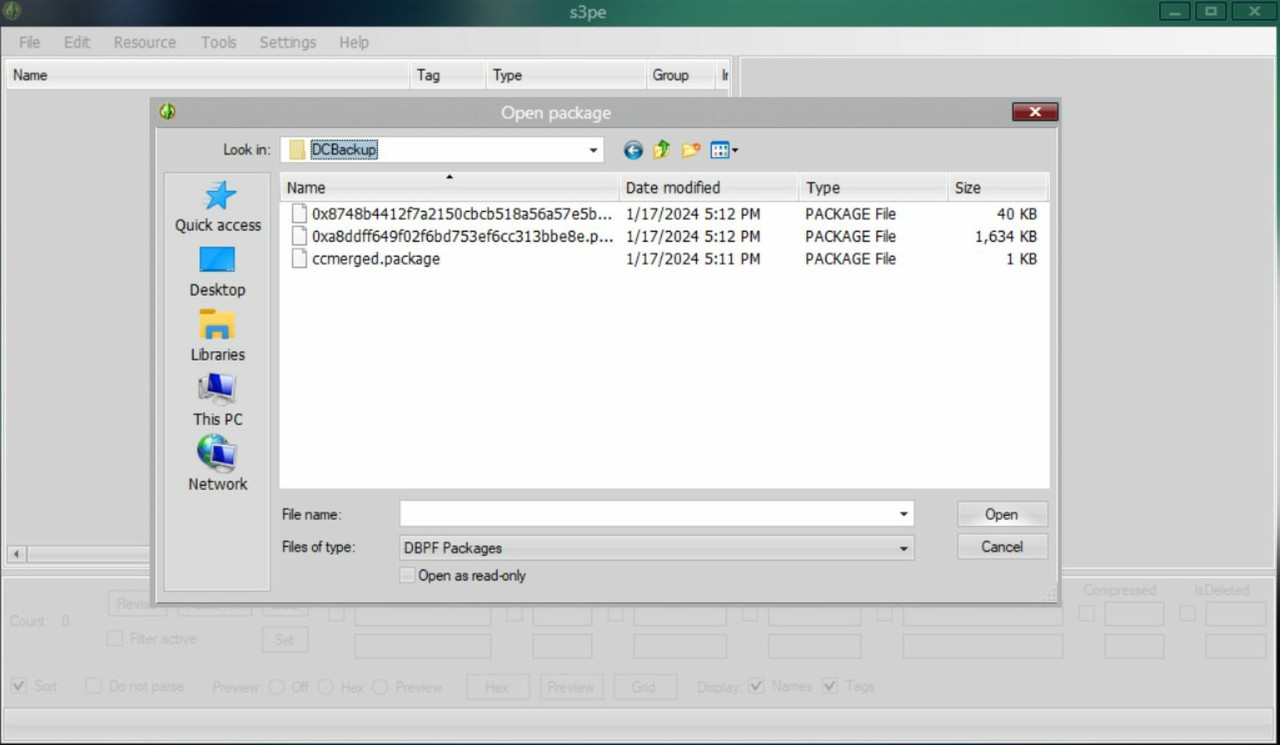
I copied the DCBackup folder to my desktop for this tutorial and to help them be easier to find.
3. Double-click one of the .package files to open it.
4. Look for Tag and Type _XML 0x73E93EEB
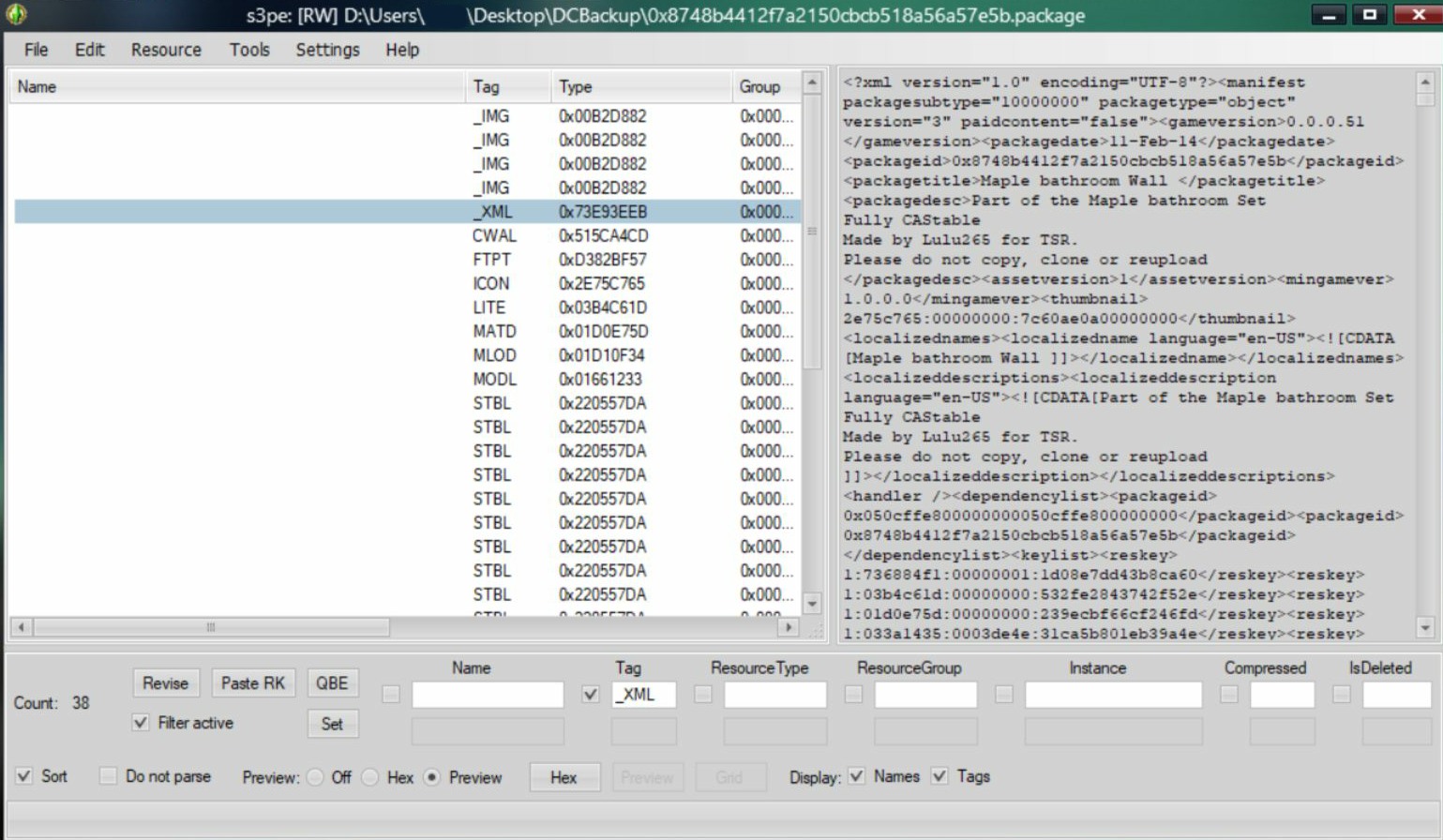
-- Or type in _XML in the Tag box and check mark it along with Set and Filter Active.
5. Find it's name, by looking in the box on the right. -- Look for the words <packagetitle> Maple bathroom wall </packagetitle>
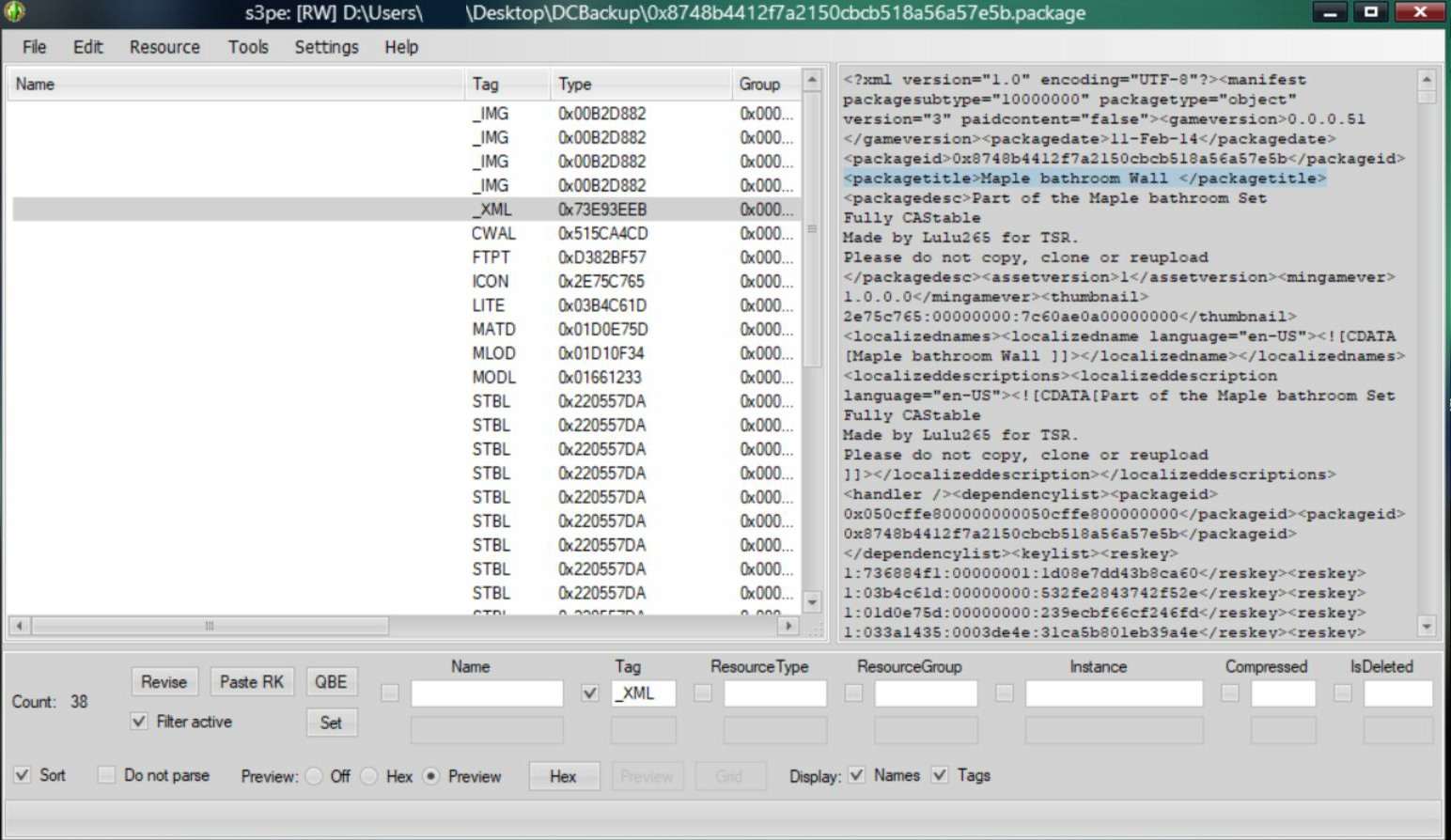
6. Make a note of it's name and rename it via File Explorer. -- Right-click the file and select Rename.