In this example, I'll be Installing Riverview. Tip: If trying to reinstall a Store Town, look in the InstalledWorlds folder for any duplicate town files and delete them. (Thank you LaPaige for the tip!!)
1. Copy Riverview File to Sims 3 Downloads folder:

2. Open Launcher - Check Downloads tab and Click Install.
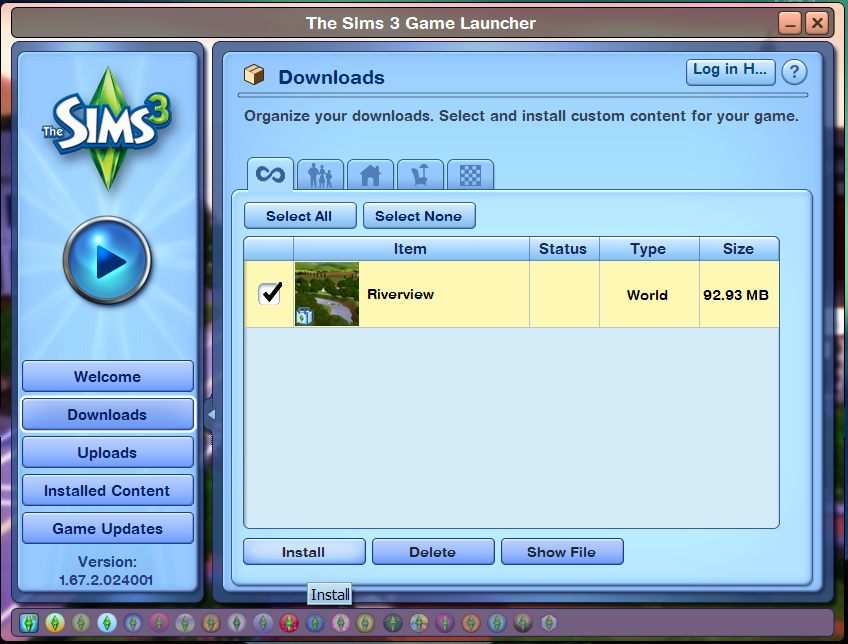
-- Riverview Installed!!

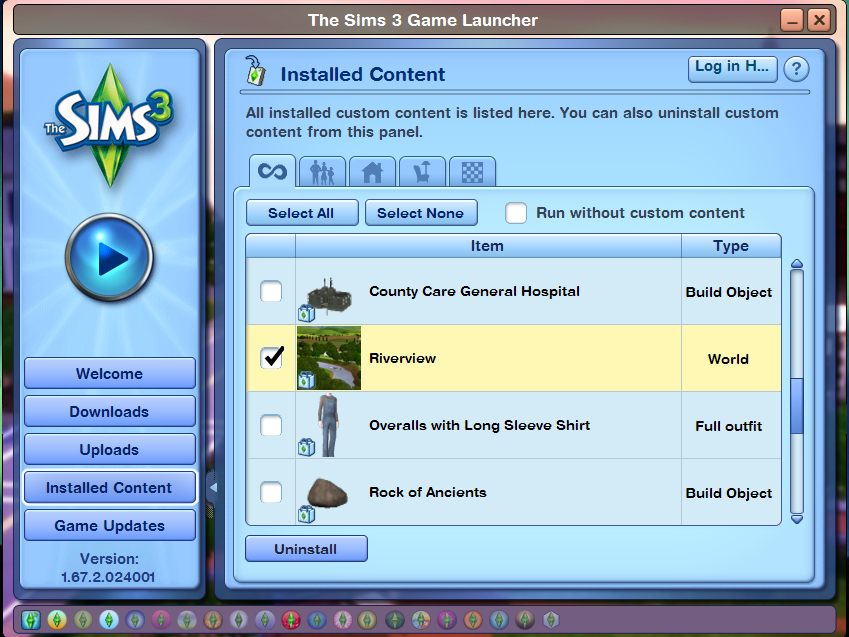
3. Check the Install Content tab to make sure Riverview was installed.
4. Load Sims 3 to see if Riverview is in the town drop down list.
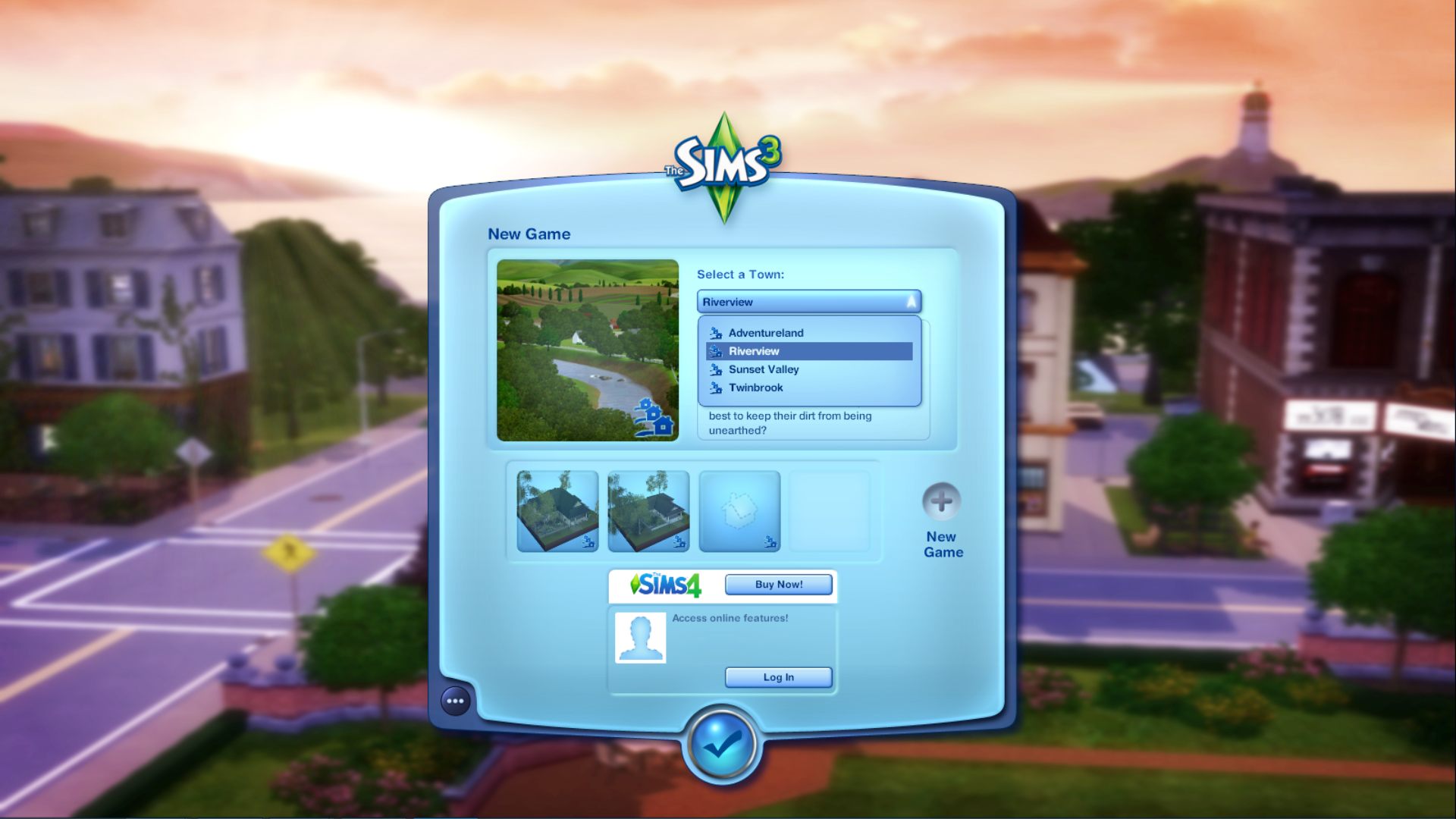
** If you see two Riverview listings Go to the InstalledWorlds folder
\Documents\Electronic Arts\The Sims 3\InstalledWorlds -- and delete any extra Riverview files there are.


