Author Topic: The Flea Circus ~ A thread for tips, tricks and ideas  (Read 39570 times)

MrsFlynn

  • Forum Goddess
  • Administrator
  • Ultimate Townie
  • *****
  • Posts: 2902
  • Come to the dark side... We've got cookies 🍪🍪 ☕
Locking Gates ~
« Reply #20 on: June 14, 2021, 09:06:16 PM »
Locking a gate is the same way you would with locking a door.

In Build mode, add fencing, add a gate. Back in Live mode, with active Sim - click gate to get the Lock Options > Specify Sims for this Door. Make Sure to add all Sim to the Open Door list on the right. - Highlight each Sim, and click the right arrow to move.

Add Fencing:


Add a Gate


Click Gate to get Lock Options -


Specify Sims for This Door


Who Can or Cannot Open Door


MrsFlynn

  • Forum Goddess
  • Administrator
  • Ultimate Townie
  • *****
  • Posts: 2902
  • Come to the dark side... We've got cookies 🍪🍪 ☕
Locking Door ~
« Reply #21 on: June 14, 2021, 09:07:05 PM »
Live mode, with active Sim - click door to get the Lock Options > Specify Sims for this Door. Make Sure to add all Sim to the Open Door list on the right. - Highlight each Sim, and click the right arrow to move.

Click door to get Lock Options -


Specify Sims for This Door


Who Can or Cannot Open Door


Nindigo

  • Forum Nutcase
  • Ultimate Townie
  • *****
  • Posts: 1378
  • Have some tea☕ and dark side cookies🍪
    • Nindigo's Sims
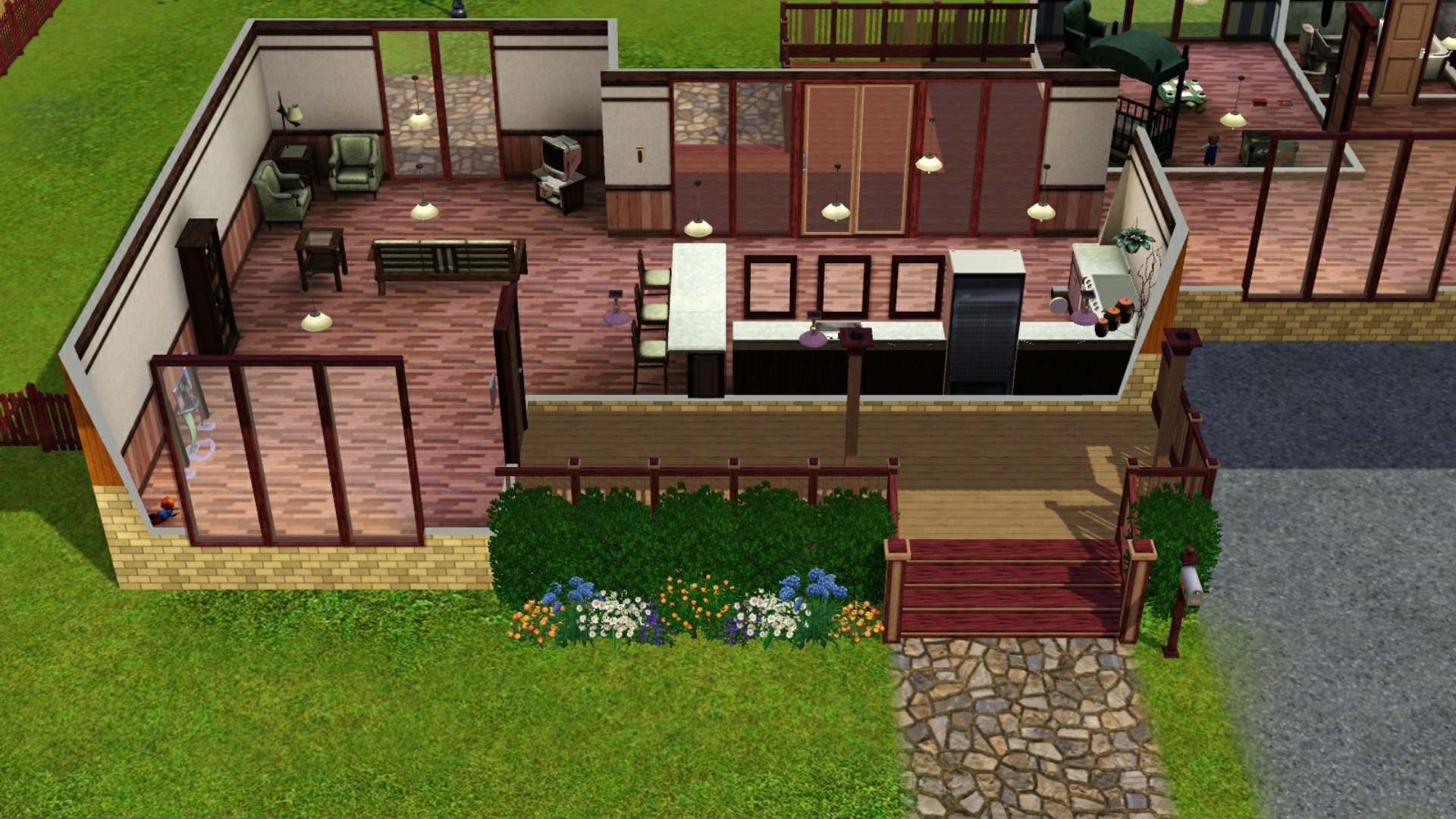
Remove the Bloom Effect from The Sims 3
« Reply #22 on: July 11, 2021, 12:05:48 PM »
Remove the Bloom Effect from The Sims 3

Before ~ with Bloom Effect On


After ~ with Bloom Effect Off


Follow this path:

C:\Program Files (x86)\Origin Games\The Sims 3\Game\Bin

- and open the file GraphicRules.sgr


Find this section:

option AdvancedRendering
    setting $Off
       prop $ConfigGroup RenderForceMinspecShaders 1
      prop $ConfigGroup TerrainLODMode 1
      prop $ConfigGroup RenderPostProcessEnabled false
      prop $ConfigGroup RenderShadowsEnabled false
      prop $ConfigGroup CullUndergroundBuildBuyStructures 0
    setting $On
       prop $ConfigGroup RenderForceMinspecShaders 0
      prop $ConfigGroup TerrainLODMode 0
      prop $ConfigGroup CullUndergroundBuildBuyStructures 0


Copy the part prop $ConfigGroup RenderPostProcessEnabled false from the Off setting.

Paste it in the On setting below TerrainLODMode 0 and hit save.


TA-DA! No more blinding bloom.
Avatar from HERE
Awesome emojis: emojipedia.org

(When I am AWOL sometimes, it is either because I play other games and/or have pain issues)

Nindigo

  • Forum Nutcase
  • Ultimate Townie
  • *****
  • Posts: 1378
  • Have some tea☕ and dark side cookies🍪
    • Nindigo's Sims
Travel Glitch
« Reply #23 on: August 06, 2021, 01:05:51 PM »
A heads up, mostly.

If you travel abroad with items made with the canning station - relish or preserved produce - they might become glitched. Mine became invisible and unusable. I was able to place them on the ground after returning back home, from where I simply deleted them.

  -- Anything you travel with in your Sims personal inventory may become glitched and need to be delete after returning home.
Avatar from HERE
Awesome emojis: emojipedia.org

(When I am AWOL sometimes, it is either because I play other games and/or have pain issues)

MrsFlynn

  • Forum Goddess
  • Administrator
  • Ultimate Townie
  • *****
  • Posts: 2902
  • Come to the dark side... We've got cookies 🍪🍪 ☕
How To Create a Simoleon Symbol
« Reply #24 on: August 22, 2021, 04:40:07 PM »
Click the Start button and search for Character Map.


Look for the § symbol. -- Click on the symbol > click the select button and then the copy button.


Nindigo

  • Forum Nutcase
  • Ultimate Townie
  • *****
  • Posts: 1378
  • Have some tea☕ and dark side cookies🍪
    • Nindigo's Sims
Naming Sims
« Reply #25 on: August 27, 2021, 09:15:41 AM »
Avatar from HERE
Awesome emojis: emojipedia.org

(When I am AWOL sometimes, it is either because I play other games and/or have pain issues)

MrsFlynn

  • Forum Goddess
  • Administrator
  • Ultimate Townie
  • *****
  • Posts: 2902
  • Come to the dark side... We've got cookies 🍪🍪 ☕
Curfews for Children and Teens
« Reply #26 on: August 30, 2021, 02:14:44 PM »
Tip: Child-aged Sims need to be on the home lot at 9 PM. Teens at 10 PM. Those are the curfews.

That should help make it more manageable.

(Thank you Nindigo for the tip!!)

MrsFlynn

  • Forum Goddess
  • Administrator
  • Ultimate Townie
  • *****
  • Posts: 2902
  • Come to the dark side... We've got cookies 🍪🍪 ☕
Adoption and Clean up Vehicles Hourly
« Reply #27 on: August 30, 2021, 02:19:26 PM »
When Clean up Vehicles Hourly was set to True I'd get an ET report and no adoption services. Having this option set to True breaks the adoption service (possibly pet adoptions as well). Read below as to why:

Enabling this will break any service that requires a vehicle (such as adoptions).  Theory: the game spawns a reference to a vehicle when calling a service, in case the vehicle is needed.  This reference is then deleted when the Clean up Vehicles Hourly check is run, then the action never completes.

For example, using an adoption, call for adoption service ends at 8:30 am.  It takes about 1 1/2 hours in-game time before the adoption dialog pops up asking what type of Sim/Pet you want to adopt.  The game spawns a vehicle reference and sets up anything else it needs - essentially a "phantom" vehicle that is not on the neighborhood map.  But, while the game is still setting up everything, the Clean up Vehicles Hourly script fires off and deletes the reference as a "stuck" vehicle.  We can see this in the error trap message where is triggers a NullPointerException error because it can't find the vehicle.

Ex: System.NullReferenceException: A null value was found where an object instance was required.
#0: 0x00010 callvirt   in Sims3.Gameplay.Objects.Vehicles.Sims3.Gameplay.Objects.Vehicles.CarNpcManager:DriveFromPointToMatrix (Sims3.Gameplay.Objects.Vehicles.Car,Sims3.SimIFace.Vector3,Sims3.SimIFace.Matrix44) (284F24F8 [28C49428] [vt:3972D494] [vt:3972D4A4] )

MrsFlynn

  • Forum Goddess
  • Administrator
  • Ultimate Townie
  • *****
  • Posts: 2902
  • Come to the dark side... We've got cookies 🍪🍪 ☕
Silhouetted House in the Save Menu
« Reply #28 on: September 07, 2021, 08:33:41 AM »
A silhouetted house in the save menu Usually means one of two things:

1. Did not have an active family present when you saved.

2. You saved while in Edit Town Mode.

This is usually not a sign of corruption.  Go back into the save, have a look around to see if you can find the family you were playing and save it. At the main menu you should then see a family instead of the silhouetted house.

Lapaige46

  • Ultimate Townie
  • *****
  • Posts: 2560
  • I let my mind wander and it hasn't come back.
Tips for Building Victorians
« Reply #29 on: September 07, 2021, 12:20:26 PM »
I found a site this morning that I found to be quite interesting. There are some really good tips here for building Victorians. I haven't explored the rest of the site but I think I'll bookmark it for future reference.

http://getsimplyruthless.blogspot.com/2013/11/victorians-101-getting-started-building.html

And more Victorian ideas.

https://www.theplancollection.com/victorian-house-plans/page-1

And still frustrated because I can't find exterior trim for Sims 3 but S2/S4 had some. I'm exhausted searching.